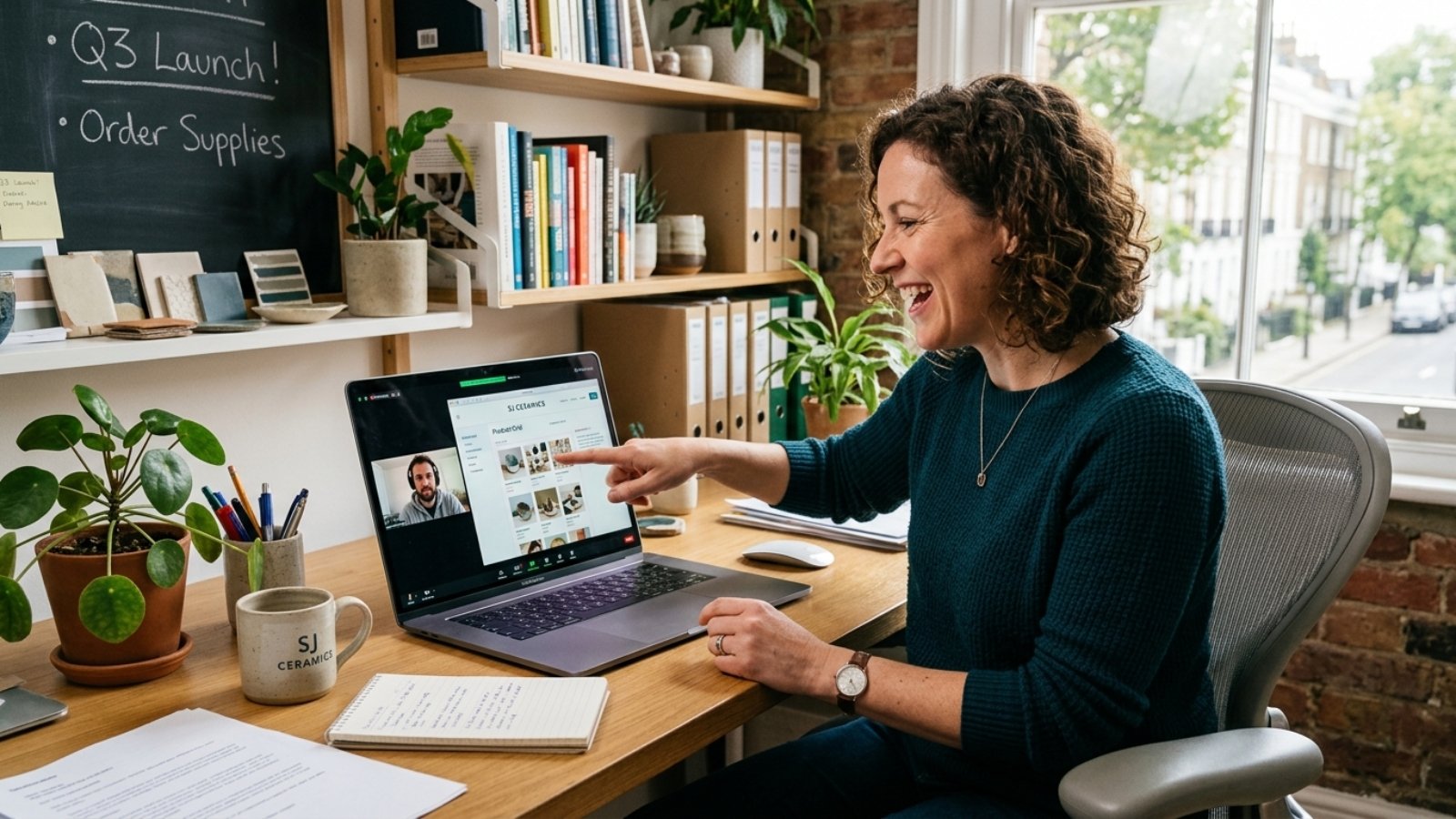

Developer showing a client custom code in the Velo panel, explaining when a Wix Velo developer is needed

Hire a Wix Velo Developer: 7 Things to Check Before You Pay

Before you hire a Wix Velo developer, check for real Velo code samples (not just design work), verified Wix Partner status, a written scope separating custom code from built-in apps, and clarity on who owns the code afterward. Skipping these checks is how businesses end up with a half-finished custom feature and no one who can fix it.

Hiring for Velo work is different from hiring a general Wix designer, and most people don’t realize that until they’re already stuck. A great designer can build a beautiful Wix site without ever touching a line of code. That same person, listed as a “Wix expert,” might have zero real Velo experience.

Here’s exactly what I’d check before paying anyone for this kind of work, based on what actually separates a solid hire from a costly mistake.

Why Is Hiring for Velo Different From Hiring a Regular Wix Designer?

Velo work sits closer to software development than website design. It involves real JavaScript, database logic, and API connections — skills a template-focused Wix designer simply may not have, even if their portfolio looks polished.

That distinction matters because pricing and skill levels vary enormously. According to current freelance marketplace data, Wix developer rates range from around $15 an hour for entry-level template work up to $150-plus an hour for specialists handling complex Velo development. That’s a huge range, and the difference usually comes down to whether someone actually codes, or just configures existing apps.

The 7 Things I’d Check Before Paying Anyone

1. Ask for Real Velo Code, Not Just Design Screenshots

A polished portfolio of pretty Wix sites tells you nothing about someone’s coding ability. Ask specifically to see a project where they wrote custom Velo code — a booking system, a dynamic pricing setup, an API integration — and ask them to briefly explain what the code actually does.

2. Verify Their Wix Partner Status Directly

Wix maintains its own official marketplace and partner directory, where professionals list verified credentials and client reviews tied to their actual Wix account. Checking someone’s listing there, rather than trusting a claim on their personal website, gives you a harder-to-fake signal of legitimate experience.

3. Ask “Have You Built With Velo Specifically?” — Not Just “Do You Know Wix?”

This sounds obvious, but I’ve seen clients get burned by this exact gap. Someone can genuinely know Wix well without ever having written custom Velo code. Ask the direct question, and ask for a specific example, not a general “yes, I’m familiar with it.”

4. Get a Written Scope That Separates Custom Code From Built-In Apps

Your scope document should clearly state what’s being built with existing Wix apps versus what requires custom Velo development. This distinction affects both price and maintenance responsibility later, so vague scoping here causes disputes down the line.

5. Ask How They Handle API Rate Limits and Third-Party Connections

This is a technical detail most clients never think to ask about, and it’s exactly where inexperienced Velo developers get tripped up. Wix’s own developer documentation outlines specific API rate limits that heavier custom apps need to work within. A developer who’s actually built complex Velo projects should be able to explain this without hesitation. If they look confused by the question, that’s informative.

6. Clarify Who Owns the Code and Site After the Project Ends

Confirm upfront that you retain full ownership and access once the project is delivered and paid for. This matters more with custom Velo code than with a template-based build, since custom logic is harder to hand off cleanly to a new developer if the relationship ends badly.

7. Start With a Small Paid Task Before the Full Project

Here’s the practical step most hiring guides skip entirely, and it’s the one I actually recommend to clients myself. Before committing to a full custom build, pay for one small, contained Velo task — a single form integration, for example. It’s a low-cost way to see their actual code quality, communication style, and turnaround time before larger money is on the line.

I’ve used this exact approach with new collaborators myself. A small paid test reveals far more than any portfolio review, because it shows you how someone actually works under real project conditions, not just how they present themselves.

[INSERT: a real hiring example here — e.g., a client who used this small-task approach before a larger Velo project, and what it revealed]

What Should This Actually Cost You?

Based on current market rates, expect roughly $15–$35 an hour for basic Wix customization work, $50–$150 an hour for experienced Velo specialists, and $150-plus for elite developers handling complex, high-stakes custom builds. For project-based pricing, simple Velo customizations often run a few hundred dollars, while full custom systems — booking platforms, pricing portals, API-driven dashboards — can run into the thousands.

If you want a realistic number for your specific project before requesting quotes, my website cost calculator gives you a grounded starting estimate.

A Mistake That Costs Clients More Than the Hire Itself

The biggest mistake I see isn’t hiring someone unqualified outright — it’s hiring someone qualified for design work and assuming that covers Velo too. The two skill sets overlap less than people expect. A gorgeous, well-designed Wix site with a broken custom booking flow underneath is a common and entirely avoidable outcome. Separate these two evaluations explicitly when you’re interviewing candidates.

Should You Even Need Velo, or Is This Overkill?

Before you go through this whole hiring process, it’s worth confirming your project actually needs custom Velo development in the first place. I’ve written a full breakdown of that distinction in when you actually need a Wix Velo developer — a surprising number of “custom Velo” requests can be solved with existing Wix apps at a fraction of the cost.

Frequently Asked Questions

How much does it cost to hire a Wix Velo developer?
Rates typically range from $50 to $150 per hour for experienced Velo specialists, with elite developers handling complex projects charging $150 or more. Basic Wix customization without custom code runs closer to $15–$35 per hour.

How do I know if a Wix developer actually knows Velo?
Ask to see real custom Velo code from a past project, not just design screenshots, and ask them to briefly explain what that code does. General Wix experience doesn’t guarantee real coding ability.

Is Wix’s official Partner directory a reliable way to find developers?
Yes. Wix’s own marketplace lists verified professionals with client reviews tied to their actual account activity, making it a more reliable starting point than an unverified personal portfolio site.

Should I get a written contract for Velo development work?
Absolutely. A written scope should clearly separate custom Velo code from built-in app configuration, and should specify that you retain full code and site ownership after payment.

Can I test a Wix Velo developer before committing to a full project?
Yes, and it’s a smart approach. Paying for one small, contained task first reveals code quality, communication, and turnaround time before you commit to a larger, more expensive project.

Do I need a Velo developer, or would a regular Wix designer work?
It depends on your project. If you only need design and layout work using existing Wix apps, a regular Wix designer is sufficient. Custom functionality beyond what apps provide requires genuine Velo experience.

Want a Straight Assessment Before You Hire Anyone?

If you’d rather have someone experienced look at your project scope first, message me on WhatsApp and I’ll tell you honestly what it actually needs. Start the conversation here.


Business owner pointing at a laptop while preparing to hire a freelance WordPress developer

How to Hire a Freelance WordPress Developer in 2026 (Complete Checklist)

To hire a freelance WordPress developer in 2026, check three things before you check price: a live portfolio you can click through, direct experience with your specific need (WooCommerce, custom theme, migration), and a written scope with milestones. Rates typically run $35–$175/hour depending on experience, so match the tier to your project’s actual complexity.

WordPress still runs a huge share of the web. W3Techs puts its market share at roughly 41–43% of all websites as of 2026, which is more than 41.9% of all websites on the internet, according to W3Techs technology surveys. That popularity is exactly why hiring gets confusing. Thousands of freelancers list themselves as “WordPress developers,” but their actual skill levels sit anywhere between “installed a theme once” and “built enterprise plugins for a decade.” HostingGuider

I build WordPress and WooCommerce sites for small businesses across the US, UK, and EU, and I’ve seen both sides of a bad hire — the client who got burned, and the freelancer who inherited a half-broken site to fix. This checklist is built from that experience, not a template.

Why Hiring a Freelance WordPress Developer Feels Riskier in 2026

The freedom that makes WordPress great — thousands of themes, 68,000+ free plugins in the official directory, endless customization — is the same thing that makes hiring hard. Anyone can spin up a WordPress site in an afternoon. Not everyone can build one that loads fast, survives a plugin update, or won’t need a rebuild in a year.

That’s why “do you know WordPress” is the wrong question. The right question is: has this person solved the specific problem you have? A developer who’s great at blog themes might struggle with a WooCommerce store that needs custom shipping logic. Specialization matters more than years of experience alone.

What Should a Freelance WordPress Developer Cost in 2026?

Rates vary widely, and that’s normal — not a red flag. Based on current market data across major freelance platforms, here’s roughly what you should expect:

  • Entry-level (0–2 years): $20–$50/hour — theme setup, plugin installs, small edits
  • Mid-level (2–5 years): $50–$100/hour — custom themes, WooCommerce builds, performance work
  • Senior (5+ years): $100–$175/hour — custom plugins, migrations, complex integrations
  • Agencies/white-label teams: $120–$200+/hour — you’re paying for a full team, not one person

For project-based pricing, a simple brochure site typically runs $500–$2,000, while a custom WooCommerce store can run $5,000–$20,000 depending on scope. If you want a number specific to your project instead of a general range, run it through my website cost calculator first — it takes two minutes and gives you a realistic ballpark before you start requesting quotes.

Here’s the nuance most pricing guides skip: a $150/hour senior developer who finishes your project in 15 hours often costs less than a $30/hour junior who needs 60 hours to get the same result — and produces messier code along the way. Don’t shop by hourly rate alone. Shop by total project cost and code quality.

The Complete Vetting Checklist

This is the part most “how to hire” articles gloss over. Here’s exactly what I’d check, in order.

1. Does Their Portfolio Show Live, Clickable Sites?

Screenshots aren’t proof. Ask for links to sites they actually built, and click through them yourself. Check load speed, mobile responsiveness, and whether the design still looks current. I’ve covered this in more depth in how to vet a developer’s portfolio, because this single step filters out most unqualified candidates fast.

2. Do They Have Experience With Your Specific Need?

“WordPress developer” is a broad label. Narrow it down:

  • Building a store? Ask for WooCommerce-specific examples, not just any WordPress site.
  • Migrating from another platform? Ask if they’ve done migrations before, since data loss risk is real.
  • Need custom functionality? Ask whether they write custom plugins or rely entirely on third-party ones from the WordPress.org plugin directory.

3. Can They Explain Their Process Without Jargon?

A developer who can walk you through their approach in plain language, before you’ve paid anything, is usually easier to work with long-term. If every answer sounds vague or overly technical, that’s often a communication gap you’ll feel again mid-project.

4. Do They Provide a Written Scope and Timeline?

Never start a project on a verbal agreement. A written scope should cover: what’s included, what’s excluded, number of revision rounds, and a rough timeline with milestones. This protects both sides — I insist on this with every client, because it prevents the classic “just one more small change” spiral.

5. What’s Their Plan for Updates and Security?

WordPress core, themes, and plugins need regular updates. Ask who’s responsible after launch, and whether they offer a maintenance retainer or a one-time handoff. If security isn’t part of the conversation, that’s worth flagging — you can run a free check yourself with my WordPress security checker once a site goes live, but ideally your developer builds security in from day one.

6. Do They Ask You Questions First?

This is the tell I trust most. A developer who jumps straight to a price quote without asking about your business, your customers, or your goals is optimizing for a fast close, not a good outcome. I always ask more questions than I answer in a first call — it’s how you avoid building the wrong thing quickly.

Freelancer vs. Agency: A Quick Decision Framework

I’ve written a broader comparison in how to hire a freelance web developer you can trust, but for WordPress specifically, here’s a simpler way to decide:

Choose a freelancer if…Choose an agency if…
You have one clear, defined projectYou need ongoing design, dev, and content together
Budget matters more than backup coverageYou need guaranteed availability at all times
You’re comfortable being the main point of contactYou want a project manager handling coordination

Most small businesses and startups I work with fall into the first column. A single freelancer with the right specialization is usually faster and cheaper than an agency, as long as the scope is clear from the start.

Red Flags I Tell Every Client to Watch For

  • No questions about your business before quoting a price. Good developers scope before they price.
  • Portfolio links that are broken, offline, or “coming soon.” That’s a sign the work either never went live or isn’t actually theirs.
  • Reluctance to put anything in writing. Verbal promises don’t hold up when something goes wrong.
  • Price that’s dramatically below market range. Someone quoting $10/hour for custom WooCommerce work is either inexperienced or planning to cut corners on security and code quality.
  • No mention of hosting, backups, or updates at all. A site that launches and is never touched again becomes a security liability fast.

[INSERT: a real client detail, number, or story here — e.g., a specific WordPress project where a client came to you after a bad freelancer experience, what went wrong, and how you fixed it]

Where to Actually Find One

You have a few realistic paths: freelance marketplaces (Upwork, Fiverr, Freelancer.com), direct outreach through LinkedIn or referrals, or WordPress-specific communities and job boards. Each has trade-offs — marketplaces are convenient but crowded with mismatched quality, while direct outreach takes longer but usually gets you better-vetted talent.

If you’re still unsure whether WordPress is even the right platform for your project, my platform finder quiz is a quick way to confirm before you spend time interviewing developers.

Frequently Asked Questions

How much does it cost to hire a freelance WordPress developer in 2026?
Rates typically range from $20/hour for entry-level work to $175/hour for senior specialists, with most experienced freelancers charging $50–$120/hour. Project-based pricing for a small business site usually falls between $2,000 and $8,000.

Is it better to hire a freelancer or an agency for WordPress?
A freelancer usually works better for a single, clearly scoped project on a tighter budget. An agency makes more sense if you need ongoing design, content, and development handled by one team with guaranteed backup coverage.

How long does it take to build a custom WordPress site?
A simple brochure site typically takes 2–4 weeks. A custom WooCommerce store with integrations usually takes 6–10 weeks, depending on how much custom functionality is involved and how quickly you provide content.

Should I pay a freelance WordPress developer hourly or by project?
Project-based pricing gives you cost certainty and works well for clearly defined scopes. Hourly pricing suits ongoing maintenance or projects where requirements might shift. Ask for a written scope either way.

What questions should I ask before hiring a WordPress developer?
Ask about their experience with your specific need (WooCommerce, migrations, custom plugins), their post-launch update and security plan, their revision policy, and whether they can share live examples of past work.

Do I need to know WordPress myself to manage a freelancer?
No, but understanding the basics — plugins, themes, the difference between core and custom code — helps you evaluate progress and ask better questions during the project.

Ready to Hire Someone Who Actually Asks the Right Questions?

If you’d rather skip the vetting process and just talk through your project directly, message me on WhatsApp. I’ll ask about your business first, not just quote a price. Start the conversation here.

Business owner pointing at a laptop screen while learning how to vet a developer's portfolio before hiring

How to Vet a Developer’s Portfolio (What Matters)

Quick answer: Developer portfolio vetting means checking proof, relevance, problem-solving, communication, and business outcomes before you hire. Do not judge a portfolio by pretty screenshots alone. Look for live links, role clarity, technical fit, measurable results, and signs the developer can maintain the work after launch.

Developer Portfolio Vetting: What Actually Matters

Developer portfolio vetting is one of the easiest places to make an expensive hiring mistake.

A beautiful homepage screenshot can hide slow loading, broken mobile layouts, poor SEO, weak security, and messy backend work. A plain-looking case study, however, may show exactly the kind of thinking your business needs.

That is why I never tell clients to ask, “Do I like this portfolio?” first.

The better question is: “Can this person solve my problem without creating a new one?”

That matters even more in 2026. The U.S. Bureau of Labor Statistics projects software developer employment to grow 15.8% from 2024 to 2034, adding 267,700 jobs. Demand is strong, but demand also attracts noise.

Upwork’s 2026 skills report also found that demand for top AI-related skills more than doubled year over year. So, many portfolios now mention AI, automation, apps, and integrations. Some prove it. Many only say it.

Here is how to tell the difference.

What Should Developer Portfolio Vetting Prove?

A good portfolio should prove three things.

First, the developer can build the type of project you need. A restaurant ordering site, booking platform, WordPress service website, Wix Studio site, Flutter app, and AI chatbot all require different judgment.

Second, the developer understands business outcomes. Your project is not “a website.” It may need leads, bookings, payments, subscriptions, faster operations, or lower support work.

Third, the developer can communicate clearly. This sounds soft, but it affects the whole project. If they cannot explain past work simply, they may struggle to explain delays, tradeoffs, scope, and technical risks later.

A portfolio should reduce uncertainty. If it only creates more questions, ask those questions before you pay a deposit.

Are The Portfolio Projects Relevant To Your Business?

Relevance beats volume.

A developer with 40 random templates may look busy. Yet one detailed project in your category may tell you much more.

If you need a WordPress business website, look for WordPress work with real service pages, contact flows, performance care, SEO structure, and conversion thinking. You can also compare platform fit with this guide: <a href=”https://syedaounraza.online/wordpress-vs-wix/”>WordPress vs Wix in 2026</a>.

If you need a Wix Studio build, check whether the portfolio shows more than drag-and-drop design. Wix now supports serious custom development through Velo, JavaScript, APIs, backend logic, and the newer Wix development ecosystem. The official <a href=”https://dev.wix.com/docs/develop-websites”>Wix developer documentation</a> makes that clear.

If you need a mobile app, look for actual product flow. Screenshots are not enough. Ask how authentication, database structure, notifications, payments, and backend logic work. For budget context, read this <a href=”https://syedaounraza.online/flutter-app-development-cost-2026/”>Flutter app development cost guide</a> before comparing quotes.

In short, match the portfolio to the job.

A great Shopify designer may not be the right person for Firebase architecture. A strong Flutter developer may not be the best fit for a local SEO WordPress site. Good hiring starts with that honesty.

Can You Verify The Work Is Real?

Never rely only on screenshots.

Ask for live links when possible. Then test them like a real customer.

Open the site on mobile. Click the menu. Submit a test form if the developer gives permission. Check if buttons work. Try the checkout flow up to the payment step. Look at how fast pages load. Search for broken layouts.

For apps, ask for a demo video or test build. If the app sits behind a login, request a walkthrough. A serious developer should explain what they built, what tools they used, and which parts another team handled.

This is important because portfolios often blur responsibility. A developer may show a project where they only changed one section. That is not wrong, but you need clarity.

Ask this simple question:

“What exactly did you personally build on this project?”

A confident developer will answer directly. They may say, “I built the WordPress theme, configured WooCommerce, and handled checkout.” Or, “I only handled the Velo booking logic.” Both answers help you judge fit.

Vague answers should slow you down.

What Business Results Should You Look For?

Screenshots show appearance. Results show usefulness.

Look for signs that the project did something measurable. That could include faster load time, more inquiries, better checkout completion, fewer manual admin tasks, cleaner lead routing, improved SEO setup, or simpler content updates.

Not every client allows public numbers. That is normal. However, the developer should still explain the goal.

For example:

“The old form lost leads on mobile, so we rebuilt it as a shorter flow.”

That sentence tells you more than “modern responsive design.”

When I review a portfolio, I like seeing before-and-after context. It shows the developer can diagnose, not just decorate.

This links directly to conversion work. A website that looks good but fails to generate leads still has a business problem. If your current site has that issue, this guide on <a href=”https://syedaounraza.online/website-not-converting/”>why websites do not convert</a> is a useful next read.

How Do You Judge Technical Quality Without Being Technical?

You do not need to read code to spot many technical warning signs.

Start with the user experience. Does the site feel stable? Does it load quickly? Does it work on mobile? Are forms, filters, booking tools, carts, and menus smooth?

Then ask practical maintenance questions.

Can your team edit content without breaking layouts? Who updates plugins or dependencies? Where does form data go? Does the site have backups? Does the app use analytics? What happens if an API fails?

For WordPress, ask about plugins. Too many plugins can slow a site and increase maintenance risk. However, too few can also mean custom code where a trusted plugin would be safer.

For Wix Studio and Velo, ask how custom logic gets tested. Wix supports frontend and backend development, but custom code still needs structure.

For Flutter and Firebase, ask about database rules, authentication, and error handling. A good mobile UI means little if the backend leaks data or fails under normal use.

For AI integrations, ask what happens when the model gives a poor answer. Serious AI work includes guardrails, logging, fallbacks, and testing. “We added ChatGPT” is not a strategy.

What Portfolio Red Flags Should Make You Pause?

Some red flags are obvious. Others look harmless until the project goes wrong.

Pause if every project uses the same layout with different logos. That may mean the developer only customizes templates.

Be careful if the portfolio has no live links, no role descriptions, and no explanation of business goals. A developer does not need a 20-page case study, but they should provide enough context.

Watch for copied screenshots from famous brands. Reverse image search can help if something feels off.

Also notice communication. If a developer cannot answer basic questions before payment, the project will not become easier after payment.

The biggest red flag is overconfidence. Good developers know tradeoffs. They can say, “That feature is possible, but it will increase cost.” They can also say, “Wix is enough here,” or “You need WordPress for this,” or “A Flutter app is too early for your current stage.”

That kind of honesty protects your budget.

Should You Care About Design Or Code More?

Care about fit.

For a brochure site, design, copy structure, SEO basics, and conversion flow may matter more than complex code. For a booking platform, logic and reliability matter more. For an app, architecture matters. For an AI feature, safety and usefulness matter.

A portfolio should show the right balance for your project.

If you run a small service business, ask how the developer handles calls to action, contact forms, WhatsApp links, speed, and local trust signals.

If you run a startup, ask how they handle user roles, database structure, scalability, analytics, and future feature changes.

If you sell online, ask about checkout, payment gateways, order emails, abandoned carts, and product management.

The best portfolio is not the prettiest one. It is the one that proves the developer has already faced problems like yours.

How Many Portfolio Pieces Are Enough?

Three relevant projects can beat 30 weak ones.

For a freelancer, I would rather see 3 to 6 strong examples with clear notes. For an agency, I expect more variety, but I still want role clarity.

Use this simple scoring method:

Give one point for each item.

Live project available.
Clear role explained.
Similar business type.
Similar platform.
Mobile experience works.
Business goal explained.
Results or outcome mentioned.
Maintenance plan considered.
Communication feels clear.
Quote matches the proof.

A portfolio scoring 8 out of 10 deserves a serious conversation. A portfolio scoring 4 out of 10 may still work for a small job, but only with a small test project first.

What Questions Should You Ask Before Hiring?

Ask questions that force specifics.

“What problem did this project solve?”

“What did you build personally?”

“What platform did you use, and why?”

“What would you improve if you rebuilt it today?”

“How do you test forms, checkout, mobile layout, and speed?”

“How do you handle changes after launch?”

“What do you need from me before starting?”

These questions reveal how the developer thinks. They also show whether they understand business pressure, not just tools.

A developer who answers clearly will make your project calmer.

Final Thought

Developer portfolio vetting should protect you from guesswork.

Do not hire from screenshots alone. Look for proof, fit, clarity, and maintenance thinking. Ask what the developer actually built. Test live work when you can. Then compare the portfolio against your real business goal.

If you want a practical second opinion on a WordPress, Wix Studio, Flutter, Firebase, or AI project, send Aoun the portfolio or project brief. You can start with a short message here: <a href=”https://syedaounraza.online/contact/”>Message Aoun on WhatsApp</a>.

FAQ

What is developer portfolio vetting?

Developer portfolio vetting is the process of checking a developer’s past work before hiring them. It helps you confirm relevance, technical ability, communication style, and proof of real project experience.

What should I look for in a freelance developer portfolio?

Look for live links, similar project types, clear role descriptions, working mobile layouts, business goals, and evidence of results. Pretty visuals matter, but they should not be your only signal.

How do I know if a developer really built a project?

Ask what they personally handled. Request live links, demo access, code samples where appropriate, or a walkthrough. Clear developers can explain their exact role without hiding behind vague team language.

Is a large portfolio better than a small one?

No. A small portfolio with relevant, well-explained projects often beats a large portfolio full of generic screenshots. Relevance and clarity matter more than project count.

Should I hire a developer without live portfolio links?

Sometimes, but be careful. Some client work stays private because of NDAs or logins. In that case, ask for demo videos, private walkthroughs, references, or a small paid test task.

What is the biggest mistake when reviewing a portfolio?

The biggest mistake is judging by design alone. A site can look polished while forms fail, pages load slowly, SEO structure breaks, or the backend stays hard to maintain.

Ask for approval

Small business owner reviewing a portfolio to hire a freelance web developer during a video call

How to Hire a Freelance Web Developer You Can Trust

Quick answer: To hire a freelance web developer you can trust, look past the portfolio screenshots and check three things: how they communicate before you’ve paid them anything, whether they can explain a past failure honestly, and whether they put scope and ownership terms in writing. Price matters less than these three signals.

I say this as someone who sits on the other side of that hiring decision every week. Clients message me, ask questions, sometimes push back, and I’d rather lose a job than pretend a two-week build will actually take two weeks.

The Freelance Market Got Bigger — and Noisier

Hiring a freelance web developer used to mean picking from a short list of people your network trusted. That’s changed. Upwork’s 2026 Future Workforce Index found that 39% of the entire US workforce did some freelance work that year, up sharply from a few years earlier.

More freelancers means more choice. It also means more noise — inflated portfolios, recycled testimonials, and bids so low they can only mean corners will get cut somewhere. That’s not a reason to avoid freelancers. Web development remains one of the strongest freelance categories out there; the U.S. Bureau of Labor Statistics projects employment for web developers and digital designers to keep growing faster than the average occupation through the next decade. The category isn’t the problem. Filtering it is.

What Actually Signals Trust Before You’ve Paid Anyone?

Forget the five-star rating for a second. Ratings can be gamed, bought, or inflated by a handful of easy jobs. Here’s what I’d actually check, in order.

1. How They Respond Before the Contract Exists

Watch the first three messages. Do they ask about your business, or do they jump straight to a quote? A developer who asks what problem the site needs to solve — not just what pages you want — is thinking like a builder, not an order-taker.

Response time matters too, but not in the way people assume. You don’t need someone who replies in five minutes. You need someone who tells you when they’ll reply, and then does.

2. Whether They’ll Talk About a Project That Went Wrong

Ask directly: “Tell me about a project that didn’t go the way you planned.” Good freelancers have an answer ready, because it’s happened to everyone who’s shipped enough real work. Vague deflection, or a claim that nothing has ever gone wrong, tells you more than a polished case study ever will.

3. Real Work You Can Actually Verify

Anyone can post screenshots. Ask for live URLs you can click through yourself, and check that the developer is credited — or at least confirmable — on the actual project, not just named in a portfolio PDF. A developer’s own site is itself a trust signal: if they can’t build something clean and functional for themselves, that’s worth noticing.

The Pricing Question Nobody Answers Honestly

Here’s an uncomfortable truth: the lowest bid is rarely the cheapest option once you count the rework. A rushed build that breaks on mobile, or a site you technically own but can’t update yourself, costs more in the long run than paying a fair rate upfront.

That doesn’t mean the highest bid is automatically better either. What you’re really paying for is clarity — a developer who scopes the project honestly instead of underquoting to win the job, then padding the invoice later with “extras” that should have been included from the start.

If you’re not sure what a realistic budget even looks like before you start collecting quotes, running your project through a website cost calculator first gives you a number to sanity-check bids against — so you’re negotiating from information, not guesswork.

The Mistake That Costs the Most Later

The single biggest mistake I see business owners make isn’t picking the wrong developer. It’s skipping the ownership conversation entirely.

Before a line of code gets written, confirm in writing: Who owns the final files? Can you log into your own hosting and domain accounts? If the freelancer disappears tomorrow, can someone else pick up the project without starting over? A trustworthy freelancer answers these without hesitation, because they never intended to hold your site hostage in the first place. One who gets defensive about the question just gave you useful information for free.

This matters even more if you’re still deciding between platforms — a WordPress build and a Wix build hand off ownership very differently, and it’s worth understanding that difference before you sign anything. I’ve broken down the trade-offs in my WordPress vs Wix comparison if that decision is still open.

Personal Brand Is a Trust Signal Too

Here’s something a lot of hiring guides skip: a freelancer’s own personal brand tells you how they think about long-term relationships, not just one-off jobs.

Someone who publishes real case studies, writes honestly about their process, and keeps an active, current portfolio is signaling that they expect to still be doing this work next year — and that repeat clients and referrals matter to them more than a single fast payday. That’s a very different incentive structure than someone optimizing purely for winning the next bid on a marketplace. You can see how I approach that on my About page, where I keep the actual project history, not just claims.

Frequently Asked Questions

How much does it cost to hire a freelance web developer in 2026? Rates vary widely by region and complexity, but a simple business site typically costs less than a custom web application with backend logic. Get a specific range for your project rather than relying on a general average, since scope changes the number dramatically.

Should I hire a freelancer or an agency? A freelancer usually costs less and gives you direct access to the person doing the work. An agency offers more redundancy if one person gets sick or leaves mid-project. For most small business sites, a vetted freelancer with a clear contract is the more cost-effective choice.

What’s the biggest red flag when hiring a freelance web developer? Reluctance to put scope, timeline, and ownership terms in writing. A freelancer who wants to “just get started” without a written agreement is the single clearest warning sign, regardless of how good their portfolio looks.

Do I need a written contract for a small website project? Yes, even for small projects. A short written agreement covering deliverables, timeline, payment milestones, and who owns the final files protects both sides and prevents the most common disputes.

How do I know if a freelancer’s portfolio is real? Ask for live, working URLs rather than screenshots, and see if you can find the project mentioned independently — a client testimonial, a case study, or a site that’s still live and functioning years later.

Is it risky to hire a freelance web developer instead of a full-time employee? Not inherently. The risk comes from skipping the vetting process, not from the freelance model itself. A well-vetted freelancer with a clear contract is often lower-risk than a rushed full-time hire.

Ready to Talk to Someone Who Actually Answers These Questions?

If you’re vetting developers right now, ask the questions in this article and pay attention to how people answer them — that’s the real interview. When you’re ready to talk through your own project, message me on WhatsApp and I’ll walk you through scope and pricing honestly, before you commit to anything.

Small business owner on a video call deciding whether to hire a remote web developer for their project

Should You Hire a Remote Web Developer or Local?

Quick answer: You should hire a remote web developer when your project has a clear scope and you value cost efficiency and flexible scheduling, and hire local when you need frequent in-person meetings or same-day, same-timezone support. Most small business websites — WordPress, Wix, or WooCommerce builds — work fine remotely, since the entire process happens through screens either way.

I’m based in Pakistan and build sites for small businesses in Denmark, the UK, and the US. Every client asks some version of the same question before we start: “How does this even work if you’re not here?” Fair question. Let me answer it honestly, trade-offs included.

Why Does Location Even Matter for a Website Build?

It matters less than most business owners assume, because the actual work — coding, design, testing — happens on a screen regardless of where the developer sits. A local agency isn’t physically building your site in your office. They’re doing it on a laptop somewhere else in town, then sending you the same Slack messages and Zoom calls a remote developer would.

What genuinely changes with location is cost structure, availability windows, and how quickly you can walk into a room and point at a screen together. That’s it. That’s the whole difference once you strip away the assumption that “local” automatically means “better.”

The Real Cost Gap

This is where the numbers get uncomfortable for local agencies. A U.S. or Western European web development agency typically charges $150–$250 an hour or $10,000–$250,000+ per project, according to a 2026 industry pricing breakdown. Freelancers in the same markets run $30–$200+ an hour.

Remote developers working from regions with a lower cost of living — Pakistan, India, Eastern Europe — routinely deliver the same WordPress or WooCommerce build for a fraction of that hourly rate, without cutting corners on the actual code. That’s not a loophole. It’s simply what currency and cost-of-living differences make possible.

That gap is exactly why the global freelance platform market, valued at roughly $5.4 billion in 2024, is projected to more than double to $13.3 billion by 2030. Businesses aren’t hiring remotely because it’s trendy. They’re hiring remotely because the math works.

What You Actually Lose by Going Remote

I won’t pretend there’s no trade-off, because that would be dishonest. Here’s what genuinely gets harder:

  • Same-day emergencies. If your site breaks at 2pm your time and your developer is asleep eight time zones away, you’re waiting for morning. Good remote developers build monitoring and clear response-time expectations into the contract specifically to manage this.
  • In-person collaboration. Some businesses genuinely think better in a room with a whiteboard. If that’s how your team operates, remote work fights against your natural process.
  • Legal and payment friction. Cross-border invoicing, currency conversion, and contract enforcement across countries add complexity a local hire doesn’t have.

None of these are dealbreakers for most small business websites. However, they’re real, and any developer who tells you remote work has zero downside is selling you something.

How Time Zones Actually Work in Practice

This is the part clients worry about most and experience least as an actual problem. Working with clients in Denmark, my day usually overlaps with their morning, and I handle updates, revisions, and messages through the rest of my day while they sleep. By the time they’re back online, work is done and waiting.

That overlap window doesn’t need to be eight hours. Two or three focused hours of overlap, paired with async communication through WhatsApp or email for everything else, covers most small business website projects without anyone feeling out of the loop.

Local vs. Remote: A Direct Comparison

FactorLocal Agency/DeveloperRemote Developer
Typical hourly rate$150–$250 (agency), $30–$200+ (freelancer)Often 40–70% lower for comparable skill
Same-day in-person meetingsYesNo, video calls only
Response time on urgent issuesImmediate if in office hoursDepends on overlap window and contract terms
Communication styleMostly synchronousMix of synchronous and async
Talent pool sizeLimited to local marketGlobal, far larger pool
Best forComplex enterprise builds needing constant on-site inputWordPress, WooCommerce, Wix, and most small business sites

When Local Genuinely Makes More Sense

Be honest with yourself about this before deciding purely on cost. If your project involves training in-house staff hands-on, integrating with physical hardware, or needs someone on-site for launch day, local wins. Certain regulated industries also prefer local vendors for compliance or data residency reasons that remote work complicates.

For a standard business website — even one with online ordering, like the WooCommerce build I delivered for a pizzeria in Denmark — none of those constraints usually apply. The whole project ran through screen shares and messages, and it works the same way whether the developer sits ten minutes or ten time zones away.

How to Vet a Remote Developer Properly

Since you can’t drop by their office, vetting matters more, not less. Ask for a portfolio with live, working sites you can actually click through, not just screenshots. Request a short paid trial task before committing to a full project. Confirm they respond within a stated window, and get that window in writing.

A remote developer worth hiring will welcome these questions, since it’s exactly how they build trust without a handshake.

Frequently Asked Questions

Is it safe to hire a remote web developer instead of someone local? Yes, when you vet properly — check a live portfolio, confirm response-time expectations, and start with a small paid task before a full project.

Do remote developers really cost less than local agencies? Often significantly less, since developers in lower cost-of-living regions can charge less per hour while delivering comparable quality on standard business website builds.

How do time zones affect a remote web development project? Less than expected. A few hours of daily overlap, combined with async updates, covers most small business projects without meaningful delay.

What kind of website projects work best with a local developer? Projects needing frequent in-person meetings, hardware integration, or on-site training are usually better served locally.

How do I pay a remote developer securely? Most remote developers accept milestone-based payments through services like Wise, PayPal, or platform escrow, releasing funds as work is delivered and approved.

Should I use a freelance platform or hire a remote developer directly? Either works. Platforms add buyer protection for a first-time hire, while working directly often means lower fees once you’ve established trust.

If you’re weighing this decision for your own project, start with a rough sense of scope using the website cost calculator, then message me on WhatsApp and I’ll tell you honestly whether remote makes sense for what you’re building.

Small business owner reviewing a proposal before hiring a web developer

Hiring a Web Developer? Avoid These Common Mistakes

Quick answer: Hiring a web developer goes wrong most often when the scope isn’t written down before work starts. That single gap causes budget overruns, missed deadlines, and projects that drag on for months longer than promised. Fixing it is mostly about asking the right questions upfront, not finding a “better” developer.

I’ve picked up more than one project that another developer left half-finished. The pattern is almost always the same. It’s rarely that the first developer was bad at coding. It’s that nobody agreed on what “done” actually looked like before the invoices started.

That’s a fixable problem, and it’s worth understanding before you sign anything.

Why Do So Many Web Development Projects Go Wrong?

The numbers back up what I see on the ground constantly. According to the Project Management Institute’s official research, 52% of projects experience scope creep — a jump from 43% just five years earlier. That’s uncontrolled changes to what a project was originally meant to deliver.

On the web development side specifically, GoodFirms’ 2026 Custom Software Development Cost Survey found that 65.6% of companies reported scope creep typically increasing project costs by 10 to 25%. And 86% of respondents cited changing client needs as a recurring issue, even on projects that started with clearly defined goals.

Here’s my honest take: most of that isn’t the developer’s fault, and it isn’t entirely the client’s fault either. It’s what happens when nobody writes down a real scope before the clock starts.

What Are the Most Common Mistakes When Hiring a Web Developer?

These are the mistakes I see most often, roughly in order of how much damage they cause.

Choosing Based on Price Alone

The cheapest quote usually means the least time spent understanding your actual needs. That’s not always true, but it’s true often enough to matter. A rock-bottom price frequently gets recovered later through “extras” that should have been included from the start.

Skipping a Written Scope of Work

If your agreement is a few WhatsApp messages and a verbal “yeah, that sounds good,” you don’t have a scope. You have a hope. Every page, feature, and integration needs to be listed somewhere both sides can point back to when a disagreement comes up.

Not Checking Real, Working Examples

A polished portfolio screenshot tells you almost nothing. Ask for live links you can actually click through, and test them yourself — on your phone, not just a desktop. That’s often where problems hide.

Assuming “Full-Stack” Means Equally Skilled at Everything

Someone who’s excellent at WordPress builds isn’t automatically strong at Flutter app development or backend integrations. That’s not a knock on generalists — it’s just worth asking directly which parts of your project someone has actually shipped before, not just listed on a resume.

Ignoring Who Owns What After Launch

Some developers hand over full admin access and source files at the end. Others quietly keep you dependent on them for every future change. Ask this before signing, not after the site is live and you need a small text edit.

Should You Hire a Freelancer or an Agency?

This isn’t really a budget question, even though it gets framed that way constantly. It’s a question of project complexity and how much oversight you have time to provide.

A freelancer tends to work well for a well-scoped project with a single primary technology — a WordPress rebuild, a Wix migration, a focused app feature. You get direct communication and no account-manager layer between you and the person actually building your site.

An agency makes more sense for larger, multi-disciplinary builds where you genuinely need several specialists coordinated together, and where a single point of failure would be too risky. That coordination costs more, and it should — you’re paying for the project management on top of the build itself.

For most small businesses reading this, a scoped freelance engagement is the more practical starting point. It’s also easier to evaluate honestly before you commit, which is the whole point of avoiding these mistakes in the first place.

What Should Actually Be in a Written Agreement?

At minimum, a proper scope of work should cover:

  • Every page, feature, and integration included in the price
  • What counts as a “revision round,” and how many are included
  • Who owns the code, content, and any custom assets after final payment
  • A realistic timeline with milestones, not just a single final deadline
  • What happens if either side wants to add something mid-project

That last point matters more than people expect. Scope creep isn’t usually one big dramatic ask — it’s a dozen small “can we just add this?” requests that quietly stack up. A written change-order process, even a simple one, keeps that from spiraling.

How Do You Vet a Developer Before Committing?

Ask to see a project similar to yours, not just any project. A beautiful portfolio piece for an e-commerce brand tells you little about someone’s booking-system experience if that’s what you actually need built.

You can also just ask directly: “What’s a project that didn’t go as planned, and what did you learn from it?” Anyone who’s been doing this for a while has an honest answer. Evasiveness there is a more useful signal than any polished case study.

If you want to see what a full project actually looks like end to end — timeline, scope, and outcome — I’ve written up a FareHarbor booking integration case study that walks through exactly that kind of engagement.

How Do I Know Which Platform My Project Even Needs?

This is worth settling before you approach anyone, because it changes who you should even be talking to. WordPress, Wix, and a custom-built app solve very different problems, and picking the wrong one first often gets blamed on the developer later.

My free Platform Finder Quiz walks through that decision in a couple of minutes, so you’re approaching developers with a clearer idea of what you actually need.

Frequently Asked Questions

What is the most common mistake when hiring a web developer? Skipping a written scope of work is the most common and most costly mistake. Without one, both budget and timeline expectations tend to drift as the project progresses.

Does scope creep really affect small business website projects? Yes. GoodFirms’ 2026 survey found that 65.6% of software companies reported scope creep typically increasing project costs by 10 to 25%, and this applies to smaller website builds as much as larger software projects.

Is it better to hire a freelancer or an agency for a small business website? For a well-defined project with a single primary technology, a freelancer usually offers better value and more direct communication. Agencies make more sense for larger, multi-disciplinary builds needing several coordinated specialists.

What should be included in a web development contract? At minimum: every page and feature covered by the price, the number of included revision rounds, who owns the code and assets after final payment, a milestone-based timeline, and a process for handling mid-project changes.

How can I tell if a developer’s portfolio is trustworthy? Ask for live, clickable links rather than screenshots, and test them yourself on both desktop and mobile. Ask specifically about a project similar to what you need, not just their most polished example.

What percentage of projects experience scope creep? The Project Management Institute found that 52% of projects experience scope creep, up from 43% five years earlier — a trend that applies broadly across industries, including web development.

Hiring the right developer isn’t about finding someone flawless. It’s about agreeing on scope clearly enough that neither of you is guessing three weeks into the project.

If you’re at the stage of comparing developers and want a straight answer about whether your project is well-scoped enough to quote properly, message me on WhatsApp and I’ll tell you honestly what I see.