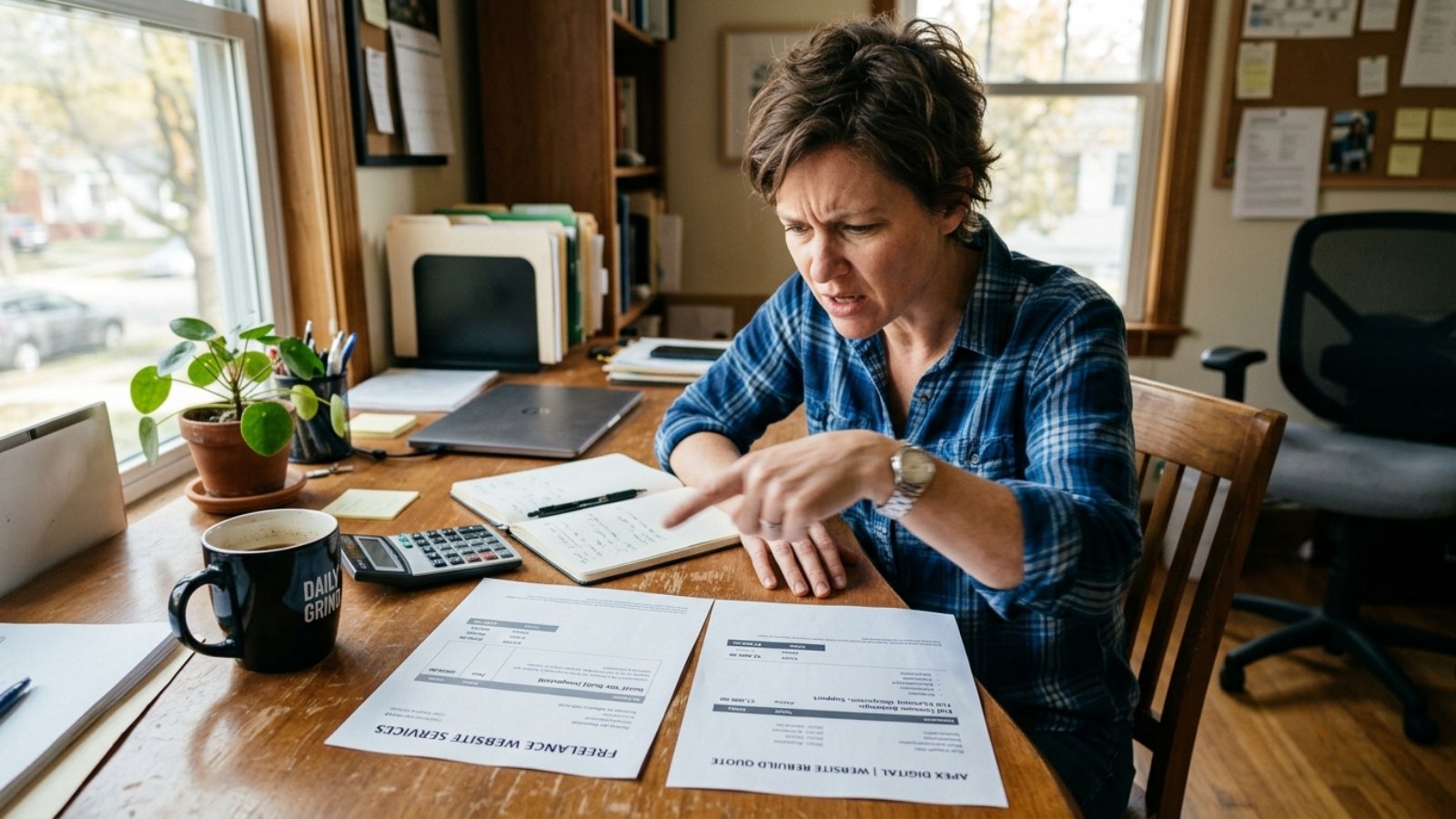
Business owner comparing invoices and realizing why cheap websites cost more over time

Why Cheap Websites Usually Cost More

Quick answer: Cheap websites cost more over time because they usually need a full rebuild within two to three years, once they’ve already lost leads to poor design, weak mobile performance, or missing SEO foundations. A $300 site that gets rebuilt for $5,000 later costs more than a $3,000 site built correctly the first time.

I’ve watched this pattern play out with enough clients to say it plainly: the cheapest quote almost never turns out to be the cheapest outcome. It just delays the real bill.

The Real Math Behind “Cheap”

Here’s the calculation most business owners never run. A $300–$800 template site looks like a bargain against a $3,000–$8,000 custom build. However, that comparison only holds if the cheap site never needs replacing.

In practice, budget sites frequently need a full rebuild within eighteen months to three years, because they were built on rigid templates that can’t add features, don’t perform well on mobile, or lack basic SEO structure from the start. Rebuilding from scratch on a proper platform typically costs $5,000–$20,000, plus weeks of downtime while the new site gets built.

Run the numbers honestly: $500 upfront, plus a $6,000 rebuild eighteen months later, plus lost leads during the gap where your site wasn’t converting well, adds up to considerably more than paying $3,000–$5,000 for a solid build the first time.

Why Businesses Fall Into This Trap Anyway

It’s not because business owners are careless. Cheap options are genuinely tempting when cash is tight and a website feels like a checkbox to complete quickly. That’s a completely reasonable instinct early on.

However, a website isn’t just a digital brochure anymore. According to the U.S. Small Business Administration, over 80% of consumers view a business with a website as more credible than one relying only on social media. That means your site actively shapes whether people trust you enough to buy, not just whether you technically have an online presence.

5 Hidden Costs a Cheap Website Leaves You With

1. Lost Leads You Never See

A slow, confusing, or poorly designed site quietly loses visitors before they ever contact you. You won’t get a notification about this. You’ll just have fewer inquiries than you should, without an obvious reason why.

2. Weak or Missing SEO Foundations

Budget builders and cheap templates frequently treat SEO as an afterthought, if they address it at all. That means your competitors, who built with SEO in mind from day one, outrank you before you’ve even started competing.

3. Platform Lock-In

Some ultra-cheap builders make it difficult to export your content or migrate elsewhere later. If you ever want to leave, you may need to rebuild from scratch rather than transfer what you already have.

4. Constant Small Workarounds

Cheap sites often can’t do exactly what you need, so you end up bolting on third-party tools, manual workarounds, or clunky plugins to patch the gap. Each patch adds a little more fragility to a site that wasn’t built to handle it.

5. An Eventual Full Rebuild

This is the big one. A site that can’t scale, can’t be updated easily, and doesn’t perform well eventually gets replaced entirely, at a cost far higher than building it correctly the first time.

When Going Cheap Actually Makes Sense

Here’s where I’ll push back on my own argument, because nuance matters. A DIY builder or budget template genuinely makes sense for a temporary landing page, a short-term event site, or a true test-the-waters project before committing to a real business.

The problem isn’t cheap tools themselves. It’s using a temporary tool for a permanent business need, then acting surprised when it can’t keep up. If you know upfront that you’ll outgrow it and plan for a proper build once revenue justifies it, going cheap at the start is a reasonable, deliberate choice, not a mistake.

If you’re trying to figure out whether your current site needs a rebuild or just some targeted fixes, I’ve covered that distinction in signs your website needs a redesign, which is worth reading before committing either way.

The Mistake That Compounds This Problem

Here’s the pattern I see most often: a business goes cheap once, gets burned, then goes cheap again for the rebuild too, trying to recover the money they feel they wasted the first time. That instinct is understandable, but it usually repeats the exact same cycle.

Breaking that cycle means budgeting for a proper build once, even if it means waiting a few extra months to afford it, rather than compounding the problem with another short-term fix. If you want a realistic sense of what a properly built site actually costs for your situation, I’ve broken down current 2026 pricing in detail in how much a small business website should cost.

For a specific number based on your actual project, the Free Website Cost Calculator gives you a realistic estimate in a couple of minutes.

Frequently Asked Questions

Why do cheap websites end up costing more?
Cheap websites often need a full rebuild within two to three years due to rigid templates, weak SEO, and poor performance, which costs more than building correctly the first time.

Is a DIY website builder always a bad choice?
No. DIY builders work well for temporary pages, short-term projects, or early testing phases, as long as you plan to upgrade once the business justifies a proper build.

How much does it typically cost to rebuild a cheap website?
Rebuilding a budget site on a proper platform typically costs $5,000–$20,000, depending on complexity, plus the time and lost momentum from being offline during the transition.

Does a cheap website actually hurt my search rankings?
Often, yes. Budget builders and templates frequently skip proper SEO foundations, which puts you at a disadvantage against competitors who built with SEO in mind from the start.

How can I tell if my current website is costing me leads?
Check whether visitors arrive but rarely contact you. That gap often points to design or trust issues that a cheap or outdated site commonly creates.

What’s a reasonable budget for a small business website that won’t need replacing soon?
Most solid small business builds run $2,000–$8,000, depending on features, which typically avoids the rebuild cycle that cheaper options often lead to.

Want to Build It Right the First Time?

If you’d rather invest once than pay twice, message me on WhatsApp and tell me about your project. I’ll give you an honest read on what it actually needs.


Business owner and developer reviewing custom functionality before deciding to hire a Wix Velo developer

Hire a Wix Velo Developer: When You Actually Need One

Quick answer: Hire a Wix Velo developer when you need custom functionality the drag-and-drop editor can’t provide — dynamic pages driven by a database, custom user permissions, third-party API integrations, or interactive tools unique to your business. For a standard brochure site, the regular Wix editor is usually enough on its own.

Wix now powers well over 200 million websites worldwide, and most of those never touch Velo at all. That’s worth knowing before you assume you need custom development just because your site feels limited.

What Is Wix Velo, Actually?

Velo is Wix’s built-in coding platform, letting you add JavaScript, connect databases, and build custom logic directly inside the Wix editor. Think of it as the difference between decorating a pre-built house and rewiring parts of it yourself.

According to Wix’s own developer documentation, Velo’s available features and resource limits scale with your Wix Premium plan. That means the plan you’re on directly affects what a Velo developer can actually build for you, which is worth checking before you request a quote.

When You Don’t Actually Need a Velo Developer

Here’s something worth saying plainly: most small business sites don’t need Velo at all. If your site is a standard brochure layout, a portfolio, or a simple service page with a contact form, Wix’s regular editor and existing apps usually cover everything you need.

Wix’s app market already handles booking systems, basic e-commerce, and email marketing without custom code. Paying a developer to build something the app market already offers is money spent solving a problem that doesn’t exist.

When You Actually Do Need One

Your Site Needs Dynamic, Database-Driven Pages

If you want individual pages generated automatically from a database, say, a directory of 200 properties or products, without manually building each page, that’s a genuine Velo use case. The built-in editor can’t do this on its own.

You Need Custom User Permissions or Logins

Membership areas with different access levels, gated content, or custom dashboards for logged-in users typically require Velo’s backend capabilities. Standard Wix apps handle basic memberships, but anything beyond that usually needs custom code.

You Need to Connect to an External API

If your business relies on a third-party tool, a CRM, a custom booking system, an inventory platform, and you want it talking directly to your Wix site, that integration almost always requires Velo.

You Want Truly Custom Interactive Tools

Calculators, configurators, or interactive quizzes built specifically around your business logic go beyond what pre-built apps offer. That’s exactly where a Velo developer earns their fee.

What Should You Look For When Hiring?

Can They Show You a Live Site With Custom Velo Functionality?

Ask for a URL, not a screenshot. A real Velo developer can point you to a site with a working dynamic feature, not just describe one in theory.

Do They Understand Your Wix Plan’s Limits?

Since Velo’s capabilities scale with your Premium plan, a developer who doesn’t ask which plan you’re on, or aren’t on yet, might quote work your current plan can’t actually support.

Can They Explain Database Collections in Plain Terms?

You don’t need to understand Velo’s technical details yourself. However, a developer who can explain how your data will be structured, in language you understand, is more likely to build something you can actually manage afterward.

What Does It Cost to Hire a Wix Velo Developer?

Wix Velo developers typically charge $50–$150 per hour, depending on experience and project complexity. For a fixed project involving genuine custom functionality, expect $500–$5,000 for smaller features and considerably more for complex, database-driven builds.

That range sits close to broader WordPress development pricing, since both involve genuine custom coding rather than template assembly. I’ve covered similar hourly and project-based numbers in more depth in my WordPress developer cost guide, which is useful for comparing platforms if you’re still deciding between WordPress and Wix.

If you want a realistic number specific to your project, the Free Website Cost Calculator gives you a starting range in a couple of minutes.

The Mistake I See Most: Hiring Velo Skills for a Non-Velo Problem

Here’s my honest take. Plenty of clients come to me asking for “custom Wix development” when what they actually need is a better use of existing Wix apps, or simply a cleaner design within the standard editor.

Before hiring specifically for Velo, ask yourself whether an existing app or template feature could solve the problem. If the answer is genuinely no, that’s when custom code earns its cost. If you’re not sure, a good developer will tell you honestly rather than quoting custom work you don’t actually need.

Since hiring risk isn’t unique to Velo work, it’s worth reviewing general warning signs before committing to any freelancer. I’ve covered those in more detail in red flags to watch for when hiring a freelance developer.

Frequently Asked Questions

What is Wix Velo used for?
Velo is Wix’s built-in coding platform for adding custom JavaScript, database-driven pages, custom user permissions, and third-party API integrations beyond what the standard editor supports.

Do I need a Velo developer for a simple business website?
Usually not. Standard brochure sites, portfolios, and basic service pages are typically well-served by Wix’s regular editor and existing apps, without any custom code.

How much does it cost to hire a Wix Velo developer?
Wix Velo developers typically charge $50–$150 per hour, or $500–$5,000+ for a fixed project, depending on the complexity of the custom functionality needed.

Is Wix Velo free to use?
Velo itself is included with any paid Wix Premium plan at no extra cost, though the resources and features available scale with which plan you’re on.

What’s the difference between Wix Velo and the regular Wix editor?
The regular editor uses drag-and-drop tools and pre-built apps, while Velo adds custom JavaScript code, database connections, and advanced functionality beyond what the editor alone can build.

Can a Velo developer connect my Wix site to other software I use?
Yes. Velo supports API integrations, so a developer can connect your Wix site to CRMs, booking systems, or other third-party tools your business already relies on.

Not Sure If You Need Custom Wix Development?

If you’re unsure whether your project genuinely needs Velo or just a better setup within Wix’s standard tools, message me on WhatsApp and describe what you’re trying to build. I’ll give you a straight answer, not a sales pitch for custom code you don’t need.

Business owner discussing a project with a developer who understands design and SEO together

How to Hire a Developer Who Understands Both Design and SEO

Quick answer: To hire a developer who understands design and SEO together, look for someone who can explain how a design choice affects load speed, mobile usability, or crawlability, not just how it looks. Ask for examples where they balanced visual goals against technical SEO needs, since that trade-off is where most hires fall short.

I see this gap constantly. A client hires a designer for a beautiful site, then hires an SEO specialist afterward to fix why it isn’t ranking. By then, half the SEO fixes require undoing design decisions nobody flagged as a problem in the first place.

Why Design and SEO Usually Get Hired Separately

Most freelance marketplaces and agencies split these into different specialties, because they genuinely require different skill sets. A designer thinks in layout, color, and user flow. An SEO specialist thinks in keywords, crawlability, and search intent.

That split makes sense on paper. However, it creates a real problem in practice, because design decisions directly affect SEO outcomes, and vice versa. A gorgeous, image-heavy homepage can quietly tank your Core Web Vitals score, while a technically perfect SEO structure crammed onto an ugly, confusing layout won’t convert the traffic it earns.

According to Google’s own page experience documentation, Google’s core ranking systems specifically evaluate page experience alongside content quality. That means design and SEO aren’t separate disciplines from Google’s perspective. They’re two inputs into the same evaluation.

What Actually Separates Someone Who Understands Both

They Can Explain the Trade-Off, Not Just Pick a Side

Ask a candidate: “If a client wants a large hero video on the homepage, how do you handle that for SEO?” Someone who understands both will discuss lazy loading, compressed file formats, or a fallback image for mobile. Someone who only understands design says “sure, I’ll add it” without mentioning any of that.

They Talk About Structure Before Visuals

A developer who understands SEO thinks about heading hierarchy, URL structure, and internal linking as part of the design process, not as an afterthought bolted on later. If someone starts every project with color palettes and fonts, without asking about your target keywords or page structure, that’s a signal they’re designing in isolation.

They Know Mobile Usability Isn’t Optional

Since mobile-first indexing means Google evaluates your mobile version as the primary version of your site, a developer who understands both disciplines treats mobile design as the baseline, not an adjustment made after the desktop version looks good.

They Ask About Your Existing Rankings Before Redesigning

If you already have some organic traffic, a developer who understands SEO will ask what’s currently ranking before touching your URLs or navigation structure. Careless redesigns routinely tank existing rankings by changing URLs without proper redirects, something a purely visual designer might not think to check.

Questions to Ask Before You Hire

Here are five questions that separate genuine dual-skill developers from designers who’ve picked up SEO buzzwords:

  • “How do you balance page speed against visual design elements like animations or large images?”
  • “What happens to my existing URLs and rankings if you redesign my site?”
  • “How do you structure headings and content for both readability and SEO?”
  • “Can you show me a site where you handled both the design and the technical SEO?”
  • “What would you do differently if my goal was rankings versus if my goal was pure visual impact?”

Vague or one-sided answers to these, especially the first one, are worth noticing. A real dual-skill developer treats speed and visuals as a negotiation, not a competition where one automatically wins.

The Nuance Most Guides Skip: You Don’t Always Need One Person to Do Everything

Here’s an opinion worth stating plainly. You don’t strictly need a single person who’s equally expert at both design and SEO. What you actually need is someone who understands enough of both to avoid making decisions that quietly sabotage the other.

A specialist SEO consultant paired with a designer who genuinely listens to their input can work just as well as one dual-skill developer, sometimes better for complex projects. The failure mode isn’t hiring separately. It’s hiring separately with no communication between the two, where design decisions get finalized before SEO ever gets a look.

If you’re weighing whether your current site’s ranking problems stem from design choices specifically, I’ve broken that connection down in more detail in why your website isn’t ranking on Google.

How This Connects to Current Design Trends

The design trends actually worth adopting in 2026, performance-first layouts, mobile-optimized forms, purposeful clarity, happen to be the same choices that support strong SEO. That’s not a coincidence. I’ve covered which trends genuinely help conversions, and by extension SEO, in web design trends 2026 that actually increase sales.

That overlap is exactly why hiring someone who understands both disciplines pays off. The best design choices and the best SEO choices increasingly point in the same direction, so a developer fluent in both won’t force you to choose between them.

If you want a realistic sense of what this kind of combined project typically costs, the Free Website Cost Calculator gives you a starting range in a couple of minutes.

Frequently Asked Questions

Why do I need a developer who understands both design and SEO?
Design choices directly affect load speed, mobile usability, and crawlability, all of which influence SEO. Hiring separately without coordination often means SEO fixes later undo design decisions made earlier.

Is it better to hire one dual-skill developer or a designer and SEO specialist separately?
Either can work well, as long as they communicate throughout the project. The real risk is hiring both separately with no coordination between design decisions and SEO requirements.

Does a website redesign hurt existing Google rankings?
It can, especially if URLs change without proper redirects. A developer who understands SEO will check existing rankings before restructuring a site.

Does Google actually consider design when ranking a page?
Yes, indirectly. Google’s page experience signals evaluate factors like Core Web Vitals and mobile usability, both of which are directly shaped by design decisions.

What questions should I ask to check if a developer understands both design and SEO?
Ask how they balance visual elements against page speed, how they handle existing URLs during a redesign, and whether they can show a project where they managed both disciplines together.

Does mobile-first design really matter for SEO?
Yes. Google evaluates the mobile version of your site as the primary version for ranking purposes, so a poor mobile experience directly affects your search visibility.

Want a Developer Who Handles Both?

If you’re tired of hiring separately for design and SEO and having neither side talk to the other, message me on WhatsApp and tell me about your project. I’ll give you a straight read on what it actually needs.

Business owner and designer reviewing web design trends 2026 on a homepage mockup together

Web Design Trends 2026 That Actually Increase Sales

Quick answer: The web design trends 2026 that actually increase sales are performance-first layouts, mobile-optimized checkout, micro-interactions, and personalized content. These aren’t decorative fads. They reduce friction between a visitor arriving and a visitor taking action, which is exactly what conversion data consistently rewards.

Every year brings a fresh list of “trends,” and most of them are aesthetic noise. However, a handful of 2026’s actual trends carry real conversion data behind them, and those are the ones worth your budget.

Why Design Trends Actually Matter for Revenue Now

Design used to count as branding, a one-time expense that made a business look professional. That framing is outdated now. Baymard Institute’s checkout research found that roughly 70% of online shopping carts get abandoned before purchase. Much of that abandonment comes down to fixable design friction, not pricing or product quality.

That statistic applies beyond e-commerce too. Every form, every contact page, and every call-to-action button either reduces friction or adds it. That’s why the trends below aren’t about looking current. They’re about removing the small obstacles that quietly cost you sales every day.

Trend 1: Performance-First Design, Not Just Pretty Design

Speed has become inseparable from design in 2026. Figma’s web design statistics show mobile page weight has grown dramatically in recent years, even as user tolerance for slow loading keeps shrinking.

Heavy animations, oversized images, and bloated page builders now actively cost you conversions, no matter how polished they look. Designers who build for speed first, then layer visual polish on top, consistently outperform those who design beautifully and optimize later.

Trend 2: Mobile-First Checkout and Forms

Mobile traffic now represents the majority of online sales in most industries. A checkout or contact form that works fine on desktop but frustrates mobile users loses sales that never show up as an obvious complaint. Visitors just quietly leave.

Shorter forms, larger tap targets, and auto-formatted fields all reduce mobile friction measurably. This isn’t optional polish anymore. It’s the baseline expectation.

Trend 3: Purposeful Micro-Interactions

Small, functional animations guide visitors through a page without them consciously noticing the guidance. A button that visibly confirms a click, a form field that gently flags an error — these tiny cues reduce hesitation at exactly the moments visitors decide whether to continue.

However, micro-interactions only help when they serve a function. Decorative animation for its own sake slows pages down and adds friction instead of removing it, exactly the trap covered further down.

Trend 4: Personalized Content Based on Behavior

Showing returning visitors different content than first-time visitors increases relevance without requiring extra effort from them. Adjusting a call-to-action based on traffic source works the same way. That relevance directly shortens the path from arrival to action.

This doesn’t require expensive custom development anymore. Many modern platforms, including WordPress with the right plugins and Wix Studio’s dynamic content tools, support basic personalization without building it from scratch.

Trend 5: Radical Clarity Over Visual Complexity

Cluttered pages force visitors to work harder to find what they need, and most simply won’t bother. The strongest-converting sites in 2026 favor clear hierarchy: one obvious headline, one clear next step, minimal competing distractions.

That’s a shift away from the maximalist, everything-at-once homepages trendy a few years back. Clarity consistently outperforms visual density when the goal is action, not just attention.

The Trend Trap: Why Chasing Every Trend Backfires

Here’s where I’ll take a clear stance. Adopting every trend on this list at once usually hurts conversions rather than helping them. Micro-interactions plus 3D visuals plus heavy personalization plus dynamic animations, stacked together, slow a page down. That reintroduces exactly the friction these trends were supposed to remove.

Pick the two or three trends that address your actual weak point. Don’t chase all of them just because a competitor’s site has them. A slow, over-designed homepage loaded with every 2026 trend converts worse than a fast, simple one that nails just the fundamentals.

If you’re not sure which of your pages are actually costing you conversions right now, that diagnosis matters more than any trend list. I’ve covered how to figure that out in why your website isn’t getting any leads.

Should You Redesign or Just Update What You Have?

Not every business needs a full redesign to benefit from these trends. Updating your checkout flow, tightening your forms, or fixing load speed often accomplishes most of the gain without touching your overall design.

A full redesign makes more sense when your site’s underlying structure can’t support these changes at all — an old, rigid template with no room for personalization or performance improvements. I’ve broken down how to tell the difference in signs your website needs a redesign, worth checking before committing to a full rebuild.

If you want a realistic number for either path, the Free Website Cost Calculator gives you a clear estimate in a couple of minutes.

Frequently Asked Questions

What web design trend actually increases sales the most in 2026?
Performance-first design tends to have the broadest impact, since slow-loading pages lose visitors before any other trend, like personalization or micro-interactions, ever gets a chance to work.

Do micro-interactions really improve conversion rates?
Yes, when they serve a clear function like confirming a click or flagging a form error. Purely decorative animations, however, can slow pages down and hurt conversions instead.

Is mobile-first design still necessary in 2026?
Yes, more than ever. Mobile now represents the majority of online sales in most industries, so a site that isn’t genuinely mobile-optimized loses a large share of potential customers.

Should small businesses adopt every web design trend at once?
No. Combining too many trends usually slows a page down and adds complexity, which often hurts conversions more than a simpler, faster design would.

Does website design really affect e-commerce checkout abandonment?
Yes. Baymard Institute’s research shows a large share of cart abandonment stems from fixable checkout design issues, not pricing or product quality.

Do I need a full redesign to benefit from 2026’s design trends?
Not always. Many trends, like shorter forms or faster load times, can apply to an existing site without a full rebuild, depending on your current platform’s flexibility.

Ready to Apply These Trends to Your Site?

If you’re not sure which of these trends would actually move the needle for your business, message me on WhatsApp and send me your link. I’ll give you a straight read on what’s actually worth implementing.

Developer troubleshooting a WordPress site not generating a sitemap

WordPress Sitemap Not Generating? Here’s the Real Fix

Quick answer: If your WordPress site isn’t generating a sitemap, the cause is almost always one of three things: your SEO plugin’s sitemap feature is disabled, a conflicting plugin is blocking it, or your permalink structure isn’t set correctly. Check these in order — most cases are fixed in under five minutes.

If you’ve been searching this, you’ve probably already tried visiting yoursite.com/sitemap_index.xml and gotten a blank page or a 404. Here’s how to actually fix it, not just guess.

Check This First: Is Your SEO Plugin’s Sitemap Enabled?

This is the most common cause by far. If you’re using Yoast SEO, go to Yoast SEO → Settings → General → Features and confirm XML sitemaps is toggled on. If you’re using Rank Math, check Rank Math → Sitemap Settings the same way.

It sounds obvious, but a plugin update or a settings reset during a theme change often silently switches this off without any warning.

Second Check: Permalinks

A broken permalink structure is the second most common cause. Go to Settings → Permalinks in your WordPress dashboard, and even if it already looks correct, click Save Changes anyway — this forces WordPress to regenerate its rewrite rules, which often fixes a sitemap that mysteriously stopped working after a plugin update.

Third Check: Plugin Conflicts

If both of the above look fine, a conflicting plugin is the next suspect. Caching plugins, security plugins, or a second SEO plugin running alongside your main one are the usual culprits.

How to isolate it:

  1. Deactivate all plugins except your SEO plugin
  2. Visit your sitemap URL — if it works now, one of the deactivated plugins was the problem
  3. Reactivate plugins one at a time, checking the sitemap after each, until you find the one causing the conflict

If You’re Running Two SEO Plugins at Once

This is worth calling out specifically because it’s easy to do by accident — installing Rank Math without fully removing Yoast (or vice versa) leaves both plugins trying to generate a sitemap, and they can cancel each other out. Only one SEO plugin should be active at a time.

Still Not Working? Check Your .htaccess File

If none of the above resolves it, your .htaccess file may have a rule blocking XML file access. This requires editing server files directly — if you’re not comfortable doing this yourself, this is the point where it’s worth having a developer take a quick look rather than risking a broken site.

For the sitemap’s counterpart file, make sure your robots.txt correctly references the sitemap URL too — a mismatch here can cause search engines to miss your sitemap even after it’s fixed.

Frequently Asked Questions

How do I know if my sitemap is actually working?
Visit yoursite.com/sitemap_index.xml directly in a browser. If it shows a structured XML list of your pages, it’s working. A 404 or blank page means it’s not.

Do I need to resubmit my sitemap to Google after fixing it?
Yes — go to Google Search Console → Sitemaps, remove the old submission if it shows an error, and resubmit the URL.

Can a caching plugin really block a sitemap?
Yes — some caching plugins cache a broken version of the sitemap page before it can regenerate, so clearing your cache after a fix is worth doing.

Will a missing sitemap actually hurt my rankings?
It won’t directly hurt rankings, but it can slow down how quickly Google discovers new pages, which delays indexing — especially important for a site publishing new content regularly.

Is this different from a broken robots.txt?
Yes — robots.txt controls crawler access, while a sitemap is a discovery aid listing your pages. Both need to work together, but they’re separate files with separate causes.

Small business owner searching Google and realizing her website not ranking on Google for her own business name

Why Your Website Isn’t Ranking on Google

Quick answer: Your website isn’t ranking on Google mainly because of one of three issues: Google hasn’t indexed it yet, your content doesn’t match what people actually search for, or your site lacks the authority and backlinks competitors already have. Fixing rankings starts with figuring out which of these applies to you.

I hear a version of this complaint every week: “I built a beautiful site, and Google still won’t show it.” That frustration is completely understandable. However, a beautiful site and a ranking site are solving two entirely different problems.

Indexed vs. Ranked: Why This Distinction Matters

Before troubleshooting anything, you need to know whether Google has even found your site yet. According to Google’s own Search Central documentation, Search works in three stages: crawling, indexing, and serving results. A page can complete the first stage without ever reaching the third.

Type site:yourdomain.com into Google to check. If pages show up, you’re indexed but perhaps not ranking well. If nothing shows up at all, indexing is your actual problem, and content quality doesn’t matter yet, because Google hasn’t stored your pages in the first place.

That distinction changes everything about where you should focus your effort next.

Just How Competitive Is Ranking, Really?

Here’s a number that surprises most business owners: an Ahrefs study analyzing roughly 14 billion pages found that 96.55% of them receive zero organic traffic from Google. Zero. Not low traffic, none at all.

That’s not meant to discourage you. It’s meant to reset expectations. Ranking well isn’t the default outcome of publishing content; it’s the result of specifically solving problems most sites never fix.

Reason 1: Google Hasn’t Indexed Your Pages Yet

This is the most basic issue, and it’s shockingly common. A rogue noindex tag left over from development, a misconfigured robots.txt file, or a missing sitemap can all keep otherwise fine content completely invisible to Google.

Check Google Search Console’s Coverage report if you haven’t already. It’s the single fastest way to confirm whether indexing, not content or authority, is your real bottleneck.

Reason 2: Your Content Doesn’t Match Search Intent

Ranking for a keyword requires more than mentioning it. Google needs your page to genuinely satisfy what someone searching that term actually wants.

For example, a page explaining “what WordPress is” won’t rank for “hire WordPress developer,” even with the right words sprinkled throughout. The searcher wants a service, not a definition, and Google has gotten remarkably good at telling the difference.

Reason 3: Your Site Lacks Authority and Backlinks

Backlinks act like votes of trust from other sites. Newer or smaller sites often lose out to competitors with more of them, even when the actual content is comparable or better.

That’s why brand-new sites frequently struggle to rank for competitive terms early on, regardless of content quality. Authority builds slowly, through consistent publishing, genuine mentions elsewhere, and time. There’s no shortcut that replaces it entirely.

Reason 4: Technical Issues Are Quietly Blocking You

Broken internal links, duplicate content across multiple URLs, and slow load times all interfere with both crawling and user experience, and Google factors both into rankings. These problems are often invisible unless you specifically go looking for them.

I’ve covered the most common technical culprits in more depth in 10 website mistakes costing small businesses thousands, which is worth checking if you suspect a technical issue rather than a content one.

Reason 5: Your Content Is Thin or Outdated

A page that briefly touches a topic without genuinely covering it struggles to compete against pages that answer the question completely. Similarly, content published years ago and never revisited tends to lose ground to competitors publishing fresher information.

That doesn’t mean longer is automatically better. It means covering a topic fully, then stopping, rather than padding word count for its own sake.

How Long Should Ranking Actually Take?

Here’s a nuance most articles skip: even a technically flawless page rarely ranks overnight. New sites in particular need time to build the trust signals Google weighs, regardless of content quality.

Realistically, expect weeks to several months for a new page to gain traction, and longer for genuinely competitive keywords. If you’re three weeks in and seeing nothing, that’s not necessarily a failure. It’s often just the normal timeline playing out.

The Mistake I See Most: Fixing Symptoms Instead of the Actual Cause

Business owners often jump straight to adding more content or tweaking keywords, without first confirming whether their pages are even indexed. That’s backwards. Writing more content doesn’t fix an indexing problem, and no amount of keyword optimization ranks a page Google hasn’t stored yet.

Diagnose before you treat. Check indexing first, search intent second, then technical and authority issues. Skipping straight to “write more blog posts” wastes effort if the real problem sits somewhere else entirely.

If low rankings are connected to visitors not converting once they do arrive, that’s a related but separate issue I cover in why your website isn’t getting any leads.

Frequently Asked Questions

Why is my website not showing up on Google at all?
This usually means Google hasn’t indexed your pages yet, often due to a noindex tag, a robots.txt block, or a missing sitemap. Check Google Search Console’s Coverage report to confirm.

How long does it take for a new website to rank on Google?
It typically takes several weeks to several months for a new page to gain traction, and longer for competitive keywords, because Google needs time to build trust signals for newer sites.

Do backlinks really affect Google rankings?
Yes. Backlinks act as trust signals, and sites with more relevant, quality backlinks generally outrank comparable content on sites with fewer of them.

Can a website be indexed but still not rank?
Yes, this is common. Being indexed only means Google has stored your page. Ranking well requires matching search intent, sufficient authority, and solid technical health as well.

Does website speed actually affect Google rankings?
Yes. Page speed is a confirmed ranking factor, and slower pages also tend to have higher bounce rates, which further hurts how Google evaluates the page.

Should I write longer content to rank better on Google?
Not necessarily. Depth matters more than length. A page that fully answers a search query tends to outrank a longer page padded with repetition.

Want a Real Diagnosis Instead of Guesswork?

If you’re not sure whether your issue is indexing, content, or authority, message me on WhatsApp and send me your link. I’ll give you a straight read on what’s actually holding your rankings back.

Business owner spotting red flags in a freelance developer profile before hiring

Red Flags to Watch For When Hiring a Freelance Developer

Quick answer: The biggest red flags freelance developer clients should watch for are pressure to pay upfront, requests to move off-platform immediately, no verifiable past work, and rates far below market. None of these alone is proof of a scam, but two or more together should make you pause before paying anything.

I’ve been on both sides of this. I’ve lost bids to scammers underpricing real developers, and I’ve had clients tell me they almost hired someone who vanished after a deposit. The warning signs are usually there. Most people just don’t know what to look for yet.

Why This Matters More in 2026 Than It Used To

Remote hiring has made it easier to work with talented developers anywhere in the world. However, it’s also made impersonation far easier, because verifying someone you’ll never meet in person takes real effort most clients skip.

According to a Better Business Bureau scam alert, scammers routinely steal photos and resumes from real, legitimate freelancers and repost them under fake profiles. That means the portfolio you’re looking at might genuinely belong to a skilled developer, just not the person messaging you.

Upwork’s own platform safety documentation confirms the most common tactics: requests to move payment off-platform, upfront payment demands, and phishing messages disguised as project discussions. That’s why the red flags below matter regardless of which platform or hiring method you use.

Red Flag 1: They Push You to Pay Before Any Work Starts

A legitimate developer will usually agree to milestone payments, or at minimum, a small deposit tied to a defined first deliverable. Someone demanding full payment upfront, before writing a single line of code, is asking you to absorb all the risk.

Red Flag 2: They Want to Move the Conversation Off-Platform Immediately

If you found them through Upwork, Fiverr, or a similar site, and they immediately push to communicate over WhatsApp, email, or a personal payment link instead, that’s worth noticing. Legitimate freelancers sometimes prefer other channels too, but doing it before any trust is established is a common scam tactic specifically because it bypasses the platform’s payment protections.

Red Flag 3: Their Portfolio Can’t Be Verified

Ask for a live link to something they built, not just a screenshot. A real developer can point you to an actual working site or app. Someone who only has static images, or who gets vague when asked which specific parts they built, hasn’t proven anything yet.

Red Flag 4: The Rate Is Far Below Everyone Else’s

A rate that’s dramatically lower than comparable developers isn’t automatically a scam, but it should prompt more scrutiny, not less. Sometimes it means genuinely lower cost of living. Sometimes it means the person behind the profile isn’t who the resume claims.

Red Flag 5: No Real Communication History Before You Hire

A developer worth hiring usually asks clarifying questions about your project before quoting a price. Someone who quotes instantly, without asking what you actually need, is often optimizing for volume, not for getting your specific project right.

Red Flag 6: They Avoid Video Calls or Live Conversation

You don’t need a video call for every project. However, a flat refusal to ever get on one, especially for a larger project, is worth noting. It’s one of the simplest ways to confirm you’re talking to a real person, not a stolen identity.

Red Flag 7: Their Reviews Are All Suspiciously Generic

Genuine client reviews usually mention specific details: a feature built, a deadline hit, a communication style. Reviews that all read like “great work, highly recommend!” with nothing specific can be fabricated, especially in bulk on newer profiles.

The Nuance Most Guides Miss: One Red Flag Isn’t a Verdict

Here’s where I’ll push back on the usual advice. A single red flag rarely means someone’s a scammer. Plenty of excellent developers prefer milestone-heavy contracts, work outside major platforms, or don’t do video calls for cultural or personal reasons.

What actually matters is the pattern. A low rate alone means nothing. A low rate, combined with upfront payment pressure and no verifiable work, means a lot. Judge the combination, not any single signal in isolation.

What to Actually Do Before You Hire

Ask for a live link to a real, working project, not just a portfolio image. Request a short paid test task tied to your actual project instead of a generic sample. Use milestone payments through a platform with built-in protection, at least for the first project together.

If you’re comparing costs across candidates and something seems oddly low or high, it helps to know what a fair rate actually looks like first. My WordPress developer cost breakdown covers realistic 2026 pricing so you can spot an outlier before you commit.

Freelancer or Agency: Does One Carry More Risk Than the Other?

Agencies generally carry less individual-fraud risk, because you’re contracting with a registered business rather than one unverified person. That said, agencies aren’t immune to poor delivery or ghosting either, just usually not identity fraud specifically.

I’ve broken down the real trade-offs, cost differences, and when each option makes more sense in my freelancer vs agency comparison, which covers this decision beyond just risk.

If you want a realistic sense of what your project should cost before requesting quotes, the Free Website Cost Calculator gives you a solid starting range in a couple of minutes.

Frequently Asked Questions

What’s the biggest red flag when hiring a freelance developer?
Pressure to pay in full upfront, before any work has started, is one of the clearest warning signs, since it shifts all financial risk onto you with no completed work to show for it.

Is a very low freelance rate always a scam?
Not always. Lower cost of living in some regions genuinely explains lower rates. However, an unusually low rate combined with other red flags, like upfront payment demands, deserves more scrutiny.

Should I avoid freelancers who don’t do video calls?
Not automatically. Some legitimate freelancers avoid video calls for personal or time-zone reasons. A flat refusal on a larger project, combined with other red flags, is more concerning than the refusal alone.

How can I verify a freelancer’s portfolio is real?
Ask for a live link to a working project rather than screenshots, and ask specific questions about what they personally built. Vague or evasive answers are a warning sign.

Is it safer to hire through Upwork or Fiverr than directly?
Generally yes, at least for a first project. Platforms like Upwork provide escrow payments, identity verification, and dispute resolution that direct hiring doesn’t offer.

What should I do if I already paid a suspected scammer?
Contact your payment provider immediately to dispute the charge, report the profile to the platform you hired through, and file a report with the BBB Scam Tracker or your local consumer protection agency.

Want a Second Opinion Before You Hire?

If you’ve got a quote or a profile that feels off, message me on WhatsApp and I’ll give you an honest read on whether it looks legitimate.

Small business owner reviewing her outdated site and realizing her website needs a redesign

Signs Your Website Needs a Redesign in 2026

Quick answer: Your website needs a redesign if it looks outdated, loads slowly, doesn’t display properly on phones, or hasn’t changed in over two to three years. Most business websites need a refresh every 1.5 to 2.5 years. Design trends, user expectations, and technical standards all shift faster than most owners realize.

Here’s a question worth asking yourself honestly: when’s the last time you actually looked at your own website, not as the owner, but as a stranger deciding whether to trust you? Most business owners can’t remember. That’s usually the first sign something’s off.

How Often Should a Business Website Actually Be Redesigned?

There’s no fixed rule, but industry data gives a useful benchmark. Businesses typically redesign their websites every 1.5 to 2.5 years, because design conventions move faster than most owners update their sites.

That timeline isn’t about vanity. A study published in Behaviour & Information Technology found that visual appeal directly shapes how credible visitors judge a website. In other words, an outdated design doesn’t just look old — it actively makes visitors trust your business less.

That’s a strange thing to accept, because your business itself may not have changed at all. However, your visitors don’t know that. They judge what they see in front of them.

Sign 1: You Feel Embarrassed Sharing the Link

If you hesitate before handing someone your URL, that hesitation is a signal worth listening to. You already know something’s wrong. That gut feeling usually shows up before you can name exactly what’s dated about the design.

Sign 2: It Doesn’t Work Properly on Phones

A site that requires pinching, zooming, or horizontal scrolling on mobile pushes visitors away fast. Most traffic now arrives on phones. So a broken mobile experience means most of your visitors get a bad first impression.

Sign 3: Your Competitors Look More Current

Open three competitor sites and compare them honestly against yours. Their polish might beat yours at a glance. That gap costs you customers who compare options before choosing.

Sign 4: It Takes Forever to Load

Slow pages frustrate visitors and drive them away before your content even loads. That’s why speed complaints almost always show up alongside “we need a redesign,” even though they’re technically separate problems.

Sign 5: You Can’t Easily Update It Yourself

If adding a new service, price, or photo means calling a developer every time, your site holds your business back operationally, not just visually. A redesign often becomes the moment to move to a platform you can manage yourself.

Sign 6: The Design Doesn’t Match Your Current Brand

Businesses evolve. Logos change, offerings expand, target customers shift. A site built for who you were three years ago can misrepresent who you are now, and that confuses visitors instead of converting them.

Sign 7: It Predates Mobile-First Design Standards

If your site started as a desktop layout later squeezed onto mobile, it usually shows. Genuine mobile-first design feels different from a retrofit. Visitors notice the difference even without knowing why.

Sign 8: Your Traffic Is Fine, But Leads Aren’t Coming

This is the sign business owners miss most often. Visitors show up, but nobody contacts you. That usually points to a design or trust problem rather than a marketing one, and I cover it in more depth in why your website isn’t getting any leads.

Redesign vs. Fix: How Do You Know Which One You Need?

Here’s a distinction most articles gloss over. Not every problem needs a full redesign. Sometimes a few targeted fixes — faster hosting, a clearer call to action, a shorter form — solve the actual issue without touching your overall design.

A full redesign makes sense when the underlying structure holds you back: an unresponsive layout, an unmanageable CMS, or a brand that no longer matches your business. If your problems are narrower than that, patching them is usually the smarter, cheaper move. I’ve covered the most common narrower issues in 10 website mistakes costing small businesses thousands, worth checking before you commit to a full rebuild.

The Mistake Business Owners Make Most: Redesigning Without a Plan

Here’s my honest opinion after building enough of these: the worst outcome isn’t an outdated site. It’s a redesign with no clear goal, where the new site looks nicer but never fixes the actual problem that prompted the rebuild.

Before starting any redesign, write down exactly what’s failing — leads, mobile experience, brand alignment, load speed. Make sure the new build specifically addresses that problem. A pretty site that still doesn’t convert visitors wastes money on the wrong fix.

If you’re weighing a redesign against a targeted fix, the Free Website Cost Calculator gives you a clear number for either path in a couple of minutes.

Frequently Asked Questions

How often should a business website be redesigned?
Most business websites benefit from a redesign every 1.5 to 2.5 years, because design trends, mobile standards, and user expectations shift faster than most owners realize.

What’s the biggest sign a website needs a redesign?
A broken mobile experience is one of the clearest signs, since most visitors now arrive on phones and won’t tolerate pinching or zooming to read content.

Does an outdated website design actually affect credibility?
Yes. Peer-reviewed research on website credibility shows visual appeal directly shapes how trustworthy visitors find a site, separate from the actual content on it.

Do I need a full redesign, or can I just fix specific issues?
It depends on the problem. Narrow issues like slow speed or unclear calls-to-action often need only a fix, while structural problems like a non-responsive layout usually call for a full redesign.

How much does a website redesign typically cost?
Costs vary widely based on scope, but most small business redesigns run similarly to a new build — from a few thousand dollars for a standard site to more for custom features.

Can a redesign fix a website that isn’t generating leads?
Sometimes, but only if the redesign targets the actual problem, such as unclear calls-to-action or poor mobile usability, rather than just updating visuals.

Not Sure Which Path Fits Your Site?

If you’re weighing a redesign against a targeted fix, message me on WhatsApp and send me your link. I’ll give you a straight read on what your site actually needs, not just a sales pitch for a full rebuild.

Small business owner comparing website pricing quotes while researching small business website cost in 2026

How Much Should a Small Business Website Cost in 2026?

Quick answer: Small business website cost in 2026 ranges from $15/month on a DIY builder to $35,000+ for a full agency build. Most professional sites land between $2,000 and $8,000 upfront, plus $100–$480 a month in ongoing hosting, security, and maintenance that many owners forget to budget for.

Every client asks me some version of the same question: “So, realistically, what am I going to spend?” It’s a fair question. However, it doesn’t have one answer, because “website” covers everything from a single landing page to a full booking platform.

Why Does the Range Swing So Wildly?

A website’s cost depends almost entirely on who builds it, not the software behind it. A DIY builder, a freelancer, and an agency can all produce a working site, but the price gap between them is enormous.

That’s because you’re not just paying for code. You’re paying for design decisions, testing, revisions, and someone available when something breaks. The more of that you handle yourself, the less you pay upfront, and the more time and risk you absorb instead.

According to the U.S. Small Business Administration, over 80% of consumers believe a business with a website is more credible than one with only a social media page. That’s exactly why cutting corners on your site, just to save money, tends to cost more in lost trust than it saves in cash.

DIY, Freelancer, or Agency: What Do You Actually Get at Each Price Point?

DIY Website Builders: $15–$140/Month

Platforms like Wix, Squarespace, or Shopify let you build a site yourself with a template and a drag-and-drop editor. No developer required, and you can launch within days.

The trade-off is real, though. You become the designer, the copywriter, and the tech support all at once. Your site will also look recognizably template-based, since thousands of other small businesses use the same builder.

Freelance Developer: $1,500–$8,000 One-Time

A freelancer gives you a custom-designed site built around your actual brand, not a template stretched to fit. Expect $1,500–$8,000 for a typical five-to-ten-page business site, with delivery in four to eight weeks depending on complexity.

This is usually the sweet spot for small businesses that want something professional without agency-level overhead. You get direct access to the person building your site, and no account manager sitting in between.

Agency Build: $5,000–$35,000+

Agencies bundle a full team — designer, developer, project manager, sometimes a copywriter — into one price. That team structure pays off on larger, business-critical builds with multiple moving parts and a firm deadline.

For a simple brochure site, though, that overhead is usually more than you need. Agencies make the most sense once your project involves e-commerce, custom integrations, or content that needs to launch on a fixed timeline. If you’re specifically comparing WordPress developer rates within this range, I’ve broken that down in more detail in my WordPress developer cost guide.

The Hidden Ongoing Costs Nobody Budgets For

Here’s the part that catches almost every first-time website owner off guard: the upfront build is never the whole bill. Domains typically run $10–$20 a year. Hosting ranges from $2 a month on shared plans to well over $100 a month for managed WordPress hosting.

Add SSL certificates (often free, sometimes up to $75/year), premium plugins ($50–$400/year), and routine maintenance ($50–$200/month for custom sites). All told, most small businesses should budget $1,100–$5,000 a year in ongoing costs, on top of whatever they paid to build the site.

Skipping these isn’t really an option, because an unmaintained site quietly turns into a liability — outdated plugins, expired SSL, broken forms nobody notices until a customer complains.

What Actually Drives Your Number Up or Down?

Five factors move the price more than anything else: page count, custom features (booking systems, e-commerce, member logins), copywriting, professional photography, and how much ongoing support you want built in.

A simple five-page site with a contact form sits at the low end of any range. Add an online store, a booking calendar, and custom animations, and the same “website” can cost three or four times as much, even on the identical platform.

That’s why getting an accurate number for your specific project matters more than any general range. The Free Website Cost Calculator walks through your actual features and gives you a realistic estimate in a couple of minutes.

The Mistake That Costs More Than It Saves

Here’s an opinion I’ll stand behind: choosing the cheapest option without checking what it actually includes is the single most expensive mistake small business owners make on websites.

A $300 template site that needs a full rebuild eighteen months later because it can’t handle a new feature costs more, in total, than a $3,000 custom build that scales with your business. Cheap-hosting migrations alone can run $700–$6,000 to fix once a business outgrows its starter plan. That’s a mistake that’s completely avoidable with the right choice up front.

Frequently Asked Questions

What is the average small business website cost in 2026?
Most professional small business websites cost between $2,000 and $8,000 upfront, with DIY builders running $15–$140 a month and agency builds starting around $5,000 and reaching $35,000 or more.

Are DIY website builders cheaper than hiring a freelancer?
Upfront, yes. DIY builders cost $200–$600 a year including hosting, while a freelancer typically charges $1,500–$8,000 one-time. However, freelancers deliver custom branding that templates can’t match.

What ongoing costs come after building a website?
Expect $1,100–$5,000 a year for hosting, domain renewal, SSL, plugins, and maintenance, depending on whether you’re using a builder or a custom-built site.

Is it worth paying more for a custom-built website instead of a template?
It depends on your growth plans. A custom site scales more easily as your business adds services or features, while templates often need a costly rebuild once they’re outgrown.

How much does WordPress cost compared to a DIY builder?
WordPress itself is free, but hosting ($25–$80/month), themes, plugins, and development labor bring total cost to roughly $1,500–$15,000 depending on complexity, compared to a flat $15–$140/month builder subscription.

Do agencies charge more than freelancers for the same website?
Yes, usually 50–100% more, because you’re paying for a full team rather than one person. That premium pays off on complex projects but is often unnecessary for a simple business site.

Ready to Get a Real Number for Your Project?

Every business’s numbers look a little different once you factor in your actual pages, features, and goals. If you’d rather skip the guesswork, message me on WhatsApp and tell me what you’re building — I’ll give you a straight answer, not a generic range.

Small business owner reviewing common small business website mistakes on her laptop with a colleague

10 Website Mistakes Costing Small Businesses Thousands

Quick answer: The most common small business website mistakes include skipping SSL security, ignoring mobile design, hiding contact information, using slow hosting, and never checking analytics. Each one quietly costs leads, sales, or search rankings, and most are fixable in a single afternoon without a full rebuild.

I’ve audited enough small business sites to notice a pattern. The mistakes almost never come from bad intentions. They come from a site that was built once, launched, and then never touched again.

How Much Do These Mistakes Actually Cost You?

It’s tempting to treat a website like a one-time expense. However, an outdated or broken site keeps costing you long after launch, through lost leads, lower search rankings, and visitors who quietly bounce to a competitor.

Take SSL certificates as one example. According to W3Techs’ usage data, roughly 87% of websites now use HTTPS by default. That means the remaining sites without it stand out immediately, and not in a good way, because modern browsers actively flag them as “Not Secure.”

That’s just one mistake. Here are the ten I see most often, and what each one is actually costing you.

The 10 Website Mistakes Costing Small Businesses

1. No SSL Certificate

A site without SSL gets flagged by Chrome and other browsers as insecure, right in the address bar. Visitors notice that warning, and many leave before reading a word of your content.

2. Ignoring Mobile Design

More than half of all web traffic now comes from phones. A site that only looks good on desktop is invisible-by-neglect to most of your actual visitors, because Google also uses mobile-first indexing to rank pages.

3. Hidden or Missing Contact Information

If a visitor can’t find your phone number or email within a few seconds, they assume you’re hard to reach, or worse, not a real business. Contact details buried three clicks deep might as well not exist.

4. Slow-Loading Pages

Every extra second of load time pushes visitors toward the back button. Cheap shared hosting and unoptimized images are usually the culprits, and both are fixable without touching your design.

5. No Clear Call to Action

A homepage that explains your business beautifully but never says “Call Now” or “Get a Quote” leaves visitors guessing. Guessing visitors leave. That’s why every page needs one obvious next step.

6. Outdated Plugins and Software

Old WordPress plugins are one of the most common entry points for hackers. The FTC’s small business cybersecurity guidance recommends setting software to update automatically wherever possible, precisely because unpatched software is such a common attack vector.

7. No Analytics Tracking

Without analytics, you’re flying blind. You don’t know which pages convert, where visitors drop off, or which marketing channel actually brings in customers, so you can’t fix what you can’t see.

8. Stale, Unchanged Content

A site that hasn’t been updated in two years signals to both visitors and Google that the business might not be active anymore. Regular updates, even small ones, keep both trust and rankings intact.

9. Weak or Reused Passwords

This one’s boring, but it’s expensive when it goes wrong. A compromised admin login can take down your entire site, and recovery often costs far more than a password manager ever would.

10. No Backup System

Hosting issues, hacks, and human error all happen. Without regular backups, a single bad update or attack can wipe out years of content with no way to restore it quickly.

Which Mistake Should You Fix First?

Not all ten carry equal weight, so prioritizing matters more than fixing everything at once. Security issues — no SSL, outdated plugins, weak passwords, no backups — come first, because a hacked site costs far more to recover than it costs to prevent.

After security, fix whatever’s actively losing you leads: hidden contact info, a missing call to action, or slow load times. These directly affect whether a visitor becomes a customer today, not just whether your site is technically sound.

Content freshness and analytics tracking matter, but they’re slower-burning problems. Fix them once the urgent issues are handled, not before.

The Mistake That’s Rarely on These Lists

Here’s something most “top mistakes” articles skip entirely: building a site that can’t grow with the business. I see this constantly with rigid, template-locked sites that made sense for a five-page brochure but fall apart the moment a business adds services, locations, or an online store.

A site that can’t scale isn’t a mistake you notice on day one. It shows up eighteen months later, when adding a single new page requires rebuilding half the navigation.

If several of these mistakes sound familiar and you’re weighing a patch job against a full rebuild, my earlier breakdown on why websites don’t generate leads covers that decision in more depth. For a rough budget on either path, the Free Website Cost Calculator gives you a realistic number in a couple of minutes.

Frequently Asked Questions

What’s the most common website mistake small businesses make?
Skipping mobile optimization and running without an SSL certificate are the two most common issues, since both directly affect trust, rankings, and how many visitors stay on the site.

Can outdated plugins really get my website hacked?
Yes. Outdated plugins are one of the most frequent entry points for attackers, according to FTC cybersecurity guidance, because known vulnerabilities in old versions often go unpatched.

How often should I update my website content?
Aim for at least small updates every few months. Stale content signals inactivity to both visitors and search engines, which can quietly hurt your rankings over time.

Do I need backups if my hosting company already backs up my site?
It depends on your hosting plan. Many budget hosting plans don’t include automatic backups, so it’s worth confirming directly rather than assuming you’re covered.

Is a slow website really costing me customers?
Yes. Slower load times are consistently linked to higher visitor drop-off, meaning a slow site loses potential customers before they ever see your offer.

Do I need to fix all ten mistakes at once?
No. Security issues like SSL, outdated plugins, and backups should come first, followed by anything actively costing you leads, like hidden contact info or a missing call to action.

Want a Second Opinion on Your Site?

If you’re not sure which of these mistakes apply to your site, message me on WhatsApp and send me the link. I’ll give you a straight, no-pressure read on what’s actually worth fixing first.