Freelance developer working from home after he left corporate to freelance full-time

Why I Left Corporate to Freelance as a Developer

Quick answer: I left corporate to freelance because the ceiling on my growth, income, and control over my own time was fixed by someone else’s org chart. Freelancing isn’t easier — it’s harder in new ways — but it lets skill, not tenure, decide what I earn. Upwork’s 2025 research found freelancers now out-earn full-time employees on a median basis, which matches what I saw firsthand.

What Corporate Development Actually Felt Like

I spent years writing code inside a structure that wasn’t built around what I was good at. Promotions moved on a schedule, not on output. Good work got noticed eventually, but slowly, and often through someone else’s summary of it.

The technical part of the job was fine. What wore me down was the distance between the work I did and the credit or income I saw from it. A client’s website could load twice as fast because of a fix I shipped, and my paycheck wouldn’t move an inch either way.

That gap is common, not unique to me. It’s also exactly what pushes so many developers toward freelancing once they’ve built enough skill to sell it directly.

Why I Left Corporate to Freelance

There wasn’t one single moment. It was a stack of smaller ones that added up.

Control over who I worked with. In corporate roles, you don’t choose your projects or your manager. Freelancing let me pick clients whose work I actually respected — small businesses in Denmark, tourism operators in the Caribbean, restaurant owners who needed a real website instead of a PDF menu.

Direct line between effort and income. When I fix a site’s Core Web Vitals score or ship a feature faster than planned, that work goes straight to my invoice, not to a manager’s quarterly review.

No artificial ceiling. A senior developer’s salary at most companies tops out somewhere predictable. Freelancing has no such ceiling — it’s set by demand, skill, and how many clients you can serve well.

I’m not alone in this reasoning. Upwork’s Future Workforce Index, published in 2025, found that more than one in four U.S. knowledge workers now freelance or work independently, and that group generated a collective $1.5 trillion in earnings in 2024. The same report found that people who freelance exclusively report a higher median income than full-time employees in comparable roles.

What Nobody Tells You About Freelancing

Here’s the part most “quit your job” posts skip: the first stretch is genuinely harder than a corporate job, not easier.

You lose the predictable paycheck. Some months you’ll invoice more than you ever earned as an employee. Other months, a client delays payment or a project falls through, and you’re covering your own gap. Nobody hands you a benefits package, a pension contribution, or paid leave — you have to build all of that yourself.

You also become your own sales, accounting, and support department. Writing code was never the hard part of freelancing. Chasing invoices, scoping projects honestly, and saying no to bad-fit clients — that’s the actual job, and it’s not one corporate roles teach you.

That mistake taught me more about running a freelance business than any client project did. If you’re weighing this move yourself, plan for six months of income unpredictability before you plan for anything else.

Is Leaving Corporate to Freelance Right for You?

It isn’t the right move for everyone, and that’s worth saying plainly. It tends to work best if:

  • You already have marketable skills clients will pay for without training you first
  • You can cover 3–6 months of expenses if income is uneven at the start
  • You genuinely prefer solving problems over managing a team or climbing a ladder
  • You’re comfortable being the one who chases the invoice, not just does the work

If those don’t describe you yet, that’s not a failure — it just means corporate experience is still building the foundation freelancing will eventually need.

What This Means If You’re Hiring a Developer

This shift matters beyond my own story. Businesses across the US, UK, and EU increasingly hire freelance developers instead of agencies or full-time staff, and for good reason: lower overhead, direct access to the person doing the work, and faster turnaround without a management layer in between.

That said, freelancing has a wide quality range. Some freelancers are ex-corporate developers who left because they wanted to do better work, not less of it. Others are still figuring out how to run a business. If you’re evaluating who to hire, my guide on how to hire a freelance web developer you can trust walks through exactly what separates the two. And if you’re based outside Pakistan and weighing whether an overseas freelance developer is the right call for your project, that’s worth reading before you commit.

I build WordPress, Wix Velo, and Flutter projects for exactly this reason — clients who want direct access to the person doing the work, not a layer of account managers between them and their site.

FAQ: Leaving Corporate to Freelance

Is it worth leaving a corporate job to freelance as a developer?
It can be, if you already have marketable skills and enough savings to cover a few unpredictable months. It’s less about talent and more about whether you can handle irregular income while you build a client base.

How much can a freelance developer realistically earn compared to a corporate salary?
It varies widely by skill and niche, but Upwork’s 2025 research found that freelancers working exclusively independently reported a higher median income than full-time employees in similar roles — $85,000 versus $80,000.

Do freelance developers get benefits like health insurance or paid leave?
No, not automatically. Freelancers have to budget for these themselves, which is one of the biggest financial adjustments when leaving a corporate job.

What’s the biggest mistake developers make when they first start freelancing?
Underpricing their work and taking on any client that says yes. Both come from not yet having a clear sense of what their time is worth outside a salaried structure.

Can you go back to a corporate job after freelancing?
Yes, and some people do. But Upwork’s research found only about 10% of freelancers want to return to traditional employment, suggesting most who make the switch don’t regret it.

How long does it take to replace a corporate salary with freelance income?
Most developers I’ve spoken with say six months to a year, depending on their niche, network, and how aggressively they pursue clients early on.

If you’re a business owner weighing whether to work with a freelance developer instead of an agency, I’m happy to talk through your project. Message me on WhatsApp and we can figure out if it’s the right fit — no pressure, no sales pitch.


Small business owner video calling an overseas freelance developer to review a shared project board

Overseas Freelance Developer: What to Expect

Quick answer: Working with an overseas freelance developer means adjusting to a timezone gap, communicating mostly in writing, and paying through a platform like Wise or Payoneer instead of a local check. Expect a written contract that covers IP ownership, milestone-based payments, and slower same-day turnaround than you’d get from someone down the hall.

I build websites for clients in Denmark, the UK, Aruba, and the US while sitting in Pakistan. So I’ve seen this relationship from both sides of the screen. Most of the friction I see isn’t about skill. It’s about expectations nobody set clearly before the work started.

Why Hire an Overseas Freelance Developer in the First Place?

Cost is the obvious answer, but it’s not the only one. A senior web developer in the US or UK can run $150-$220 an hour, while comparable talent in Pakistan or India typically bills $15-$55 an hour for the same skill level, according to a 2026 survey of over 5,000 freelance developers by arc.dev. That gap funds a lot of extra iteration.

However, the real advantage shows up over months, not on day one. An overseas freelance developer working async often means someone is coding while you sleep. Your bug report at 6 PM can come back fixed by the time you check email the next morning.

What Changes First: Timezones

This is the part nobody plans for properly. A 9-13 hour gap between North America and South Asia isn’t a minor inconvenience — it reshapes how you communicate entirely.

You won’t get instant replies during your working hours. That’s fine, as long as you build for it. Here’s what actually works:

  • Agree on a 1-2 hour daily overlap window for anything urgent, even if it means an early morning or late evening call for one side.
  • Write requests as if you won’t be online to clarify them. Include screenshots, exact URLs, and expected outcomes.
  • Use a shared task board (Trello, ClickUp, Notion) instead of scattered messages, so nothing depends on real-time back-and-forth.

Clients who skip this step tend to feel like their developer has gone quiet. Usually, the developer is just asleep.

How Should You Communicate With an Overseas Developer?

Written communication becomes your default, not your backup. Voice notes and quick calls still matter, but text is what survives the timezone gap.

Slack, WhatsApp, and email cover most day-to-day needs. For anything with real stakes — scope changes, deadline shifts, payment terms — put it in writing somewhere both of you can find it later. Verbal agreements evaporate across a 12-hour gap.

I’ve had clients from Denmark and the UK who preferred short weekly video calls over daily messages, and it worked fine once we agreed on that rhythm upfront. The tool matters less than agreeing on one.

Contracts, IP Ownership, and Getting Paid

A written contract matters more with an overseas freelance developer than with a local one, because you have less legal recourse if something goes wrong. At minimum, it should cover scope, milestones, payment terms, and who owns the final code.

On ownership specifically: in most countries outside the US, a freelancer legally owns their work by default unless the contract says otherwise. The U.S. Copyright Office’s Circular 30 explains that a specially commissioned work only counts as “work made for hire” when both parties sign a written agreement saying so. Skip that clause, and you may not own what you paid for.

Payment usually runs through a cross-border platform rather than a domestic transfer. Wise and Payoneer are the two most common choices among freelancers I work with, each with its own fee structure and currency-conversion markup. Milestone-based payments — a deposit, a midpoint payment, final payment on delivery — protect both sides better than paying everything upfront or everything at the end.

A Mistake I See Constantly

Clients often treat the first message as the brief. It isn’t. A one-line request like “build me a booking page” leaves too much room for two different interpretations of “done.”

The fix is simple but easy to skip: write down what success looks like before work starts. Include the pages needed, the must-have features, and what’s explicitly out of scope. An overseas freelance developer can’t ask a quick hallway question to fill in the gaps, so the brief has to do that work instead.

When This Setup Isn’t the Right Fit

Not every project suits an overseas arrangement. If you need someone physically present for hardware setup, in-person client meetings, or same-hour emergency fixes during your business hours, local or nearshore talent makes more sense. For a deeper comparison of when remote beats local — and when it doesn’t — our guide on hiring remote vs. local developers breaks down the trade-offs.

But for most website builds, WooCommerce stores, and app projects with a defined scope, the timezone gap becomes an asset once you plan around it rather than fight it.

FAQ

Is it safe to pay an overseas freelance developer before the project is finished? Paying in milestones is safer than paying everything upfront or waiting until full completion. A typical structure is a deposit to start, a payment at the midpoint, and the balance on delivery.

How do I know if an overseas developer’s portfolio is real? Ask for a live link you can test yourself, not just screenshots, and check for the developer’s actual involvement rather than a template someone else built. Our guide on vetting a freelance developer covers this in more detail.

Will language be a problem? Most professional freelance developers working with US, UK, and EU clients communicate fluently in written English, since it’s the standard language of the international freelance market. Confirm this on a short call before committing to a project.

Who owns the code once the project is done? Ownership depends entirely on the contract. Without a written work-for-hire or IP-assignment clause, the developer may retain legal ownership even after you’ve paid in full.

What’s the best way to send payment internationally? Wise and Payoneer are the two most widely used options among freelance developers, each charging different fees depending on currency conversion and withdrawal method. Ask your developer which platform they prefer before starting.

How much should I expect to pay for a freelance web developer overseas? Rates vary widely by country and experience, generally landing between $15 and $55 an hour for solid mid-to-senior talent in South Asia and Eastern Europe, compared to $150+ in the US or UK.

Working with an overseas freelance developer isn’t riskier than hiring locally — it just runs on different rules. Get the timezone plan, the contract, and the payment method sorted before the project starts, and the distance stops being the problem.

If you want to scope out what your project would actually cost before reaching out, try the free website cost calculator first. Then, when you’re ready, message me on WhatsApp and we can talk through your project directly.

Business owner pointing at a laptop screen while learning how to vet a developer's portfolio before hiring

How to Vet a Developer’s Portfolio (What Matters) (51 characters)

Focus Keyphrase
Developer portfolio vetting

SEO Title
Developer Portfolio Vetting: What Matters Most

Meta Description
Developer portfolio vetting helps you spot proof, risks, and fit before you hire. Use this practical checklist to judge real work.

URL Slug
developer-portfolio-vetting

Image Prompt
Realistic photo of a small business owner and freelance developer reviewing a laptop portfolio together at a modern desk, one person pointing at project screenshots while the other takes notes, natural window light, active discussion, professional but relaxed mood, slight motion blur, semi-realistic editorial style.

Image Alt Text
Small business owner doing developer portfolio vetting with a freelance web developer

Category
Client Resources

Internal links used
https://syedaounraza.online/wordpress-vs-wix/
https://syedaounraza.online/flutter-app-development-cost-2026/
https://syedaounraza.online/website-not-converting/
https://syedaounraza.online/contact/

External links used
https://www.bls.gov/opub/mlr/2026/article/industry-and-occupational-employment-projections-overview.htm
https://investors.upwork.com/news-releases/news-release-details/upworks-demand-skills-2026-demand-top-ai-skills-more-doubles-ai
https://dev.wix.com/docs/develop-websites

Full article body, ready to paste into WordPress

Quick answer: Developer portfolio vetting means checking proof, relevance, problem-solving, communication, and business outcomes before you hire. Do not judge a portfolio by pretty screenshots alone. Look for live links, role clarity, technical fit, measurable results, and signs the developer can maintain the work after launch.

Developer Portfolio Vetting: What Actually Matters

Developer portfolio vetting is one of the easiest places to make an expensive hiring mistake.

A beautiful homepage screenshot can hide slow loading, broken mobile layouts, poor SEO, weak security, and messy backend work. A plain-looking case study, however, may show exactly the kind of thinking your business needs.

That is why I never tell clients to ask, “Do I like this portfolio?” first.

The better question is: “Can this person solve my problem without creating a new one?”

That matters even more in 2026. The U.S. Bureau of Labor Statistics projects software developer employment to grow 15.8% from 2024 to 2034, adding 267,700 jobs. Demand is strong, but demand also attracts noise.

Upwork’s 2026 skills report also found that demand for top AI-related skills more than doubled year over year. So, many portfolios now mention AI, automation, apps, and integrations. Some prove it. Many only say it.

Here is how to tell the difference.

What Should Developer Portfolio Vetting Prove?

A good portfolio should prove three things.

First, the developer can build the type of project you need. A restaurant ordering site, booking platform, WordPress service website, Wix Studio site, Flutter app, and AI chatbot all require different judgment.

Second, the developer understands business outcomes. Your project is not “a website.” It may need leads, bookings, payments, subscriptions, faster operations, or lower support work.

Third, the developer can communicate clearly. This sounds soft, but it affects the whole project. If they cannot explain past work simply, they may struggle to explain delays, tradeoffs, scope, and technical risks later.

A portfolio should reduce uncertainty. If it only creates more questions, ask those questions before you pay a deposit.

Are The Portfolio Projects Relevant To Your Business?

Relevance beats volume.

A developer with 40 random templates may look busy. Yet one detailed project in your category may tell you much more.

If you need a WordPress business website, look for WordPress work with real service pages, contact flows, performance care, SEO structure, and conversion thinking. You can also compare platform fit with this guide: <a href=”https://syedaounraza.online/wordpress-vs-wix/”>WordPress vs Wix in 2026</a>.

If you need a Wix Studio build, check whether the portfolio shows more than drag-and-drop design. Wix now supports serious custom development through Velo, JavaScript, APIs, backend logic, and the newer Wix development ecosystem. The official <a href=”https://dev.wix.com/docs/develop-websites”>Wix developer documentation</a> makes that clear.

If you need a mobile app, look for actual product flow. Screenshots are not enough. Ask how authentication, database structure, notifications, payments, and backend logic work. For budget context, read this <a href=”https://syedaounraza.online/flutter-app-development-cost-2026/”>Flutter app development cost guide</a> before comparing quotes.

In short, match the portfolio to the job.

A great Shopify designer may not be the right person for Firebase architecture. A strong Flutter developer may not be the best fit for a local SEO WordPress site. Good hiring starts with that honesty.

Can You Verify The Work Is Real?

Never rely only on screenshots.

Ask for live links when possible. Then test them like a real customer.

Open the site on mobile. Click the menu. Submit a test form if the developer gives permission. Check if buttons work. Try the checkout flow up to the payment step. Look at how fast pages load. Search for broken layouts.

For apps, ask for a demo video or test build. If the app sits behind a login, request a walkthrough. A serious developer should explain what they built, what tools they used, and which parts another team handled.

This is important because portfolios often blur responsibility. A developer may show a project where they only changed one section. That is not wrong, but you need clarity.

Ask this simple question:

“What exactly did you personally build on this project?”

A confident developer will answer directly. They may say, “I built the WordPress theme, configured WooCommerce, and handled checkout.” Or, “I only handled the Velo booking logic.” Both answers help you judge fit.

Vague answers should slow you down.

What Business Results Should You Look For?

Screenshots show appearance. Results show usefulness.

Look for signs that the project did something measurable. That could include faster load time, more inquiries, better checkout completion, fewer manual admin tasks, cleaner lead routing, improved SEO setup, or simpler content updates.

Not every client allows public numbers. That is normal. However, the developer should still explain the goal.

For example:

“The old form lost leads on mobile, so we rebuilt it as a shorter flow.”

That sentence tells you more than “modern responsive design.”

When I review a portfolio, I like seeing before-and-after context. It shows the developer can diagnose, not just decorate.

This links directly to conversion work. A website that looks good but fails to generate leads still has a business problem. If your current site has that issue, this guide on <a href=”https://syedaounraza.online/website-not-converting/”>why websites do not convert</a> is a useful next read.

How Do You Judge Technical Quality Without Being Technical?

You do not need to read code to spot many technical warning signs.

Start with the user experience. Does the site feel stable? Does it load quickly? Does it work on mobile? Are forms, filters, booking tools, carts, and menus smooth?

Then ask practical maintenance questions.

Can your team edit content without breaking layouts? Who updates plugins or dependencies? Where does form data go? Does the site have backups? Does the app use analytics? What happens if an API fails?

For WordPress, ask about plugins. Too many plugins can slow a site and increase maintenance risk. However, too few can also mean custom code where a trusted plugin would be safer.

For Wix Studio and Velo, ask how custom logic gets tested. Wix supports frontend and backend development, but custom code still needs structure.

For Flutter and Firebase, ask about database rules, authentication, and error handling. A good mobile UI means little if the backend leaks data or fails under normal use.

For AI integrations, ask what happens when the model gives a poor answer. Serious AI work includes guardrails, logging, fallbacks, and testing. “We added ChatGPT” is not a strategy.

What Portfolio Red Flags Should Make You Pause?

Some red flags are obvious. Others look harmless until the project goes wrong.

Pause if every project uses the same layout with different logos. That may mean the developer only customizes templates.

Be careful if the portfolio has no live links, no role descriptions, and no explanation of business goals. A developer does not need a 20-page case study, but they should provide enough context.

Watch for copied screenshots from famous brands. Reverse image search can help if something feels off.

Also notice communication. If a developer cannot answer basic questions before payment, the project will not become easier after payment.

The biggest red flag is overconfidence. Good developers know tradeoffs. They can say, “That feature is possible, but it will increase cost.” They can also say, “Wix is enough here,” or “You need WordPress for this,” or “A Flutter app is too early for your current stage.”

That kind of honesty protects your budget.

Should You Care About Design Or Code More?

Care about fit.

For a brochure site, design, copy structure, SEO basics, and conversion flow may matter more than complex code. For a booking platform, logic and reliability matter more. For an app, architecture matters. For an AI feature, safety and usefulness matter.

A portfolio should show the right balance for your project.

If you run a small service business, ask how the developer handles calls to action, contact forms, WhatsApp links, speed, and local trust signals.

If you run a startup, ask how they handle user roles, database structure, scalability, analytics, and future feature changes.

If you sell online, ask about checkout, payment gateways, order emails, abandoned carts, and product management.

The best portfolio is not the prettiest one. It is the one that proves the developer has already faced problems like yours.

How Many Portfolio Pieces Are Enough?

Three relevant projects can beat 30 weak ones.

For a freelancer, I would rather see 3 to 6 strong examples with clear notes. For an agency, I expect more variety, but I still want role clarity.

Use this simple scoring method:

Give one point for each item.

Live project available.
Clear role explained.
Similar business type.
Similar platform.
Mobile experience works.
Business goal explained.
Results or outcome mentioned.
Maintenance plan considered.
Communication feels clear.
Quote matches the proof.

A portfolio scoring 8 out of 10 deserves a serious conversation. A portfolio scoring 4 out of 10 may still work for a small job, but only with a small test project first.

What Questions Should You Ask Before Hiring?

Ask questions that force specifics.

“What problem did this project solve?”

“What did you build personally?”

“What platform did you use, and why?”

“What would you improve if you rebuilt it today?”

“How do you test forms, checkout, mobile layout, and speed?”

“How do you handle changes after launch?”

“What do you need from me before starting?”

These questions reveal how the developer thinks. They also show whether they understand business pressure, not just tools.

A developer who answers clearly will make your project calmer.

Final Thought

Developer portfolio vetting should protect you from guesswork.

Do not hire from screenshots alone. Look for proof, fit, clarity, and maintenance thinking. Ask what the developer actually built. Test live work when you can. Then compare the portfolio against your real business goal.

If you want a practical second opinion on a WordPress, Wix Studio, Flutter, Firebase, or AI project, send Aoun the portfolio or project brief. You can start with a short message here: <a href=”https://syedaounraza.online/contact/”>Message Aoun on WhatsApp</a>.

FAQ

What is developer portfolio vetting?

Developer portfolio vetting is the process of checking a developer’s past work before hiring them. It helps you confirm relevance, technical ability, communication style, and proof of real project experience.

What should I look for in a freelance developer portfolio?

Look for live links, similar project types, clear role descriptions, working mobile layouts, business goals, and evidence of results. Pretty visuals matter, but they should not be your only signal.

How do I know if a developer really built a project?

Ask what they personally handled. Request live links, demo access, code samples where appropriate, or a walkthrough. Clear developers can explain their exact role without hiding behind vague team language.

Is a large portfolio better than a small one?

No. A small portfolio with relevant, well-explained projects often beats a large portfolio full of generic screenshots. Relevance and clarity matter more than project count.

Should I hire a developer without live portfolio links?

Sometimes, but be careful. Some client work stays private because of NDAs or logins. In that case, ask for demo videos, private walkthroughs, references, or a small paid test task.

What is the biggest mistake when reviewing a portfolio?

The biggest mistake is judging by design alone. A site can look polished while forms fail, pages load slowly, SEO structure breaks, or the backend stays hard to maintain.

Ask for approval

Developer building one of many small business WordPress sites while a client points at the screen

Small Business WordPress Sites: 20+ Lessons Learned

Quick answer: After building more than 20 small business WordPress sites, the biggest lesson isn’t technical — it’s that most projects fail on scope and maintenance, not code. Clients who succeed long-term pick the right plugins sparingly, understand who owns their site after launch, and budget for upkeep from day one.

I didn’t learn any of this in a course. I learned it by shipping real sites for real business owners — a pizza place in Denmark, a tourism company, local service businesses — and watching what actually broke six months later.

Why WordPress Still Makes Sense for Most Small Businesses

WordPress isn’t the newest option on the market, and it isn’t always the trendiest one either. But the numbers still back it up. As of August 2026, W3Techs reports that WordPress powers 40.7% of all websites, and 58.9% of sites with a known content management system.

That dominance matters for small businesses specifically, because it means an enormous ecosystem of plugins, themes, and developers who can pick up your project if your original freelancer ever moves on. That portability is worth more than people realize until they need it.

It’s not automatically the right choice for every business. But for a small business that wants a site they can eventually update themselves, WordPress remains the safest long-term bet in most cases I’ve worked on.

Lesson One: Plugin Bloat Kills More Sites Than Bad Design

Early in my freelance work, I installed plugins liberally. A client wanted a feature, I found a plugin, done. That habit came back to bite more than one project.

Every plugin is another piece of code that has to stay updated, stay compatible with the theme, and stay secure. Stack ten of them together and you’ve built a site that breaks the moment one update conflicts with another. Now I ask a simple question before installing anything: can this be done with less?

What Do Small Business Owners Actually Get Wrong About Their Own Site?

Almost every client I’ve worked with assumed a website was a one-time purchase. That assumption causes more frustration than any technical issue I’ve dealt with.

A WordPress site needs updates — core, theme, and plugins — on an ongoing basis, because outdated software is the single most common way small business sites get hacked. It also needs someone to actually make content changes, because a static “brochure site” stops working the moment your hours, prices, or services change and nobody updates the page.

That’s why, before I start a build now, I walk clients through what happens after launch, not just what happens during it. If a project budget doesn’t have any room for that conversation, it’s usually a sign expectations haven’t been set properly yet.

The Ownership Conversation I Have on Every Project

Who logs into the hosting account? Who owns the domain? Can the client hand the project to another developer without starting from scratch? I ask these questions before writing a single line of code now, because skipping them early creates real problems later — the kind I’ve written about in more detail when it comes to vetting a freelance developer from the client’s side of the table.

Elementor, Custom Code, or Both?

Page builders like Elementor get criticized by developers who prefer hand-coded themes, and some of that criticism is fair — builder-generated markup can be heavier than custom code. But for most small business sites, that trade-off is worth it.

Here’s why: a client who can drag a text block and update their own copy without calling me every time is a client who stays independent. That independence matters more for a restaurant updating a seasonal menu than shaving a few hundred milliseconds off load time. For projects with complex backend logic — booking systems, custom integrations, WooCommerce with non-standard workflows — custom code still wins. For a five-page local business site, Elementor usually gets the job done faster and cheaper without sacrificing much.

The honest answer is: it depends on what the site actually needs to do, not on which approach feels more “professional.”

The Mistake That Cost the Most Time (Not Money)

The most expensive mistake I’ve made wasn’t underpricing a project. It was skipping a proper discovery conversation and starting to build from a vague brief.

A client says “I want something modern and clean.” That phrase means nothing concrete. Modern to one business owner means minimal and white-space-heavy; to another it means bold colors and animation. Without a real conversation up front — pages needed, must-have features, competitor sites they actually like — you end up building the wrong thing twice.

Now, every project starts with a scope document before a single design decision gets made. It’s slower at the start and faster at the end.

What This Means If You’re Planning Your Own Site

If you’re a small business owner reading this because you’re about to commission a WordPress site, here’s what actually matters based on what I’ve seen go right and wrong:

  • Ask who maintains the site after launch, and budget for it
  • Don’t install every plugin that promises a feature — ask what it actually costs in stability
  • Get a real discovery conversation before any design work starts, not a vague verbal brief
  • Confirm ownership of hosting, domain, and files in writing before the project begins

Web development itself isn’t going anywhere as a field — the U.S. Bureau of Labor Statistics projects continued above-average employment growth for web developers and digital designers in the years ahead, driven largely by ongoing demand from small businesses building and maintaining an online presence. That demand isn’t slowing down, so getting the fundamentals right on your first build saves real money later.

If you want a rough sense of what a project like this should cost before you start collecting quotes, the website cost calculator on this site gives you a starting number.

Frequently Asked Questions

Is WordPress still a good choice for a small business website in 2026? Yes, for most small businesses. It remains the most widely used content management system globally, gives you full ownership of your content, and has a large developer ecosystem if you ever need to switch who maintains it.

How much ongoing maintenance does a WordPress site actually need? At minimum, core software, theme, and plugin updates need regular attention, along with backups and basic security monitoring. Skipping this is the most common reason small business WordPress sites get hacked or break unexpectedly.

Should I use a page builder like Elementor, or pay for custom code? For a straightforward business site with a handful of pages, a page builder is usually faster to launch and easier for you to update yourself. Custom code makes more sense for complex functionality like booking systems or non-standard WooCommerce setups.

How many plugins is too many for a small business site? There’s no fixed number, but every plugin adds a maintenance and compatibility risk. A good rule of thumb: if a feature can be built without a plugin, or with one already-installed tool, skip the extra install.

What’s the most common mistake small business owners make when commissioning a WordPress site? Treating the website as a one-time purchase rather than an ongoing asset. Sites need updates, content changes, and occasional redesigns to stay useful and secure over time.

Can I switch developers later if I start with WordPress? Yes, and this is one of WordPress’s biggest practical advantages. Because it’s open-source and widely used, almost any WordPress developer can pick up an existing site, provided you actually own your hosting, domain, and files.

Want a Site Built the Way I’d Build It for My Own Business?

If you’re planning a WordPress build and want someone who’ll walk you through the discovery conversation properly — not just start typing — message me on WhatsApp and let’s talk through what your site actually needs before anything gets built.

Small business owner reviewing a portfolio to hire a freelance web developer during a video call

How to Hire a Freelance Web Developer You Can Trust

Quick answer: To hire a freelance web developer you can trust, look past the portfolio screenshots and check three things: how they communicate before you’ve paid them anything, whether they can explain a past failure honestly, and whether they put scope and ownership terms in writing. Price matters less than these three signals.

I say this as someone who sits on the other side of that hiring decision every week. Clients message me, ask questions, sometimes push back, and I’d rather lose a job than pretend a two-week build will actually take two weeks.

The Freelance Market Got Bigger — and Noisier

Hiring a freelance web developer used to mean picking from a short list of people your network trusted. That’s changed. Upwork’s 2026 Future Workforce Index found that 39% of the entire US workforce did some freelance work that year, up sharply from a few years earlier.

More freelancers means more choice. It also means more noise — inflated portfolios, recycled testimonials, and bids so low they can only mean corners will get cut somewhere. That’s not a reason to avoid freelancers. Web development remains one of the strongest freelance categories out there; the U.S. Bureau of Labor Statistics projects employment for web developers and digital designers to keep growing faster than the average occupation through the next decade. The category isn’t the problem. Filtering it is.

What Actually Signals Trust Before You’ve Paid Anyone?

Forget the five-star rating for a second. Ratings can be gamed, bought, or inflated by a handful of easy jobs. Here’s what I’d actually check, in order.

1. How They Respond Before the Contract Exists

Watch the first three messages. Do they ask about your business, or do they jump straight to a quote? A developer who asks what problem the site needs to solve — not just what pages you want — is thinking like a builder, not an order-taker.

Response time matters too, but not in the way people assume. You don’t need someone who replies in five minutes. You need someone who tells you when they’ll reply, and then does.

2. Whether They’ll Talk About a Project That Went Wrong

Ask directly: “Tell me about a project that didn’t go the way you planned.” Good freelancers have an answer ready, because it’s happened to everyone who’s shipped enough real work. Vague deflection, or a claim that nothing has ever gone wrong, tells you more than a polished case study ever will.

3. Real Work You Can Actually Verify

Anyone can post screenshots. Ask for live URLs you can click through yourself, and check that the developer is credited — or at least confirmable — on the actual project, not just named in a portfolio PDF. A developer’s own site is itself a trust signal: if they can’t build something clean and functional for themselves, that’s worth noticing.

The Pricing Question Nobody Answers Honestly

Here’s an uncomfortable truth: the lowest bid is rarely the cheapest option once you count the rework. A rushed build that breaks on mobile, or a site you technically own but can’t update yourself, costs more in the long run than paying a fair rate upfront.

That doesn’t mean the highest bid is automatically better either. What you’re really paying for is clarity — a developer who scopes the project honestly instead of underquoting to win the job, then padding the invoice later with “extras” that should have been included from the start.

If you’re not sure what a realistic budget even looks like before you start collecting quotes, running your project through a website cost calculator first gives you a number to sanity-check bids against — so you’re negotiating from information, not guesswork.

The Mistake That Costs the Most Later

The single biggest mistake I see business owners make isn’t picking the wrong developer. It’s skipping the ownership conversation entirely.

Before a line of code gets written, confirm in writing: Who owns the final files? Can you log into your own hosting and domain accounts? If the freelancer disappears tomorrow, can someone else pick up the project without starting over? A trustworthy freelancer answers these without hesitation, because they never intended to hold your site hostage in the first place. One who gets defensive about the question just gave you useful information for free.

This matters even more if you’re still deciding between platforms — a WordPress build and a Wix build hand off ownership very differently, and it’s worth understanding that difference before you sign anything. I’ve broken down the trade-offs in my WordPress vs Wix comparison if that decision is still open.

Personal Brand Is a Trust Signal Too

Here’s something a lot of hiring guides skip: a freelancer’s own personal brand tells you how they think about long-term relationships, not just one-off jobs.

Someone who publishes real case studies, writes honestly about their process, and keeps an active, current portfolio is signaling that they expect to still be doing this work next year — and that repeat clients and referrals matter to them more than a single fast payday. That’s a very different incentive structure than someone optimizing purely for winning the next bid on a marketplace. You can see how I approach that on my About page, where I keep the actual project history, not just claims.

Frequently Asked Questions

How much does it cost to hire a freelance web developer in 2026? Rates vary widely by region and complexity, but a simple business site typically costs less than a custom web application with backend logic. Get a specific range for your project rather than relying on a general average, since scope changes the number dramatically.

Should I hire a freelancer or an agency? A freelancer usually costs less and gives you direct access to the person doing the work. An agency offers more redundancy if one person gets sick or leaves mid-project. For most small business sites, a vetted freelancer with a clear contract is the more cost-effective choice.

What’s the biggest red flag when hiring a freelance web developer? Reluctance to put scope, timeline, and ownership terms in writing. A freelancer who wants to “just get started” without a written agreement is the single clearest warning sign, regardless of how good their portfolio looks.

Do I need a written contract for a small website project? Yes, even for small projects. A short written agreement covering deliverables, timeline, payment milestones, and who owns the final files protects both sides and prevents the most common disputes.

How do I know if a freelancer’s portfolio is real? Ask for live, working URLs rather than screenshots, and see if you can find the project mentioned independently — a client testimonial, a case study, or a site that’s still live and functioning years later.

Is it risky to hire a freelance web developer instead of a full-time employee? Not inherently. The risk comes from skipping the vetting process, not from the freelance model itself. A well-vetted freelancer with a clear contract is often lower-risk than a rushed full-time hire.

Ready to Talk to Someone Who Actually Answers These Questions?

If you’re vetting developers right now, ask the questions in this article and pay attention to how people answer them — that’s the real interview. When you’re ready to talk through your own project, message me on WhatsApp and I’ll walk you through scope and pricing honestly, before you commit to anything.

Developer and business owner reviewing a website for European customers with language and currency options on screen

Website for European Customers: Language, Currency, Compliance

Quick answer: A website for European customers needs three things working together: content in the visitor’s language (not just translated, but priced and phrased locally), checkout in their currency, and compliance with GDPR and the European Accessibility Act. Skip any one of these, and you’ll lose trust — and possibly face a fine — before you make a single sale.

I’ve built sites for a pizza restaurant in Denmark and a tourism company that serves EU travelers, and the pattern is always the same. Business owners obsess over design and forget the three things that actually decide whether a European visitor buys.

Why Does Language Matter More Than You Think?

Most business owners assume English is close enough. It isn’t, and the data backs that up firmly.

CSA Research surveyed thousands of consumers across 29 countries and found that 76% prefer to buy when product information is in their own language. Even more telling: 40% said they will never buy from a website in a foreign language. Not “unlikely.” Never.

That’s not a translation problem. It’s a trust problem. When someone reads a website in their native language, they assume the business understands their market — their laws, their expectations, their way of paying. When they don’t, they leave, even if the product is exactly what they wanted.

Capital One Shopping’s 2026 research on cross-border shopping found something similar: 75% of international shoppers want to buy in their native language, and 59% rarely or never purchase from English-only sites. That number hasn’t moved much in years. If anything, it’s grown as more competitors localize.

What “Localization” Actually Means

Google Translate plugins don’t cut it. Real localization means:

  • Product descriptions written (not machine-translated) for the target country
  • Local idioms and formality levels — German business copy reads very differently from Italian
  • Region-specific trust signals: local phone numbers, local business registration details, familiar payment logos
  • Dates, addresses, and measurements in the local format

How Should You Handle Currency for European Shoppers?

Showing prices in USD to a shopper in Germany creates instant friction. They have to do mental math, guess at the exchange rate, and often assume the site isn’t really built for them.

The fix is straightforward but often skipped: detect the visitor’s location (or let them choose) and display prices in EUR, GBP, or their local currency automatically. WooCommerce and Wix both support multi-currency plugins that handle this without you manually updating prices every time exchange rates shift.

A few practical rules I follow on every EU-facing project:

  1. Never force a currency switch mid-checkout — it kills conversions
  2. Round localized prices sensibly (€19.99, not €18.73 after a raw conversion)
  3. Show VAT-inclusive pricing where local law requires it, especially for consumer-facing EU stores
  4. Match payment methods to the country — iDEAL matters in the Netherlands, and cards alone won’t cut it

That last point surprises a lot of clients. Card payments dominate in the US, but plenty of EU markets lean heavily on local bank-transfer or wallet systems. If your checkout only offers Visa and Mastercard, you’re quietly turning away buyers who never even complain — they just leave.

What Compliance Actually Applies to a Website Serving Europe?

This is where most freelancers and small agencies genuinely fall short, because compliance isn’t visual and it’s easy to skip when a client just wants the site “to look good.”

GDPR Isn’t Optional, and Enforcement Is Accelerating

GDPR compliance means real, functioning cookie consent, a genuine privacy policy, and lawful handling of any data you collect — not a banner that just closes when clicked.

Here’s why this matters more in 2026 than it did a few years ago. The CMS GDPR Enforcement Tracker Report recorded a total of 2,685 fines by its March 2026 cut-off date — 440 more than the year before. Enforcement isn’t slowing down. It’s accelerating, and it’s no longer just Big Tech getting fined — small and mid-sized businesses show up in the tracker too.

That doesn’t mean a small business site needs a legal department. It means you need:

  • A clear, honest privacy policy (not boilerplate copied from another site)
  • Cookie consent that actually blocks non-essential cookies until the user agrees
  • A lawful basis for any data you collect, even a simple contact form
  • Data processing agreements with any third-party tool that touches customer data

The European Accessibility Act Changed the Rules in 2025

If your target client sells into the EU, this one catches people off guard. The European Accessibility Act’s compliance deadline landed on June 28, 2025, and it applies directly to e-commerce sites — specifically online stores with at least 10 employees and an annual turnover of at least €2 million.

Smaller businesses often sit below that threshold today. But two things are worth knowing. First, thresholds and enforcement details vary by member state, so “under 10 employees” isn’t a blanket exemption everywhere. Second, accessible design (proper contrast, keyboard navigation, screen-reader-friendly markup) tends to improve conversion rates for every visitor, not just those using assistive technology. It’s worth building in from day one rather than retrofitting later.

A Mistake I See Constantly

Business owners localize the homepage and stop there. The checkout page, the shipping policy, and the returns page stay in English or in a single default currency. That’s exactly where a European buyer decides whether to trust you with their card details — and it’s exactly where localization usually gets forgotten.

If you’re weighing platforms for a build like this, WooCommerce generally gives more control over currency and tax logic than a locked-down store builder, though the right choice depends on your budget and how hands-on you want to be. I’ve written more on that comparison in my WordPress vs Wix breakdown if you’re still deciding.

Frequently Asked Questions

Do I need to translate my entire website for European customers, or just the homepage? Translate every page a buyer touches before paying — product pages, shipping policy, returns policy, and checkout. A translated homepage with an English checkout still loses trust at the exact moment it matters most.

Is GDPR compliance required if my business isn’t based in Europe? Yes. GDPR applies to any business that processes the personal data of people located in the EU, regardless of where the company itself is registered.

What’s the minimum cookie consent setup that’s actually compliant? Non-essential cookies (analytics, marketing pixels) must stay off until the visitor actively opts in — not opt-out, not “accept by default,” and not a banner that vanishes on scroll.

Does the European Accessibility Act apply to a small WordPress store? It depends on your size and turnover, and the exact threshold varies slightly by EU member state. Even below the threshold, accessible design tends to help conversion, so it’s worth building in rather than treating as optional.

Should prices show VAT included or excluded for EU shoppers? For consumer-facing sales into the EU, VAT-inclusive pricing is generally expected and often legally required. B2B sales sometimes work differently — check the rules for your specific product category and country.

Can I use one currency and just note an approximate conversion rate? You can, but it costs you conversions. Shoppers want the real price in their currency at checkout, not a mental-math exercise based on a static note.

Ready to Build It Properly?

A website that speaks the language, shows the right currency, and won’t get a GDPR complaint filed against it isn’t a “nice to have” for a European audience — it’s the baseline. If you’re not sure what a build like this actually costs, my free website cost calculator gives you a real estimate in a few clicks.

Have a project in mind? Message me on WhatsApp and let’s talk through what your European audience actually needs.

Freelance developer explaining whether US clients care about GDPR during a video call with a client

Do US Clients Care About GDPR? A Freelancer Guide

Quick answer: Most US clients don’t ask about GDPR upfront, and many have never heard of it. But do US clients care about GDPR? They should, because it can still bind their website if even one EU visitor’s data gets collected. As an international freelancer, your job is knowing this before your client does, not after a regulator’s letter arrives.

I build sites for American small businesses regularly, and GDPR almost never comes up in the first call. That silence doesn’t mean it’s irrelevant. It usually means nobody on the client’s side has connected their contact form to a European legal framework yet.

Why Don’t US Clients Bring This Up Themselves?

Because GDPR sounds like someone else’s problem. A bakery owner in Ohio isn’t thinking about European data protection law when they ask for a new website. Their business feels local, even if their site technically reaches anyone with an internet connection.

That gap between perception and reality is exactly where freelancers add value. Most American clients genuinely don’t know that GDPR can apply to them regardless of where their company sits. Since 2018, EU regulators have issued $5.65 billion in GDPR fines, and US companies account for 83% of that total, according to a 2026 analysis of enforcement data. That’s not a small technicality.

Does GDPR Actually Apply to a US-Only Business?

Yes, under specific conditions, and this is the part worth explaining clearly to every client. GDPR’s Article 3 triggers extraterritorial application in two situations. First, if the business has any establishment in the EU. Second, and more relevant here, if the business offers goods or services to people in the EU, or monitors their online behavior.

Neither trigger depends on where the company is registered. A US-based ecommerce store shipping to Germany falls under GDPR. A US-based SaaS tool with European sign-ups falls under it too. Legal analysis from JD Supra confirms GDPR reaches many US businesses even without any physical EU presence, purely based on who they serve.

That’s the nuance most clients miss entirely: GDPR follows the data, not the border.

What This Means for You as the Freelancer

Here’s where it gets practical. If you build or maintain a site that processes personal data — contact forms, newsletter sign-ups, ecommerce checkouts, analytics tracking — you’re often acting as a data processor under GDPR, even working for a US client. That role carries real obligations, not just the client’s.

Standard data processing agreements typically require the processor to handle personal data only under the client’s instructions, keep records of processing activity, and notify the client of any data breach quickly. If you skip this conversation, you’re not protected just because your client didn’t ask.

The Question to Ask Every New Client

Before starting any project with EU-facing potential, I ask one simple question: will this site ever have European visitors, customers, or subscribers? Almost every client says yes once they think about it, because most websites are public by default.

That answer changes what the build actually needs. A GDPR-aware cookie consent banner, a clear privacy policy, and a lawful basis for any data collection aren’t extras. They’re baseline requirements the moment European visitors show up in analytics, regardless of what country the client calls home.

A Mistake I See Constantly

Freelancers sometimes assume “my client is American, so American privacy rules apply.” That logic breaks down fast. Privacy law follows the visitor’s location, not the client’s mailing address. A freelancer who never raises GDPR with a US client isn’t protecting anyone — they’re just delaying a harder conversation until after launch, when fixing consent flows costs more time and trust.

This connects directly to something I cover in more depth elsewhere: the actual website requirements that differ across the US, UK, and EU. GDPR is one piece of a bigger compliance picture that changes depending on who visits the site, not just who commissions it.

Should This Change How You Price a Project?

Somewhat, yes. Building proper cookie consent, a compliant privacy policy, and clean data-handling practices from the start takes more time than skipping it. I’ve found clients respond well when this gets framed as risk reduction, not upsell. Nobody wants a $5.65 billion enforcement statistic landing anywhere near their own website.

If you’re newer to freelancing internationally and unsure how to have this conversation with clients, it’s worth reading through how remote developers work with clients across borders more broadly, since data compliance is just one part of that trust-building process.

Frequently Asked Questions

Do US clients usually ask about GDPR before hiring a freelancer? Rarely. Most US business owners haven’t considered whether GDPR applies to them, so the freelancer often needs to raise it first.

Can GDPR apply to a business with no EU offices or employees? Yes. GDPR applies based on whether a business offers goods or services to people in the EU, or monitors their behavior online, regardless of company location.

Am I liable as a freelancer if my client’s site violates GDPR? You can carry processor-level obligations if you handle personal data on the client’s behalf, so a written data processing agreement protects both parties.

What’s the simplest first step for GDPR compliance on a small business site? Add a genuine opt-in cookie consent banner and a clear, accurate privacy policy, then confirm any third-party tools (analytics, forms) handle data lawfully.

How big are the financial risks if a US company ignores GDPR? Significant. US companies account for 83% of the $5.65 billion in GDPR fines issued since 2018, according to recent enforcement tracking.

Should every freelancer discuss GDPR with every client? Only when the client’s site could reasonably reach EU visitors, which covers most public websites. Purely internal tools or geo-restricted sites may not need it.

Getting data compliance right from the start protects your client and your own reputation as a developer. If you want a second opinion on whether your current site setup handles this properly, message me on WhatsApp and I’ll take an honest look.

Business owner comparing website requirements US vs UK vs EU across browser tabs on a monitor

Website Requirements: US vs UK vs EU Businesses

Quick answer: Website requirements US vs UK vs EU differ mainly in accessibility law, cookie consent, and data privacy. US sites face ADA lawsuit risk with no fixed technical standard, UK and EU sites must meet WCAG 2.2 AA under the Equality Act and European Accessibility Act, and cookie consent rules are far stricter under GDPR than under most US state laws.

I build sites for clients across all three regions, and I’ve watched business owners assume their website rules are basically the same everywhere. They’re not, and the gap catches people off guard at the worst possible time — usually after a demand letter or a regulator’s warning letter arrives.

Quick answer: Website requirements US vs UK vs EU differ mainly in accessibility law, cookie consent, and data privacy. US sites face ADA lawsuit risk with no fixed technical standard. UK and EU sites must meet WCAG 2.2 AA under the Equality Act and European Accessibility Act. GDPR also demands stricter cookie consent than most US state laws.

I build sites for clients across all three regions. I’ve watched business owners assume their website rules are basically the same everywhere. They’re not, and the gap catches people off guard at the worst possible time — usually after a demand letter or a regulator’s warning arrives.

Why Does This Even Matter for a Small Business Website?

Getting it wrong isn’t hypothetical anymore. Lawyers filed more than 4,000 ADA website accessibility lawsuits in the US in 2025 alone, according to legal industry tracking cited by small business advocacy groups. Many targeted small businesses specifically. Small sites are less likely to be compliant, and small owners rarely have lawyers on retainer.

That’s not just a US problem. The EU and UK run their own enforcement systems, built differently but just as real. Knowing which rules apply to your market changes what your website actually needs.

US Requirements: ADA Risk Without a Fixed Standard

Here’s what surprises most American business owners. No single federal law spells out exact technical accessibility standards for private business websites. The Americans with Disabilities Act predates the modern web. Courts simply ruled that websites count as “places of public accommodation” under it.

That ambiguity is the real problem. Without a defined technical bar, businesses often get sued first and learn what “compliant” meant afterward. Courts generally point to WCAG 2.1 or 2.2 AA as the practical benchmark, even though the ADA itself never names it.

State privacy laws add another layer. California’s CCPA and CPRA require cookie consent disclosures and opt-out mechanisms, and regulators enforce them hard. The California Privacy Protection Agency fined one retailer $345,178 and settled with an automaker for $632,500, both over cookie and consent violations. Kentucky, Indiana, and Rhode Island added their own comprehensive privacy laws starting in 2026, so the patchwork keeps growing.

UK Requirements: A Clearer Standard, Narrower Scope

The UK’s Equality Act 2010 requires “reasonable adjustments” so disabled users can access your services, websites included. The UK also has the Public Sector Bodies Accessibility Regulations 2018. These explicitly name WCAG 2.2 AA as the required standard, according to official UK government guidance.

Here’s the nuance most articles skip. The 2018 regulations technically bind public sector bodies, not private small businesses. However, the Equality Act’s “reasonable adjustments” duty applies broadly. Courts increasingly treat WCAG 2.2 AA as the practical yardstick for private companies too.

UK sites still run on UK GDPR, a near-identical copy of the EU version post-Brexit. That means explicit consent before non-essential cookies load. It also means a clear way to withdraw consent, and no pre-ticked consent boxes.

EU Requirements: The Strictest Combination of the Three

If your business sells to EU consumers at all, two regulations apply directly, even from outside the EU. GDPR governs data privacy and cookie consent. It requires genuine opt-in consent, not the “implied by browsing” approach some US sites still use.

The newer piece is the European Accessibility Act, in force since 28 June 2025. It applies to any organisation selling products or services to EU consumers, UK businesses included. It sets WCAG 2.2 AA as the compliance standard. That shift turns accessibility from a nice-to-have into a binding requirement tied to your customers, not your company’s home address.

A Side-by-Side Comparison

RequirementUSUKEU
Accessibility lawADA (court interpretation, no fixed technical standard)Equality Act 2010 + WCAG 2.2 AA benchmarkEuropean Accessibility Act, WCAG 2.2 AA mandatory since June 2025
Cookie consentVaries by state (CCPA/CPRA opt-out model)UK GDPR (opt-in consent)GDPR (strict opt-in consent)
Enforcement stylePrivate lawsuits, high volumeRegulatory action + Equality Act claimsRegulator fines, often substantial
Applies to businesses outside the region?Rarely, unless sued in US courtYes, if you sell to UK consumersYes, if you sell to EU consumers, regardless of company location

The Mistake I See Businesses Make Constantly

Owners often assume compliance depends on where their company sits, not who their customers are. Picture a US business selling a handful of products to European shoppers. GDPR and the European Accessibility Act still bind that business, even if it’s never set foot in the EU. Ignoring that because “we’re a US company” creates real legal exposure, not just a technicality.

That’s also why your CMS choice matters more than it seems. Some platforms make WCAG compliance and proper cookie banners far easier to build correctly. I cover this in more depth in choosing the best CMS for a small business.

What Should You Actually Do About This?

Start by mapping where your actual customers live, not just where your business sits. If you get any EU traffic or sales, treat GDPR and the European Accessibility Act as binding, not optional. If you’re US-based and public-facing, get an honest WCAG 2.2 AA audit done now, before a demand letter arrives.

None of this requires rebuilding your site from scratch. Most fixes are targeted technical work, not a redesign — proper alt text, keyboard navigation, real cookie consent banners instead of decorative ones. Still unsure where your site stands? The website cost calculator is a reasonable starting point for scoping a compliance pass.

Frequently Asked Questions

Do US small businesses legally need WCAG-compliant websites? No single federal law spells this out, but courts increasingly treat WCAG 2.1 or 2.2 AA as the practical standard in ADA lawsuits. Non-compliance still carries real legal risk.

Does GDPR apply to a US-based business with EU customers? Yes. GDPR follows whose data you collect, not where your company sits, so any EU visitors or customers bring your site under its rules.

What’s the difference between UK GDPR and EU GDPR? Barely any. UK regulators copied EU GDPR into UK law post-Brexit, so the substance matches closely, though enforcement bodies differ.

Is cookie consent required in the US? It depends on the state. California’s CCPA and CPRA require consent mechanisms and opt-out options, and several more states add similar laws in 2026.

What happened with the European Accessibility Act in 2025? It took effect on 28 June 2025. It now requires WCAG 2.2 AA compliance for any organisation selling products or services to EU consumers, non-EU businesses included.

Can a small business get sued over website accessibility without EU or UK customers? Yes, especially in the US. Plaintiffs filed over 4,000 ADA website lawsuits in 2025, many targeting small businesses running outdated or inaccessible sites.

Getting this right across multiple markets isn’t something to guess at, since the penalties and legal exposure are real. If you want a straight assessment of where your site stands against US, UK, or EU requirements, message me on WhatsApp and I’ll walk through it with you.

Because getting it wrong isn’t hypothetical anymore. In the US, more than 4,000 ADA website accessibility lawsuits were filed in 2025 alone, according to legal industry tracking cited by small business advocacy groups. Many targeted small businesses specifically, because they’re less likely to have compliant sites and less likely to have lawyers on retainer.

That’s not a US-only problem, either. The EU and UK have their own enforcement mechanisms, just built differently. Knowing which rules apply to your market — and which apply the moment you sell across a border — changes what your website actually needs to include.

US Requirements: ADA Risk Without a Fixed Standard

Here’s what surprises most American business owners: there’s no single federal law spelling out exact technical website accessibility standards for private businesses. The Americans with Disabilities Act (ADA) predates the modern web, and courts have simply ruled that websites count as “places of public accommodation” under it.

That ambiguity is exactly the problem. Without a defined technical bar, businesses get sued first and find out what “compliant” meant after the fact. Courts generally point to WCAG 2.1 or 2.2 AA as the practical benchmark, even though it isn’t formally written into the ADA itself.

Add to that a patchwork of state privacy laws. California’s CCPA and CPRA require cookie consent disclosures and opt-out mechanisms, and enforcement has real teeth — the California Privacy Protection Agency fined one retailer $345,178 and settled with an automaker for $632,500, both over cookie and consent violations. Three more states — Kentucky, Indiana, and Rhode Island — added their own comprehensive privacy laws starting in 2026, so the patchwork keeps growing.

UK Requirements: Clearer Standard, Narrower Public Scope

The UK’s Equality Act 2010 legally requires “reasonable adjustments” so disabled users can access your services, websites included. Unlike the US, the UK also has the Public Sector Bodies Accessibility Regulations 2018, which explicitly names WCAG 2.2 AA as the required standard, according to official UK government guidance.

Here’s the nuance most articles skip. The 2018 regulations technically bind public sector bodies, not private small businesses directly. However, the Equality Act’s “reasonable adjustments” duty applies broadly, and courts increasingly treat WCAG 2.2 AA as the practical yardstick for what “reasonable” looks like, even for private companies.

For cookies and data, the UK still runs on UK GDPR, a near-identical copy of the EU version post-Brexit. That means explicit consent before non-essential cookies load, a clear way to withdraw consent, and no pre-ticked consent boxes.

EU Requirements: The Strictest Combination of the Three

If your business sells to EU consumers at all — even from outside the EU — two regulations now apply directly. GDPR governs data privacy and cookie consent, requiring genuine opt-in consent, not the “implied by browsing” approach some US sites still use.

The newer piece is the European Accessibility Act, which came into force on 28 June 2025. It applies to any organisation providing products or services to EU consumers, UK businesses included, and sets WCAG 2.2 AA as the compliance standard. That’s a meaningful shift, because it turns accessibility from a “nice to have” into a binding legal requirement tied to who you sell to, not where your company is registered.

A Side-by-Side Comparison

RequirementUSUKEU
Accessibility lawADA (court interpretation, no fixed technical standard)Equality Act 2010 + WCAG 2.2 AA benchmarkEuropean Accessibility Act, WCAG 2.2 AA mandatory since June 2025
Cookie consentVaries by state (CCPA/CPRA opt-out model)UK GDPR (opt-in consent)GDPR (strict opt-in consent)
Enforcement stylePrivate lawsuits, high volumeRegulatory + Equality Act claimsRegulator fines, can be substantial
Applies to businesses outside the region?Rarely, unless sued in US courtIf selling to UK consumersYes, if selling to EU consumers regardless of company location

The Mistake I See Businesses Make Constantly

Owners often assume compliance is about where their company is registered, not who their customers are. A US business selling a handful of products to European customers is still bound by GDPR and, since June 2025, the European Accessibility Act, whether or not they’ve ever set foot in the EU. Ignoring that because “we’re a US company” is a genuine legal exposure, not just a technicality.

That’s also why picking the right CMS matters more than it seems. Some platforms make WCAG compliance and proper cookie consent banners far easier to implement correctly than others — something I cover in more depth in choosing the best CMS for a small business.

What Should You Actually Do About This?

Start by identifying where your actual customers are, not just where your business is registered. If you have any EU traffic or sales, treat GDPR and the European Accessibility Act as binding, not optional. If you’re US-based and public-facing, get an honest WCAG 2.2 AA audit done now rather than after a demand letter arrives.

None of this requires rebuilding your site from scratch. Most fixes — proper alt text, keyboard navigation, real cookie consent banners instead of decorative ones — are targeted technical work, not a redesign. If you’re unsure where your site currently stands, the website cost calculator is a reasonable starting point for scoping what a compliance pass would actually involve.

Frequently Asked Questions

Do US small businesses legally need WCAG-compliant websites? There’s no single federal law requiring it explicitly, but courts increasingly treat WCAG 2.1 or 2.2 AA as the practical standard in ADA lawsuits, so non-compliance carries real legal risk.

Does GDPR apply to a US-based business with EU customers? Yes. GDPR applies based on whose data you collect, not where your company is registered, so any EU visitors or customers bring your site under its rules.

What’s the difference between UK GDPR and EU GDPR? They’re nearly identical in substance, since UK GDPR was created by copying EU GDPR into UK law post-Brexit, though enforcement bodies differ.

Is cookie consent required in the US? It depends on the state. California’s CCPA and CPRA require consent mechanisms and opt-out options, while several other states have added similar laws taking effect in 2026.

What happened with the European Accessibility Act in 2025? It came into force on 28 June 2025, requiring WCAG 2.2 AA compliance for any organisation selling products or services to EU consumers, including non-EU businesses.

Can a small business be sued over website accessibility even without EU or UK customers? Yes, particularly in the US, where over 4,000 ADA website lawsuits were filed in 2025, many targeting small businesses with outdated or inaccessible sites.

Getting this right across multiple markets isn’t something to guess at, since the penalties and legal exposure are real. If you want a straight assessment of where your site stands against US, UK, or EU requirements, message me on WhatsApp and I’ll walk through it with you.

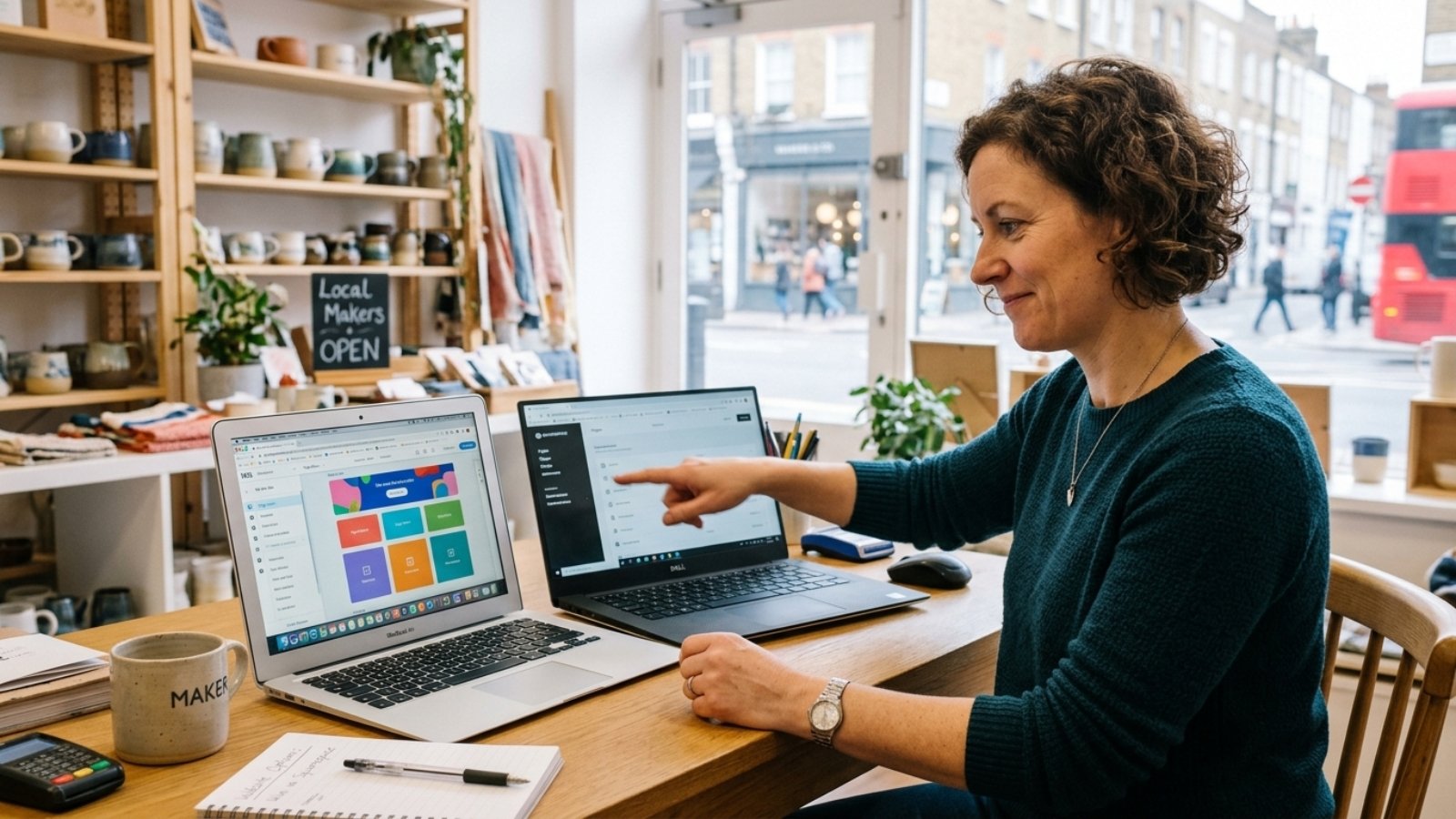
UK small business owner comparing website builder dashboards to choose the best CMS for UK small business

Best CMS for a UK Small Business Website in 2026

Quick answer: The best CMS for a UK small business in 2026 is WordPress for most owners who want long-term flexibility and control, Wix or Squarespace for a fast DIY setup with less technical overhead, and Shopify if selling products is the main goal. WordPress still powers 43.4% of all websites globally, more than every other platform combined.

I build sites on WordPress, Wix, and Flutter depending on what a client actually needs, so I don’t have a single platform I push regardless of fit. That said, most UK small business owners ask me this question before they even know what they’re really deciding between.

What Does “Best CMS” Actually Mean for a Small Business?

It doesn’t mean the platform with the most features. It means the platform that matches your budget, your technical comfort, and how much your site needs to grow over the next few years. A florist taking bookings needs something completely different from a manufacturer with a 400-product catalogue.

That’s why “best” always depends on context, and any article claiming one universal winner is oversimplifying. However, some clear patterns do emerge once you look at what UK small businesses actually need in 2026.

WordPress: Still the Default for a Reason

WordPress commands 61.4% of the CMS market and powers 43.4% of the entire internet, according to W3Techs’ latest tracking data. That dominance isn’t inertia. It persists because WordPress gives you full ownership of your site, thousands of plugins, and no platform lock-in if you want to switch hosts later.

For UK businesses specifically, WordPress plus WooCommerce handles VAT calculation, UK-specific shipping zones, and Making Tax Digital-compatible invoicing plugins better than most closed platforms. That matters more than it sounds, because getting VAT display wrong on product pages creates real compliance headaches.

The trade-off is setup complexity. WordPress isn’t drag-and-drop out of the box, so you’ll want a developer or a page builder like Elementor to get a polished result without fighting code. I’ve written more on how WordPress stacks up directly against Wix and Webflow if you want the full comparison.

Wix and Squarespace: Faster to Launch, Less to Own

Wix holds roughly 3.7% of the CMS market and Squarespace around 2.3%, small by comparison to WordPress but popular for a reason. Both platforms bundle hosting, security, and design into one subscription, so a non-technical owner can launch a professional-looking site in a weekend.

That convenience has a ceiling. Once your business needs custom booking logic, complex membership tiers, or deep third-party integrations, these platforms start fighting you. Wix Studio and Velo have narrowed that gap significantly for developers willing to write custom code inside Wix’s ecosystem, which is worth knowing if you outgrow the basic editor later.

Choose Wix or Squarespace if you want the site live this week and your functional needs stay relatively simple.

Shopify: The Right Answer Only If You’re Selling Products

Shopify sits at roughly 4.8% of the CMS market, and nearly all of that share comes from stores, not content sites or service businesses. If your UK business sells physical products online, Shopify’s checkout, inventory, and shipping tools are purpose-built and genuinely excellent.

However, if products are a small part of a broader service business, Shopify becomes overkill. You’ll pay for e-commerce infrastructure you barely use while missing the content and blog flexibility WordPress offers natively.

The Compliance Factor Most Comparisons Skip

Here’s something UK business owners researching CMS options rarely get told directly. The European Accessibility Act came into force on 28 June 2025 and applies to any organisation, including UK businesses, that sells products or services to consumers in the EU. It sets the WCAG 2.2 AA accessibility standard as the benchmark, according to UK government accessibility guidance built on the same framework.

That means if you sell to EU customers at all, your CMS choice affects how easily you can meet accessibility requirements. WordPress has mature accessibility plugins and themes built to WCAG standards. Wix and Squarespace have improved significantly here too, though customisation sometimes limits how far you can push compliance without developer help.

A Mistake I See UK Businesses Make Constantly

Owners often pick a CMS based on what a friend’s business uses, without checking if the underlying need matches. A consultancy copying a retail friend’s Shopify setup ends up paying for e-commerce features they’ll never touch, while missing the blog and case-study tools that actually generate consulting leads. Match the platform to what your business does, not to what looks impressive in someone else’s browser tab.

Quick Decision Guide

  • Service business needing blog content and lead generation? WordPress, almost every time.
  • Simple site, minimal budget, need it live fast? Wix or Squarespace.
  • Selling physical products as your core business? Shopify.
  • Selling internationally with complex VAT or multi-currency needs? WordPress with WooCommerce, since the plugin ecosystem handles this better than closed platforms.

If you’re still unsure which category your business falls into, our website cost calculator breaks down typical costs by platform so you can see the real numbers before committing.

Frequently Asked Questions

Is WordPress still the best CMS for a UK small business in 2026? For most service-based and content-driven businesses, yes. WordPress holds 61.4% of the CMS market and offers more flexibility than closed platforms like Wix or Squarespace.

Do I need a developer to use WordPress? Not strictly, but a developer or page builder like Elementor helps you get a polished, professional result faster than building from scratch with no coding experience.

Which CMS is easiest for a beginner in the UK? Wix and Squarespace are generally easier to start with, since both bundle hosting, templates, and design into one straightforward subscription.

Does my CMS choice affect accessibility compliance? Yes. If you sell to EU customers, the European Accessibility Act requires WCAG 2.2 AA compliance, and some platforms make reaching that standard easier than others.

Is Shopify worth it if I only sell a few products alongside services? Usually not. Shopify is built for product-first businesses, so a mostly service-based business often gets better value from WordPress with a simple WooCommerce shop section.

Can I switch CMS platforms later if my business grows? Yes, though migrating from a closed platform like Wix or Squarespace to WordPress usually takes more work than starting on WordPress from day one.

Picking the right CMS shapes everything that comes after it, from SEO to how much a future redesign costs. If you want a second opinion on what fits your specific business, message me on WhatsApp and I’ll walk you through the honest trade-offs.

Restaurant owner reviewing restaurant website mistakes on a tablet with a developer during online ordering setup

Restaurant Website Mistakes That Cost You Orders

Quick answer: The restaurant website mistakes that cost you online orders most often come down to slow mobile load times, a menu that’s a PDF instead of real text, and checkout flows that force too many steps. Fix those three, and most restaurants see direct orders climb because customers stop bouncing to a delivery app instead.

I’ve rebuilt online ordering for restaurants in Denmark, moving them off clunky third-party checkout screens onto their own WordPress and WooCommerce sites. The pattern repeats almost every time. It’s rarely the food or the brand that loses the order. It’s the five seconds between a hungry customer tapping “order” and giving up.

Why Does This Even Matter When Delivery Apps Exist?

Because direct orders are worth more, and customers actually prefer them when the experience works. According to a 2024 Paytronix industry report, guests order 35% more items per check when ordering directly from a restaurant compared to third-party marketplaces, and mobile app orders carry 45% higher lifetime value than web orders.

Customers aren’t loyal to Uber Eats or DoorDash out of preference, either. A HungerRush consumer survey found that 67% of people are at least sometimes deterred from third-party apps because of the added fees, and more than half said they’d order directly instead, depending on the website experience.

That “depending on” is doing a lot of work. If your restaurant website mistakes push customers away, they default right back to the app you’re trying to avoid.

Mistake One: A Menu Trapped Inside a PDF

This is still shockingly common. A restaurant uploads their printed menu as a PDF, links it from the homepage, and calls the website done. On mobile, that means pinching, zooming, and scrolling sideways just to read a burger description.

Search engines can’t read PDF menus well either, so you lose local search visibility for dish names people actually search. A menu built as real, structured HTML text loads instantly, displays cleanly on any phone, and gets indexed by Google for searches like “best butter chicken near me.”

Mistake Two: Slow Mobile Load Times

Most restaurant browsing happens on a phone, often while someone is standing outside deciding where to eat. Google’s own research found that 53% of mobile visitors abandon a page that takes longer than three seconds to load. For a hungry customer with three other tabs open, three seconds might be generous.

Heavy, uncompressed food photography is usually the culprit. High-resolution hero images look great on a designer’s laptop but crawl on a spotty 4G connection. Every restaurant site should run through a speed check before launch, not after complaints start.

I offer a dedicated Core Web Vitals optimization service for exactly this reason — restaurant sites are some of the worst offenders because everyone wants beautiful food photos, but nobody wants to compress them properly.

Mistake Three: Checkout That Asks for Too Much

Every extra field between “select item” and “confirm order” is a chance for someone to give up. Account creation before ordering, mandatory phone verification, or a five-step address form all add friction a delivery app simply doesn’t have.

For a WooCommerce-based ordering system, that usually means enabling guest checkout, auto-filling saved addresses for returning customers, and keeping the entire flow to three screens or fewer: menu, cart, payment. I built exactly this kind of streamlined checkout for Express Pizzeria in Denmark, migrating them off a clunky third-party system onto a direct WooCommerce setup.

Mistake Four: No Real-Time Order Status

Customers who order through Uber Eats get a live map and a countdown timer. Customers who order through a restaurant’s own site often get… nothing, just a confirmation email and silence. That gap makes a direct order feel riskier, even when the food arrives just as fast.

You don’t need a full delivery-tracking app to fix this. A simple order status page — received, preparing, ready for pickup, out for delivery — closes most of the trust gap without custom engineering.

Mistake Five: Hiding the Order Button

Some restaurant homepages bury the “Order Online” button under a hero video, a reservations widget, and three carousel slides before it appears. On mobile, that means scrolling past everything else just to start an order. If ordering is your main revenue driver, that button belongs above the fold, on every page, not just the homepage.

What This Actually Costs a Restaurant

Run the math on your own numbers. If your average ticket is $28 and your site loses even 15 orders a week to abandonment, that’s over $21,000 a year walking straight to a delivery app instead of your kitchen. Multiply that by however many of these mistakes are stacking on top of each other, and the number gets uncomfortable fast.

That’s the real argument for fixing this now rather than “eventually.” Every week a slow, cluttered ordering page stays live is a week of direct revenue quietly leaking to a platform that takes 15-30% off the top.

Frequently Asked Questions

What’s the single biggest restaurant website mistake that costs orders? Slow mobile load time tends to cause the most damage, since more than half of mobile visitors leave a page that takes longer than three seconds to load.

Should restaurants avoid third-party delivery apps entirely? No, third-party apps still reach new customers effectively. The goal is building a direct ordering site strong enough that repeat customers order there instead, since direct orders are worth more per ticket.

Does a PDF menu really hurt SEO? Yes, because search engines can’t easily read or index dish names inside a PDF, which means your restaurant misses local search traffic for specific menu items.

How fast should a restaurant website load on mobile? Aim for under three seconds. Beyond that point, abandonment rates climb sharply according to Google’s own mobile performance research.

Do customers actually prefer ordering directly from a restaurant? Many do, when the experience is smooth. Surveys show a majority of consumers are open to ordering directly instead of through an app, largely to avoid added fees.

Is guest checkout important for restaurant ordering sites? Yes. Forcing account creation before a first order is one of the fastest ways to lose a hungry, impatient customer at checkout.

If your restaurant’s website is quietly pushing orders toward apps instead of keeping them for you, that’s usually fixable in a focused rebuild, not a total overhaul. Message me on WhatsApp and I’ll take a look at what’s actually costing you orders.