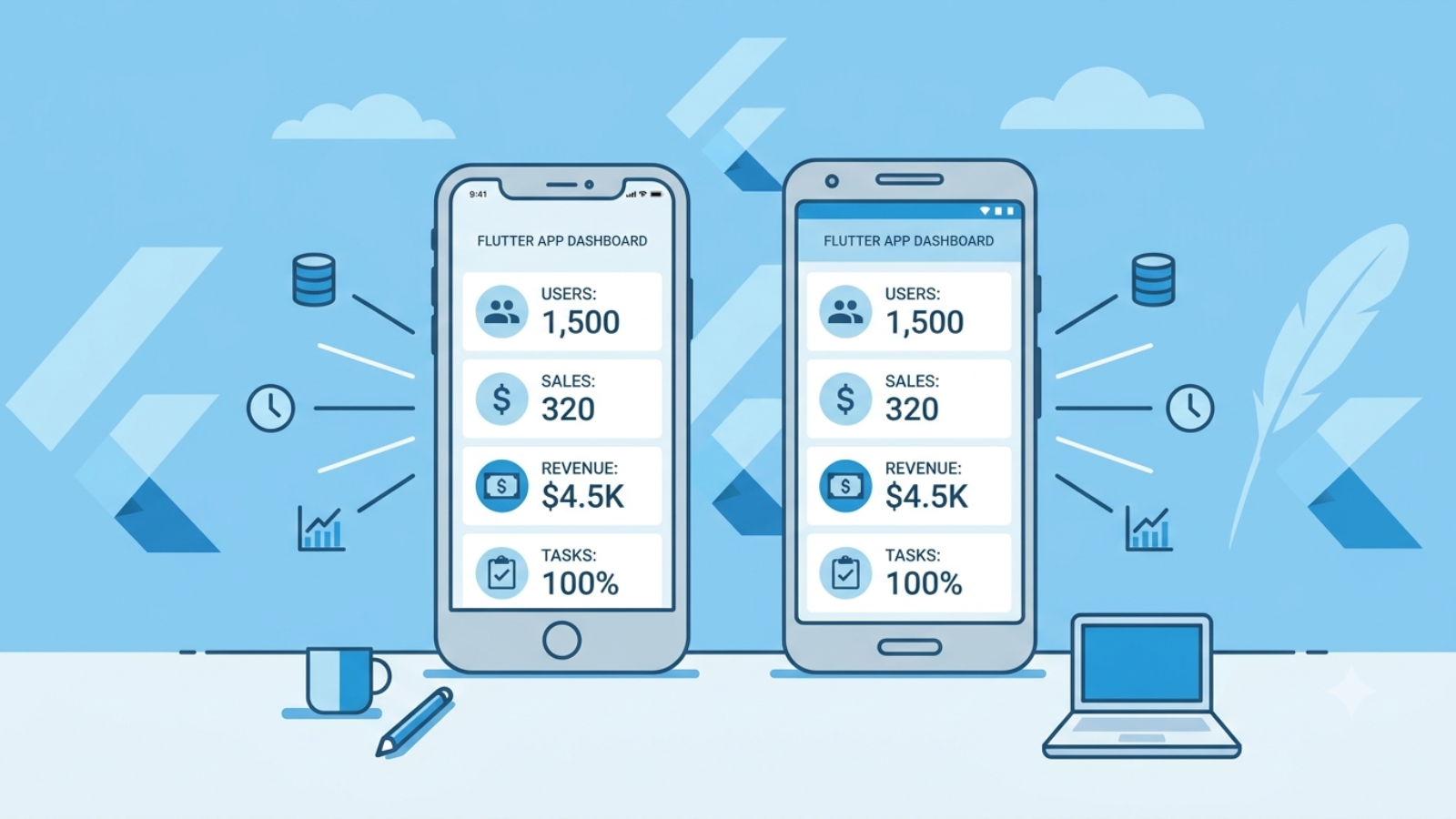
Flutter app development cost 2026 — freelancer vs agency pricing guide

Flutter App Development Cost in 2026: What Freelancers Actually Charge

Every article about Flutter app development cost is written by an agency trying to sell you a $50,000 project. This one isn’t.

I’m a freelance Flutter developer. I built and published Al Quran MP3 — a 114-surah audio streaming app — on both Google Play and the Apple App Store. I dealt with Apple rejections, fixed AVFoundation audio errors on iOS, implemented 512KB progressive buffering to handle streaming failures, and navigated every step of the submission process myself. I know what Flutter development actually costs because I’ve done the work, not just quoted for it.

Here’s what you’ll actually pay in 2026, depending on who you hire and what you’re building.

Why Flutter Costs Less Than You Think — And More Than Some Agencies Quote

Flutter is Google’s open-source framework for building apps that run on Android, iOS, web, and desktop from a single codebase. You write the code once and it works everywhere. That’s the real cost advantage — you’re not paying for two separate iOS and Android builds.

Agencies love quoting $50,000–$300,000 for Flutter projects. Some of those quotes are honest for large enterprise apps. Most are not what a small business or startup actually needs. The range that matters for 90% of real projects is much smaller.

A solo freelance Flutter developer with 2–3 years of production experience typically charges $25–$60 per hour depending on their location and the complexity of your project. A mid-level agency charges $80–$150 per hour. A top-tier US or UK agency charges $150–$300 per hour.

Same app. Dramatically different invoice.

What Flutter App Development Actually Costs by Project Type

Simple utility app — 5 to 8 screens, no backend, no login, basic navigation. Think a prayer times app, a currency converter, a unit calculator, or a basic audio player. A freelancer builds this in 2–6 weeks. Cost range: $1,500–$6,000 from a freelance developer. $15,000–$30,000 from an agency.

Standard business app — 10 to 20 screens, user login, a backend (Firebase or a REST API), push notifications, maybe payment integration. A delivery tracker, a booking app, a membership app. Freelancer cost: $5,000–$18,000. Agency cost: $30,000–$80,000.

Complex multi-feature app — real-time data, multiple user roles, custom animations, third-party integrations, admin dashboard. A marketplace, a healthcare platform, a logistics system. Freelancer cost: $15,000–$40,000 for a skilled solo developer. Agency cost: $80,000–$300,000+.

The gap between freelancer and agency pricing is not about quality. It’s about overhead. An agency charges for project managers, account managers, QA teams, and offices. A skilled freelancer charges for the actual development work.

✅ Pro Tip: For a simple to medium app with a clear scope, a freelance Flutter developer almost always delivers better value than an agency. The code quality can be identical — sometimes better, because a senior freelancer does the work personally rather than handing it to a junior developer on their team.

The Hidden Costs Nobody Puts in Their Quote

This is where budgets go wrong. The development cost is just one part of what you’ll actually spend.

Apple Developer Account — $99 per year. Required to publish on the App Store. Non-negotiable. If your developer is quoting you a “complete app” price, ask if this is included or separate.

Google Play Developer Account — one-time $25 fee. Much more reasonable, and it never expires.

App Store review time — Apple reviews take 1–7 days per submission. If they reject the app — and they will reject it at least once for almost every first-time submission — you fix the issue and resubmit. Add 1–2 weeks to your timeline for this. My Al Quran MP3 app was rejected twice before approval. Once for location permission handling and once under their similarity guideline. These rejections are normal. Budget time for them.

Backend hosting — if your app needs a server, database, or API, that’s a monthly cost. Firebase free tier handles small apps. Once you scale, Firebase bills can grow fast. A basic DigitalOcean or Hostinger VPS runs $6–$20 per month as an alternative.

Third-party APIs and services — payment gateways, mapping services, SMS verification, email providers. These have their own monthly costs that continue after launch. A Stripe integration, for example, takes 2.9% + $0.30 per transaction on top of development costs.

Maintenance — Flutter updates regularly. Dart updates. Android API levels change. Apple changes App Store requirements every year. Budget 10–20% of your initial development cost per year for ongoing maintenance. An app you build today without maintenance will have issues within 12–18 months.

⚠️ Watch Out: The most common budget mistake I see is clients who budget for development but not for the year after launch. Your app will need updates. Apple will require changes. Android will deprecate APIs. A developer who disappears after launch leaves you with an increasingly broken app and no one who understands the codebase to fix it.

Real Example: What Al Quran MP3 Cost to Build

My Al Quran MP3 app has 114 surahs, full audio streaming, an offline mode, a Qibla compass screen using device location, and is published on both Google Play and the Apple App Store.

The core development work — Flutter UI, audio integration using the just_audio package, surah listing, playback controls — took roughly 3 weeks of focused development time. The iOS problems added another week. AVFoundation on iOS handles audio streaming differently from Android. The app was silently failing on iOS when streaming audio files above a certain size. The fix was implementing 512KB progressive download buffering so the audio loads in chunks rather than attempting to stream the full file at once. That’s the kind of iOS-specific issue that doesn’t appear in Android testing and adds real hours to the project.

Total honest time investment: approximately 4 weeks from scratch to published on both stores. At a $40/hr freelance rate that would be around $6,400. At an agency rate of $120/hr it would be $19,200. Same app. Same result.

Flutter vs React Native: Which Costs Less?

If you’re comparing Flutter to React Native specifically on cost, the honest answer is that the framework is not the biggest cost driver — the developer is.

That said, Flutter has one real cost advantage: UI consistency. Flutter renders its own widgets and doesn’t rely on native components. This means what you build looks exactly the same on Android and iOS without platform-specific fixes. React Native uses native components, which behave slightly differently between platforms and often requires additional platform-specific code to make the UI consistent. That extra work costs extra hours.

For most business apps, Flutter is the better value choice in 2026. The exception is if your app needs deep integration with JavaScript libraries or your existing team is JavaScript-native — in which case React Native’s ecosystem may save you more time than Flutter’s rendering advantage.

How to Hire a Flutter Developer Without Getting Burned

  1. How to Hire a Flutter Developer Without Getting Burned

    Ask to see a published app. Not a demo. Not a GitHub repo. A live app in the App Store or Google Play that real users have downloaded. Anyone can build a demo. Shipping a production app through Apple’s review process is a different skill.
    Ask about iOS-specific experience separately. Flutter development on Android is relatively smooth. iOS is where problems appear — AVFoundation audio quirks, App Store review rejections, location permission handling, background processing limitations. A developer who has only ever built Android apps in Flutter will hit these problems on your iOS build and charge you for the time to figure them out.
    Ask how they handle App Store rejections. The right answer is that they expect them, have handled them before, and include at least one revision cycle in their quote. The wrong answer is that they’ve never been rejected — that means they’ve never shipped a real iOS app.
    Ask for a fixed-price quote for defined scope. If your app has clear, documented features, there’s no reason for hourly billing. A fixed price protects you from scope creep and incentivises the developer to work efficiently.
    ✅ Pro Tip: The best Flutter developers are not always the ones with the most expensive portfolios. Look for someone who has shipped at least 2–3 production apps across both stores, communicates clearly about technical problems, and gives you a detailed breakdown of what’s included in their quote. That combination matters more than years of experience or hourly rate.

What a Realistic Flutter App Budget Looks Like in 2026

If you’re a small business or startup planning a Flutter app, here’s how to think about your total budget.

Simple utility or content app on both stores: $2,000–$8,000 with a freelance developer, including Apple and Google developer accounts. Add $100–$200 per year for maintenance.

Standard business app with login, backend, and payments: $8,000–$20,000 with a skilled freelancer. Add $500–$2,000 per year for hosting and maintenance.

Complex app with real-time features, multiple roles, and custom integrations: $20,000–$50,000 with a senior freelancer or small specialist team. Ongoing costs depend heavily on backend complexity.

If an agency quotes you $80,000 for a simple business app, you are paying for their overhead, not your app. If a freelancer quotes you $500 for a complex multi-platform app, something is wrong. The real number for most projects sits between those extremes — and closer to the freelancer end than most agencies want you to believe.

FAQ

How much does a simple Flutter app cost in 2026?

A simple Flutter app — 5 to 8 screens, no complex backend, published on both Android and iOS — costs $1,500–$6,000 from a freelance developer. Agency pricing for the same scope typically starts at $15,000. The difference is overhead, not quality.

Is Flutter cheaper than building separate native apps?

Yes, significantly. A single Flutter codebase replaces two separate native builds — one for iOS in Swift and one for Android in Kotlin. You’re paying one developer for one codebase that works on both platforms. The saving is typically 35–45% compared to native development for standard business apps.

How long does it take to build a Flutter app?

A simple utility app takes 2–4 weeks. A standard business app takes 6–12 weeks. A complex multi-feature platform takes 3–6 months. These timelines assume clear scope from the start — vague requirements add weeks of back-and-forth that extend every estimate.

Do I need a Mac to develop a Flutter iOS app?

Yes. Building and testing for iOS requires a Mac with Xcode installed. This is Apple’s requirement, not Flutter’s. A developer working on Windows can build and test the Android version but cannot compile or submit the iOS version without a Mac. Always confirm your Flutter developer has Mac access before starting an iOS project.

How much does it cost to maintain a Flutter app after launch?

Budget 15–20% of your initial development cost per year. That covers operating system updates, Flutter framework updates, App Store compliance changes, and minor bug fixes. An app that costs $5,000 to build should have a maintenance budget of $750–$1,000 per year to stay functional and compliant.

Can I build a Flutter app for $1,000?

For a very simple single-platform app with no backend, possibly. For a dual-platform app published on both stores with real features, no. The Apple developer account alone costs $99 per year. A professional developer charging $30–$40 per hour will use 25–33 hours just to reach that budget, which isn’t enough for a polished, published app. Set $2,000 as your realistic minimum for anything worth launching.

Final Thoughts

Flutter app development cost in 2026 depends far more on who you hire than what framework you use. The agency quotes that dominate Google search results are written by companies with large sales teams and even larger overheads. A skilled freelance Flutter developer delivers the same technical output for a fraction of the price.

What you’re actually paying for is someone who has shipped real apps, understands the App Store submission process from experience, and can solve the iOS-specific problems that only appear when you’re building for production — not just for demo.

If you’re planning a Flutter app and want a realistic quote based on your actual requirements, get in touch at https://syedaounraza.online/contact/

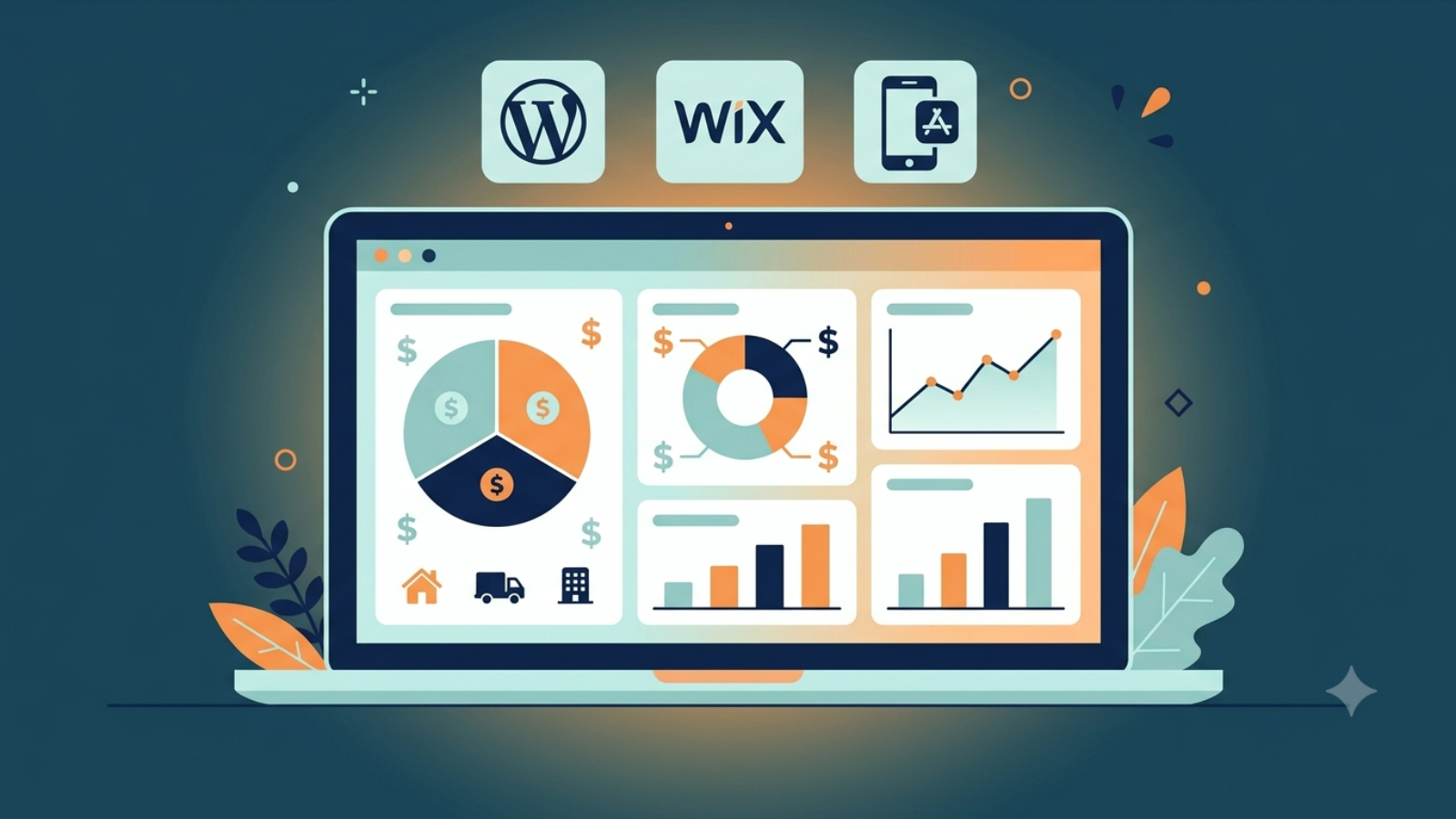
Website development cost comparison dashboard showing pricing tiers by platform

Website Development Cost in 2026: The Complete Pricing Guide

Quick answer: Website development in 2026 typically costs between $1,000 and $15,000 for most small businesses, with basic sites at the low end and custom-featured builds at the high end. WordPress ranges roughly $500–$30,000+ depending on complexity, Wix Studio sites usually fall in a similar low-to-mid range with more predictable bundled pricing, and mobile apps (like Flutter builds) start higher due to backend and platform requirements. The real number depends far more on scope — integrations, e-commerce, custom design, and ongoing maintenance — than on which platform you choose.

If you’ve searched this question and found ranges anywhere from $500 to $500,000, you’re not imagining things — that’s genuinely how wide the market is. This guide breaks down why, using real 2026 market data, so you can budget with actual numbers instead of guesses.

Why “How Much Does a Website Cost” Has No Single Answer

A recent industry-wide survey of over 300 web development firms across 31 countries found that fixed-price web development projects in 2026 range from $1,000 to $150,000 or more, with 63% of agencies quoting between $1,000 and $15,000. That’s the honest starting point: most small business projects land in a fairly predictable band, but the ceiling is genuinely open-ended once you add complexity. YouTube

The same survey found that basic websites and MVPs cost $1,000 to $3,000 for 60% of agencies, with 71% delivering them in under four weeks, while enterprise builds show the widest spread — 36% quote $20,000 to $50,000, and 7% go as high as $200,000 to $500,000. Two businesses can both say “I need a website” and mean completely different projects. YouTube

WordPress Pricing: The Full Range

WordPress remains the most commonly used platform among web development firms — the same 2026 survey found 83% of respondent agencies build on WordPress, far ahead of any competitor. That popularity is exactly why its pricing spans so widely. YouTube

Basic WordPress sites: According to industry pricing data, simple WordPress websites typically cost $500 to $5,000, while fully custom builds with advanced features range from $5,000 to $30,000. Wix

Mid-range custom builds: Looking at the market more broadly, WordPress’s $3,000 to $10,000 modal range reflects its versatility, while complex builds handled by experienced WordPress development companies regularly reach $40,000 or more when custom plugin development, multisite architecture, or advanced editorial workflows are involved. YouTube

What actually drives the price up: One detailed 2026 pricing breakdown notes that the important factor isn’t a flat number but what kind of WordPress site you’re buying and what has to keep working after launch — deeper planning, custom design systems, cleaner development, more QA, migration planning, and long-term support all separate a $5,000 site from a $25,000 one. Omi AI

Maintenance — the cost most people forget: This is where budgets get blindsided. WordPress maintenance through a managed service typically runs $79 to $200 per month for a small business site, with the industry average across major providers landing around $246 per month. That’s an ongoing cost on top of the initial build — and it’s rarely mentioned in the first quote. Wix

For a full breakdown specific to smaller projects, see our WordPress website cost guide for 2026.

Custom WordPress Development: Plugins, Themes, and Integrations

If your project needs something WordPress doesn’t do out of the box — a custom plugin, a fully bespoke theme, or an integration with an external system — pricing shifts into a different bracket entirely. A detailed 2026 custom development pricing guide puts it plainly: custom WordPress development typically ranges from $2,000 to $15,000 or more, depending on whether you need a plugin, theme, or integration, and the level of complexity involved — and vague ranges like “$500 to $50,000” aren’t a budget, they’re a guess. Wix

At the higher end of custom plugin work specifically, plugins with complex logic, custom admin dashboards, or integration with third-party services — like booking systems or custom reporting tools — typically run $4,000 to $6,000 or more. Wix

This is directly relevant if you’re building something like a booking system or an AI-powered feature — these fall squarely into “custom integration” territory, not template pricing.

Wix Studio Pricing: How It Compares

Wix Studio sits in a genuinely different pricing model — instead of piecing together hosting, themes, plugins, and developer hours separately, most of that gets bundled into a plan. This tends to make Wix pricing more predictable upfront, though it comes with less long-term flexibility once you’re locked into the platform’s ecosystem (a tradeoff we cover in detail in our Wix Studio vs WordPress comparison).

For most small-to-medium projects, Wix Studio costs land in a broadly similar range to a mid-tier WordPress build — the real differentiator isn’t raw cost, it’s what you’re trading for that predictability: less control over hosting and long-term portability, in exchange for less maintenance overhead.

Enterprise and Corporate Website Pricing

If you’re planning something bigger — a full corporate site, a lead-generation platform for a mid-market company, or an e-commerce build at scale — the numbers jump substantially. Recent 2026 pricing data shows midmarket and corporate marketing sites typically span $15,000 to $75,000 for a complete project, with a median around $36,500. Wix

E-commerce specifically scales even higher: full custom e-commerce builds on platforms like Shopify Plus, or headless architectures, typically land between $45,000 and $250,000 depending on catalog complexity, ERP integration, and front-end requirements. Wix

Interestingly, even with AI tools now standard across the industry, prices haven’t dropped at this tier. The same data notes AI coding assistants have compressed production timelines by 22 to 34%, yet average project invoices have held steady or increased slightly, because buyers now expect more for the same budget — Core Web Vitals compliance, accessibility standards, and conversion optimization are no longer optional extras. Wix

Mobile App Development: Flutter and Firebase Costs

If your project is a mobile app rather than a website, the cost structure shifts again — apps typically involve backend infrastructure (like Firebase) from day one, which websites often don’t need. We cover this in detail in our Flutter app development cost guide, but the short version: a simple MVP app costs meaningfully less than a full-featured app with real-time data, authentication, and payments, and the smartest budgeting approach is scoping your exact feature list before requesting quotes — generic per-app pricing ranges are even less reliable for mobile than they are for websites.

What Actually Pushes Any Project’s Price Up

Across WordPress, Wix, and custom app development, the same cost drivers show up repeatedly:

  • Custom design work — Original UX research and bespoke visual design adds real hours, not just template customization
  • Content operations — Professional copywriting and image direction is frequently underestimated in a first budget
  • Third-party integrations — Payment gateways, CRMs, booking systems, or AI features all add scoped development time
  • Technical instrumentation — Analytics, tag management, and search monitoring are increasingly standard but rarely included in the cheapest quotes
  • Ongoing maintenance — Security updates, backups, and monitoring are a recurring cost, not a one-time fee

One 2026 industry breakdown puts it simply: the right price for a project is determined more by scope clarity and integration complexity than by which vendor or platform you choose, and spending even a few hours defining scope in detail before requesting proposals typically reduces quoted price variance by 30 to 50%. Wix

How to Get an Accurate Quote (Not a Guess)

Given how widely these numbers swing, the only reliable way to budget is to define your scope before asking for a price. That means listing out:

  1. Every page or screen your project needs
  2. Whether you need e-commerce, bookings, or user accounts
  3. Any third-party integrations (payments, CRMs, booking systems, AI features)
  4. Whether content and copywriting are included or handled separately
  5. Your expectations for ongoing maintenance and support after launch

A developer working from that list can give you a scoped, defensible number. A developer working from “how much for a website?” is guessing just as much as you are.

Frequently Asked Questions

Is WordPress cheaper than Wix Studio?
Not necessarily — for comparable small business projects, both land in a similar overall range. The real difference is in what you’re paying for: WordPress offers more long-term flexibility and plugin variety, while Wix bundles hosting and maintenance into more predictable pricing.

Why do WordPress quotes vary so much between freelancers and agencies?
Freelancers typically charge 30–100% less than agencies for comparable scope, since agency pricing includes project management, QA processes, and broader accountability structures that freelancers often don’t carry as overhead.

Does a cheaper website cost more in the long run?
Often, yes — if it lacks proper technical foundations (clean code, security practices, scalable structure), it can require a costly rebuild sooner than a slightly more expensive, properly built site would have.

Is AI making websites cheaper to build in 2026?
For basic sites, yes — AI-assisted tools have compressed timelines and lowered entry-level pricing. For complex, custom, or enterprise builds, overall invoices have held steady or risen slightly, since expectations for quality and functionality have risen alongside the efficiency gains.

What’s the single biggest hidden cost people forget to budget for?
Ongoing maintenance. A website’s launch cost is only part of the picture — hosting, security updates, and content upkeep are recurring costs that should be part of the original budget conversation, not a surprise afterward.


Not sure what your specific project should actually cost? Contact us with your requirements for a scoped, honest estimate — not a generic range.


AI chatbot feature integrated into a Flutter mobile app using Firebase

How to Add AI Features to a Flutter App with Firebase (2026)

Quick answer: You can add AI features to a Flutter app using Firebase AI Logic, which connects your app directly to Google’s Gemini models through a secure client SDK. This lets you build chatbots, smart recommendations, and content generation without managing your own backend server for basic use cases. Setup typically takes a few days depending on how deeply the AI feature is integrated into your app’s logic.

If you’re building a Flutter app in 2026, AI isn’t an add-on anymore — it’s often expected. Here’s exactly how to integrate it properly, using Google’s own recommended approach.

Why Firebase AI Logic Is the Right Starting Point

Firebase already handles authentication, databases, and hosting for most Flutter apps — so extending it to AI keeps everything in one ecosystem. According to Firebase’s official documentation, the AI Logic client SDKs are built specifically for mobile and web apps, offering security options against unauthorized clients along with integrations with other Firebase services, and are available in Dart for Flutter among other platforms. LOGEIX

This matters because it allows switching between Gemini API providers just by enabling a different API and changing a few lines of initialization code, and several client SDKs even support on-device inference that falls back to the cloud model when needed. LOGEIX

How the Integration Actually Works

Step 1: Set up Firebase AI Logic in the console
In the Firebase console, under AI Services, you select AI Logic and click “Get started” to launch a guided setup that configures the required APIs and resources for your project. You’ll choose between the Gemini Developer API (simpler, good for getting started) or Vertex AI Gemini API (more enterprise-focused, requires billing setup). SUSO

Step 2: Add the SDK to your Flutter app
The core package for this is firebase_ai, available on pub.dev, which supports all three major model types and is the central tool for connecting a Flutter client to Gemini. X

Step 3: Initialize Firebase in your app
This happens in your main.dart file, connecting your app to the Firebase project you configured, typically using the FlutterFire CLI to generate the right configuration files automatically.

Step 4: Create your model instance and start calling Gemini
Once initialized, you create a generative model instance and start sending prompts — this is the part that actually generates AI responses inside your app, whether that’s a chatbot reply, a content suggestion, or a data-driven recommendation.

Step 5: Test thoroughly before shipping
Because AI responses aren’t always predictable, test with a wide range of real user-style inputs, not just clean example prompts.

Full setup details are available directly in Firebase’s official AI Logic documentation, which covers platform-specific requirements for Flutter, Android, iOS, and web.

Security: Don’t Skip This Part

This is the step most tutorials gloss over, and it matters. If your Flutter app calls Gemini directly from the client, you should not commit your Firebase configuration file to a public repository, since anyone could reuse it to send requests to your AI endpoint, consuming quota and potentially causing billing costs. For production apps, the recommended approach is routing AI requests through a backend service — like Cloud Functions for Firebase or Cloud Run — so the backend, not the client, controls access. PeekYouPeekYou

In practice, this means: prototype quickly with direct client calls, but before launching publicly, move sensitive AI logic behind a backend function.

What You Can Actually Build

1. In-App AI Chat
A conversational assistant inside your app — for support, onboarding, or general Q&A. Google’s own AI Toolkit for Flutter provides ready-made chat widgets supporting multiturn conversations, streaming responses, and even voice input, built specifically around Firebase AI Logic. PeekYou

2. Smart Content Generation
Apps that generate personalized text — recipe suggestions, product descriptions, or learning content — based on simple prompts, without needing a custom-trained model.

3. Real-Time Recommendations
Using AI to suggest relevant options based on user behavior or stated preferences — practical for booking, e-commerce, or hospitality-style apps.

4. Live Voice/Video AI Interaction
The Gemini Live API enables low-latency, real-time voice and video interactions with a Gemini model, processing continuous streams of audio, video, or text to deliver immediate, human-like spoken responses. This is more advanced and best suited for apps where natural conversation is core to the experience. Quotes

What This Typically Costs

  • Basic AI chat feature (client-side, simple prompts): Lower cost, often a few days of integration work
  • Custom AI feature with backend security (Cloud Functions, production-ready): Mid-range cost, more setup time due to the added backend layer
  • Advanced features (Live API, voice/video, multi-step AI workflows): Higher cost, scoped individually based on complexity

As always, the only accurate way to budget is scoping your exact feature list with a developer rather than relying on generic estimates.

Mistakes to Avoid

  • Committing API keys or Firebase config files to public repositories — this is a real, common security mistake
  • Skipping Firebase App Check — this helps protect your API from abuse and unauthorized use
  • Building only for the “happy path” — test with messy, unexpected user inputs before launch
  • Going straight to advanced features — start with a simple chat or recommendation feature, validate it works well, then expand

Frequently Asked Questions

Do I need a backend server to add AI to a Flutter app?
Not necessarily for prototyping — Firebase AI Logic supports direct client-side calls. For production apps, routing through a backend (like Cloud Functions) is the safer, recommended approach.

Which AI model does Firebase AI Logic use?
It connects to Google’s Gemini models, with options to use either the Gemini Developer API or the Vertex AI Gemini API depending on your project’s needs.

Is this only for chatbots?
No — it supports chat, content generation, recommendations, and even real-time voice/video interaction through the Gemini Live API.

How secure is this approach?
When set up correctly (using Firebase App Check and, for production, backend-routed requests), it’s designed specifically to prevent API key exposure and abuse.


Want AI features built into your Flutter app the right way — secure, scoped, and production-ready? Contact us with your app idea for a quote.

Mobile app built with Flutter showing cost breakdown concept

Flutter App Development Cost in 2026: Real Pricing Guide

Quick answer: Flutter app development cost in 2026 typically depends on app complexity, features, and backend needs (like Firebase). A simple app with basic screens and no backend costs far less than a full-featured app with real-time data, authentication, and payments. Getting a scoped quote based on your exact feature list is the only way to get an accurate number — generic price lists rarely match real projects.

If you’re planning a mobile app and keep seeing wildly different price estimates online, here’s what actually drives Flutter app development cost — and how to budget realistically.

Why Flutter App Costs Vary So Much

Flutter lets developers build for iOS and Android from a single codebase, which usually makes it cheaper than building two separate native apps. But cost still swings widely based on:

  • Number of screens and user flows
  • Whether you need a backend (like Firebase) for data, login, or real-time updates
  • Third-party integrations (payments, maps, push notifications, chat)
  • Custom animations or complex UI
  • Admin panel or dashboard requirements

A simple single-screen utility app and a full marketplace app with logins, payments, and real-time chat are both “Flutter apps” — but they’re nowhere near the same cost.

What Typically Increases Cost

  • Firebase backend (authentication, real-time database, cloud functions) — adds development and setup time
  • Payment gateway integration (Stripe, PayPal, local providers) — needs careful testing
  • Push notifications and background services
  • Admin dashboards for managing app content or users
  • Offline functionality — apps that need to work without internet require extra engineering

What Keeps Cost Lower

  • Using Firebase’s pre-built services instead of a fully custom backend
  • Sticking to standard UI components instead of heavy custom animations
  • Launching with a focused feature set (MVP) instead of everything at once
  • Reusing existing design systems or templates where appropriate

A Smarter Way to Budget: Start with an MVP

Instead of trying to build every feature on day one, most successful apps launch with a Minimum Viable Product — the core features only — then add functionality based on real user feedback. This reduces upfront cost significantly and gets your app to market faster.

How to Get an Accurate Quote

The only reliable way to know your real cost is to list out:

  1. Every screen your app needs
  2. Whether you need user accounts/login
  3. Any real-time features (chat, live tracking, notifications)
  4. Payment or subscription requirements
  5. Whether you need an admin panel

With that list, a developer can give you a scoped, accurate quote — not a generic range.

Frequently Asked Questions

Is Flutter cheaper than native app development?
Generally yes, since one codebase covers both iOS and Android, reducing total development time compared to building two separate native apps.

Does Firebase cost extra on top of development?
Firebase has its own usage-based pricing (separate from development cost), but its free tier covers many small-to-medium apps early on.

How long does a Flutter app take to build?
A simple MVP can take a few weeks; a full-featured app with backend, payments, and admin panel typically takes longer depending on scope.

Can I add features after launch?
Yes — this is actually the recommended approach. Launch with core features, then expand based on real user data.


Want an accurate quote for your specific app idea? Contact us with your feature list for a scoped estimate.