
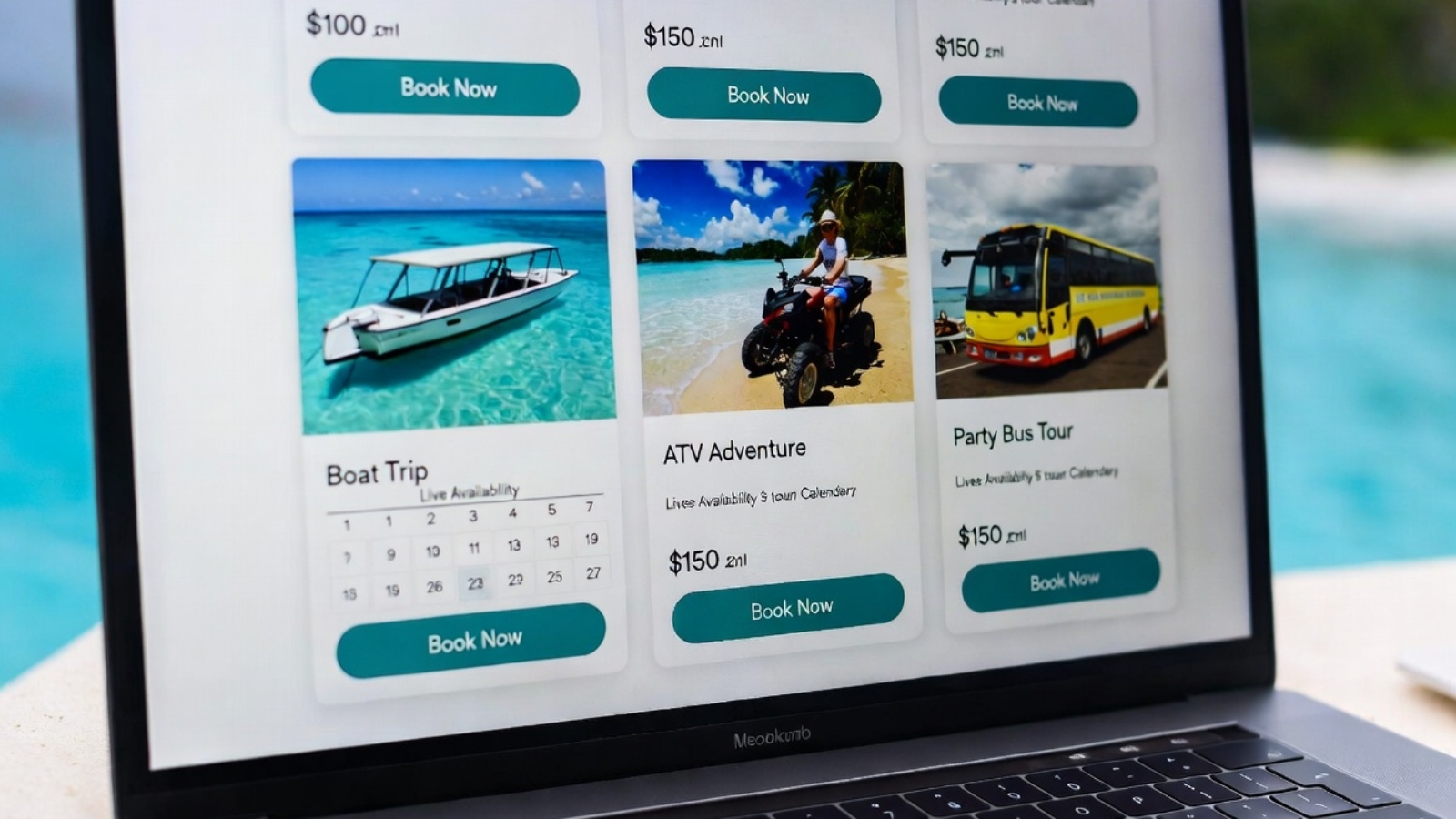
A FareHarbor booking website gives tourism businesses something that third-party platforms and scattered social media links never can — a single place where customers find you, trust you, and book directly with you, without leaving your brand experience to complete the transaction.
If you run a tour company, activity business, boat charter, or rental service and you’re currently sending customers to a generic FareHarbor page, a Google listing, or a third-party booking platform to complete their reservation — this post explains exactly what that’s costing you and how a proper FareHarbor-integrated WordPress website fixes it.
The Problem With How Most Tourism Businesses Handle Bookings
Most small tourism operators have the same setup: a FareHarbor account managing their availability and payments, a Facebook page for social presence, maybe a basic website that was built years ago, and a Google Business Profile where most bookings actually originate.
This works — until it doesn’t.
The problem isn’t FareHarbor. FareHarbor is excellent software for managing tour inventory, availability, and payments. The problem is the customer journey that surrounds it.
A tourist searching for activities in your area finds you on Google. They click through to your website. The website looks dated or basic. They’re not sure if you’re still operating. They can’t easily find what tours you offer or what they cost. The booking button either doesn’t exist or redirects them to a generic FareHarbor page that looks nothing like your brand.
At any point in that journey they might leave. And in tourism, a customer who leaves to “think about it” almost never comes back — they book with the next operator they find.
⚠️ Watch Out: Most tourism businesses underestimate how much their website is costing them in lost bookings. If your site doesn’t load fast on mobile, doesn’t clearly show your tours and prices, and doesn’t have a frictionless booking flow — you’re losing customers to competitors who do have those things, even if your actual tours are better.
What a Proper FareHarbor Booking Website Actually Does
A well-built FareHarbor-integrated WordPress website does five things that a basic site or Facebook page simply cannot.
1. Keeps Customers Inside Your Brand Experience
When FareHarbor is properly integrated into your WordPress site, customers browse your tours, check availability, and complete payment — all on your website, all inside your brand. The booking modal opens as an overlay on your page. When the booking is complete, they’re still on your site.
Compare this to sending customers to a standalone FareHarbor page, a third-party booking platform, or a link-in-bio setup. Every redirect is a point where customers can get distracted, second-guess themselves, or simply close the tab.
Keeping the entire journey on your own site consistently produces higher conversion rates. The customer never has a reason to leave.
2. Shows All Your Tours in One Place with Live Availability
FareHarbor’s Flow widget embedded on your WordPress site displays every tour you offer — with photos, descriptions, pricing, and real-time availability — all on one page.
A tourist landing on your booking page sees everything you offer, sees which dates have availability, picks what they want, and books in under two minutes.
✅ Pro Tip: Create a dedicated “Book a Tour” or “Experiences” page as your primary call-to-action destination. Link to it from your homepage, your navigation menu, every individual tour page, and every social media profile. The more paths lead to this page, the more bookings it generates.
3. Reduces Dependency on Third-Party Platforms
Viator, GetYourGuide, TripAdvisor Experiences, and similar platforms take commissions of 20–30% on every booking. For a $100 tour that’s $20–$30 gone before you’ve paid a single operating cost.
These platforms have their place — especially for discovery, where tourists who have never heard of you find you through search. But once a customer knows you exist, you want them booking directly through your own site where you keep the full revenue minus only the FareHarbor payment processing fee.
A proper website with strong SEO means more customers find you directly through Google instead of through a commission-charging platform.
4. Builds Trust Before the Booking
A professional website does something a FareHarbor profile page and a Facebook page cannot fully achieve — it builds trust systematically.
Your own domain, professional design, real photos from your tours, genuine customer reviews, a clear About page explaining who you are and how long you’ve been operating, a phone number and WhatsApp button — all of these signals tell a tourist that you are a legitimate, established business worth booking with.
In tourism, trust is everything. Tourists are spending real money and planning experiences they may have saved up for. They will not book with an operator who looks unestablished online, regardless of how good the actual tour is.
5. Gives You an SEO Foundation That Compounds Over Time
Third-party platforms rank in Google for your activity category. You do not. When a tourist searches “boat tours in [your location]” they find Viator and GetYourGuide ranking on page 1 — and your business buried somewhere below.
A WordPress website with proper SEO content targeting your specific location and activity type gives you a real path to ranking directly in Google searches for your tours. This takes time — typically 6–12 months of consistent content — but once established it generates free organic traffic and direct bookings that no platform can take a commission on.
✅ Pro Tip: Write individual tour landing pages for your most popular activities — one page per tour, with a dedicated URL, proper SEO title and meta description, and a FareHarbor booking widget embedded directly on the page. These pages can rank individually for specific search terms like “sunset catamaran cruise Aruba” or “ATV adventure tour Aruba.”
Who Specifically Needs a FareHarbor-Integrated Website
Not every tourism operator needs the same level of website. Here’s how to think about it:
You need a full FareHarbor booking website if:
- You manage multiple tour types or activity categories
- You work with partner operators or resellers
- You’re currently sending customers to a generic FareHarbor page to complete bookings
- You’re paying 20%+ commissions to OTAs on most of your bookings
- Your current website was built more than 3 years ago and doesn’t work well on mobile
- You want to appear in Google searches for your specific tours and location
A basic FareHarbor embed on an existing site may be enough if:
- You offer one or two simple tour types with no variants
- You already have a well-designed, fast-loading website
- You just need to add a booking button to what already exists
You need a multi-partner setup if:
- You operate as an umbrella company or reseller managing bookings for multiple tour operators
- You want to offer a variety of tour types from different providers on one site
- You manage separate FareHarbor accounts for different brands under one business
I built exactly this kind of multi-partner FareHarbor site for a tourism company in Aruba managing three separate partner brands — De Palm Tours, Kukoo Kunuku, and Pelican Adventures — all bookable through one WordPress site. You can read the full case study on how that was built here.
What to Look for When Hiring a Developer for This
Not every WordPress developer has worked with FareHarbor. It’s a niche enough integration that many developers will say yes and then figure it out as they go — which costs you time and money.
When evaluating a developer for a FareHarbor WordPress project, ask these specific questions:
- Have you worked with FareHarbor’s widget system before?
- Have you set up a multi-partner FareHarbor integration?
- How do you handle mobile testing for the booking modal?
- How do you approach page speed when loading multiple FareHarbor widgets?
- Have you dealt with FareHarbor Partner Network permissions before?
A developer who has done this before will answer these questions specifically. One who hasn’t will give vague answers about “integrating booking systems” without addressing FareHarbor directly.
✅ Pro Tip: Ask the developer to show you a live example of a FareHarbor integration they’ve built. A portfolio page or a live client URL is more convincing than any description of their experience.
What a FareHarbor Booking Website Typically Costs
A FareHarbor-integrated WordPress website for a tourism business typically falls in the range of $1,000–$3,500 depending on complexity. Here’s what drives the cost:
Lower end ($1,000–$1,500):
- Single operator, one FareHarbor account
- Standard Flow widget embed on a booking page
- 5–8 pages total
- Elementor-based design using a quality theme
Mid range ($1,500–$2,500):
- Multiple tour categories with individual landing pages
- Custom design beyond a standard theme
- WhatsApp integration, contact forms, Google Maps
- Mobile performance optimization
Higher end ($2,500–$3,500+):
- Multi-partner setup connecting two or more FareHarbor accounts
- Custom booking page design with individual partner sections
- SEO setup including individual tour landing pages
- Bilingual content (for operators serving international tourists)
These figures assume freelance developer pricing. Agency pricing for the same scope runs significantly higher.
Common Questions From Tourism Business Owners
Q: Do I need to change my FareHarbor account to add it to a WordPress site?
A: No. Your FareHarbor account stays exactly as it is. The WordPress integration uses embed codes generated from your existing FareHarbor dashboard. Your availability, pricing, and payment processing all stay inside FareHarbor — WordPress just displays the booking interface on your own site.
Q: Will customers still get FareHarbor confirmation emails after booking?
A: Yes. FareHarbor handles all booking confirmation and reminder emails directly from their system. Your WordPress site just provides the interface where the booking starts — FareHarbor handles everything after the customer completes the transaction.
Q: Can I show tours from multiple FareHarbor accounts on one site?
A: Yes — through FareHarbor’s Partner Network system. One operator account gets booking permissions across multiple partner accounts, and all partner inventory can be displayed through one WordPress site. I’ve built this for a real tourism client. You can read the full technical guide on how FareHarbor WordPress integration works.
Q: How long does it take to build a FareHarbor booking website?
A: A standard single-operator site typically takes 1–2 weeks from start to launch. A multi-partner setup with custom design and individual tour landing pages takes 2–4 weeks depending on how quickly content and partner approvals come through.
Q: Will my site rank on Google for my tours?
A: With proper SEO setup — individual tour landing pages, location-specific keywords, fast mobile loading — yes, over time. Ranking takes 3–6 months of consistent content for competitive tourism destinations. Less competitive locations can rank faster. A developer who sets up the SEO foundation correctly from day one gives you the best starting position.
Final Thoughts
A FareHarbor booking website is not a luxury for a tourism business in 2026 — it’s the baseline expectation of a tourist who finds you online. A professional site with your tours, real photos, live availability, and a seamless booking flow is what converts a browsing tourist into a paying customer.
The alternative — sending customers to a generic page, a social media link, or a third-party platform that takes a 25% commission — costs you money on every single booking and gives you no control over the customer experience or the data that customer generates.
If you run a tourism business using FareHarbor and want a WordPress site that makes booking as simple as possible for your customers — Contact me and I’ll build it for you.